AnyHershey, 2026
Python, Inkscape, scikit-image, vpype
Digital tool for artists and fabricators who want to create text for plotters and CNCs
In late 2025, I noticed a gap in the tooling available for digital artists and fabricators who create text with CNC-based systems like pen plotters. Back in 1967, A. V. Hershey created a series of fonts called ‘Hershey fonts’, which allow CNC pen plotters to write characters using the same strokes as a person. However, a limitation of Hershey fonts is that every character has to be designed by hand.
This is okay for a language like English that has a small character set, but becomes problematic in other cases. These include writing systems with a large character set (see Lingdong Huang’s work for hersheying Chinese), writing systems that are evolving (Japan added 196 characters to its standard Jōyō kanji set in 2010), and the many writing systems where no one has created a Hershey font.
I created AnyHershey to address all of these issues and to hershify text that contains multiple writing systems in one go. Rather than relying on hardcoded characters, you can input writing in any script in any font installed on your computer and automatically hershify it. This allows artists and fabricators to create CNC-ready text on demand in any language.
Inspiration
A pen plotter or laser cutter draws along lines. Regular fonts store each character as a filled outline, so plotting one traces around the edge of every stroke and the letters come out hollow. The usual fix is a font where each character is made of lines drawn once. The best known are the Hershey fonts, designed by A. V. Hershey at the U.S. Naval Weapons Laboratory in 1967, and from here on I call any font like this a Hershey font.
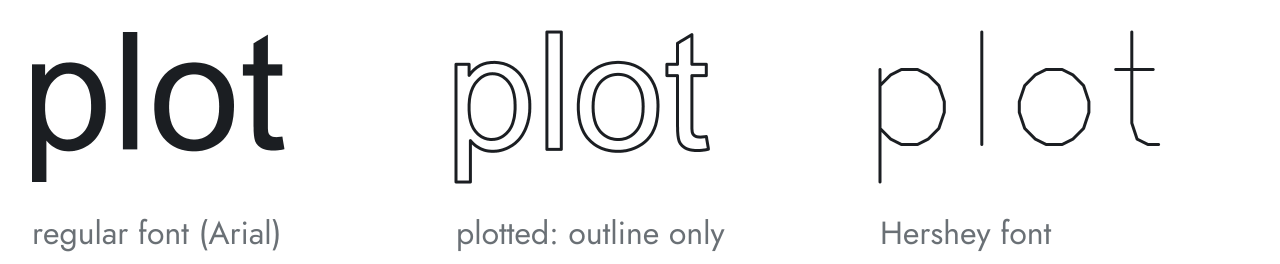
Left: Arial, a regular font. Middle: what a plotter draws from it. Right: Hershey's Roman Simplex (as included in vpype), made of single lines.
I ran into this while building Babble, a project of mine that writes out what people say on a pen plotter live. Its beta testers spoke English, Chinese, and French, so Babble needed a way to turn multiple alphabets into text automatically. Furthermore, in order to keep up with the speed at which people spoke, I needed to draw as few strokes as possible, so existing tools which turned regular fonts into outlines were more than doubling the amount of time required to draw letters. This was a perfect storm: I needed a tool that could generate Hershey text in any alphabet, and I couldn't find a tool online that could do this. This directly resulted in the AnyHershey project, which released for Windows in January 2026.
How it works
AnyHershey takes the shape of every character from a regular font, then finds the line running down the middle of each stroke. Each step is shown below on 永 ("eternity"), a character calligraphy students practice because it contains all eight basic types of stroke in Chinese regular script.
1.Outlines. AnyHershey writes the text into an SVG file and has Inkscape convert it to paths: the filled outline of every character in the preset's font.
2.Mask. Inkscape exports the outlines as an image, which AnyHershey thresholds into black and white to create a binary mask.
3.Skeleton. scikit-image's skeletonize function (Lee's method) removes pixels from the edges of the mask until every stroke is one pixel wide. What is left, along the middle of each stroke, is the skeleton.
4.Strokes. AnyHershey traces the skeleton's pixels into lines, the strokes a plotter will draw, in millimeters.
5.Plotting order. vpype, an existing library for preparing plotter files, joins strokes whose ends touch, reorders them to cut down travel with the pen raised, then removes points that barely change a stroke's shape.
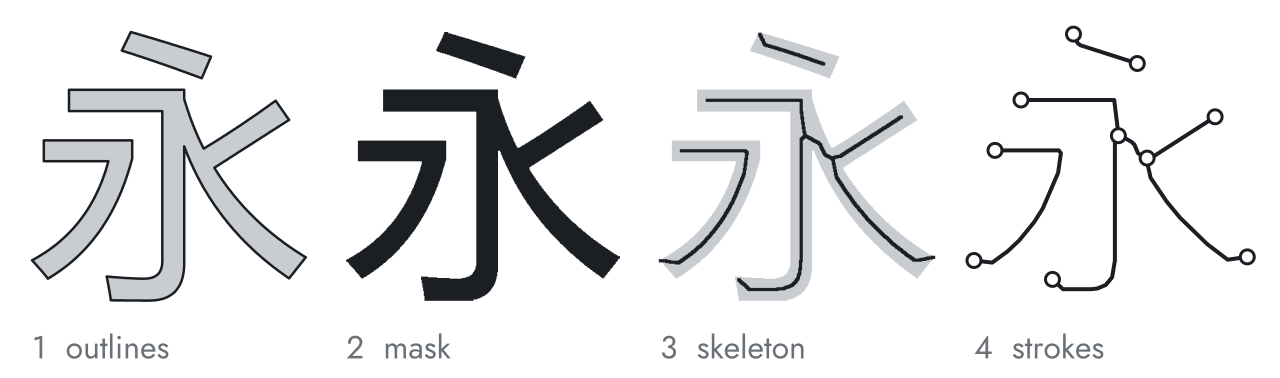
Steps 1 to 4 on 永 in Microsoft YaHei. Circles mark the two ends of each of the five strokes.
For tracing, each skeleton pixel is counted by how many of its eight neighbors are also skeleton pixels: one neighbor makes it an end, three or more make it a junction, where strokes meet. AnyHershey starts a stroke at every end and junction and follows the skeleton pixel by pixel until no unvisited pixel is left to step to. Closed loops, like the ring of an "o", have no ends or junctions, so they are picked up afterward. When a stroke reaches a junction, it continues onto whichever neighboring pixel changes its direction the least, so a stroke keeps going straight through a crossing instead of turning onto a branch.
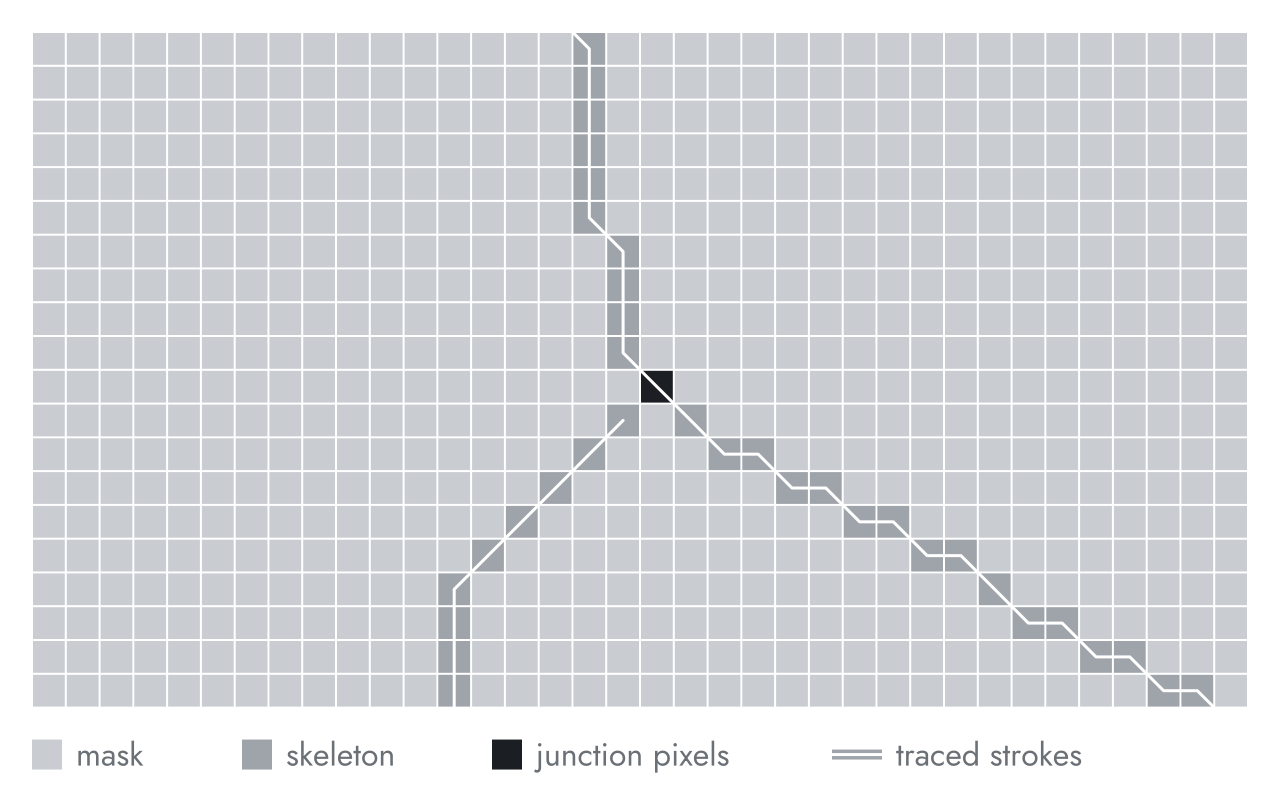
A close-up of 永's skeleton where three branches meet, one square per mask pixel. The traced strokes (white) run through pixel centers.
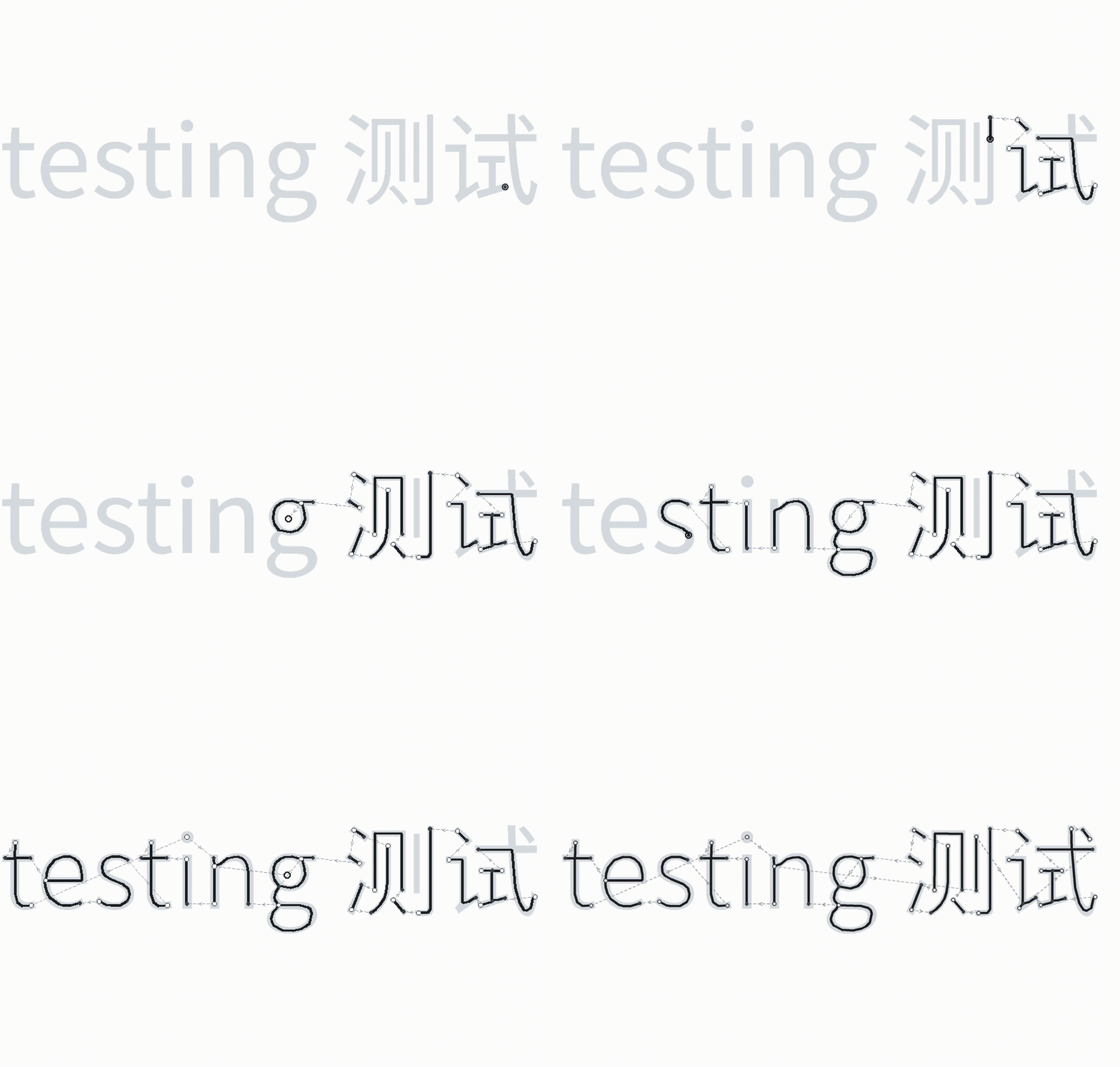
Tracing finds strokes in no useful order and keeps a point at every pixel. For the words "born free and equal" in the Latin preset, that is 33 strokes and 5,998 points, and a plotter drawing them in that order would travel 870 mm with its pen raised. After vpype, the same words are 27 strokes and 205 points, with 94 mm of pen-up travel.
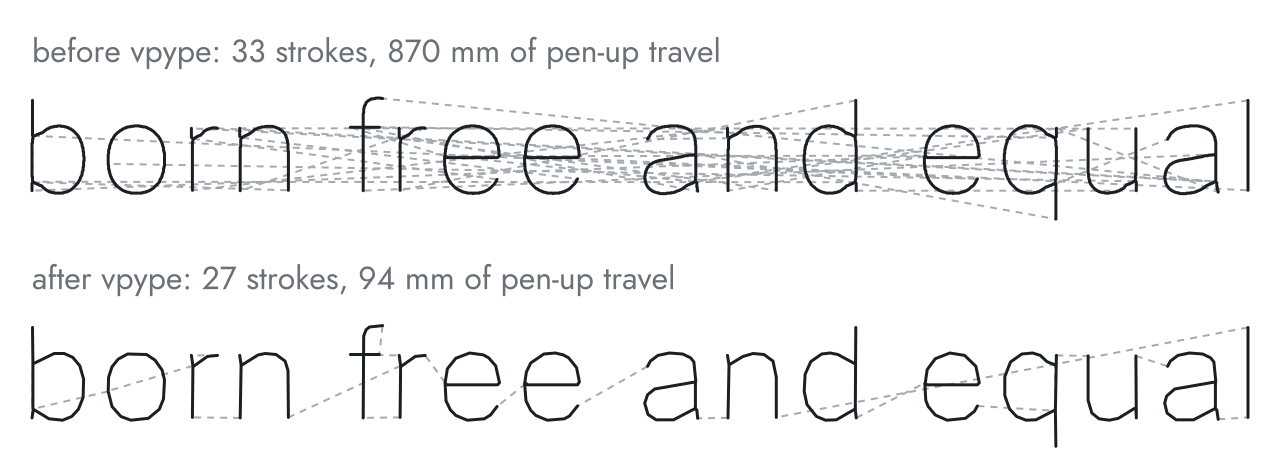
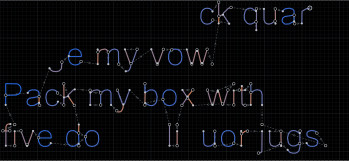
Dashed lines are pen-up moves between strokes, in drawing order.
Notes from building it
Some of the problems I ran into building AnyHershey apply to anyone skeletonizing text or other vector art. The numbers come from running the current code (Python 3.11, Pillow 12.1, NumPy 2.4, scikit-image 0.26, Inkscape 1.4.2).
Use existing tools for text layout and plotting order. Getting from a string of characters to glyph outlines takes more than looking up one shape per character. Arabic letters change shape depending on their neighbors and join together. In Devanagari, consonants combine into conjuncts, and some vowel signs are drawn before the consonant they follow in the text. Inkscape lays text out with Pango and HarfBuzz, which handle both. Pillow's basic layout places one glyph per character, breaking both scripts: مرحبا بالعالم ("hello world") comes out as disconnected letters in reverse order, the conjunct क्ष in क्षत्रिय falls apart into क् and ष, and the vowel sign ि lands after य instead of before it.
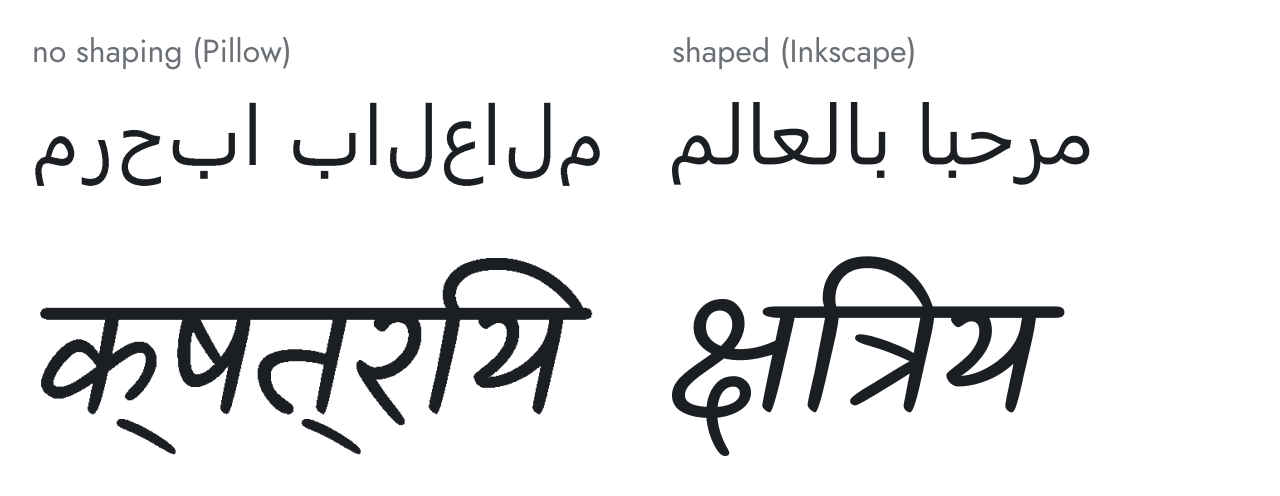
The same two strings in the same fonts (Segoe UI and Kalam), laid out by Pillow without shaping and by Inkscape.
The same goes for plotting order. vpype already does the joining, reordering, and simplifying a plotter needs, cutting the pen-up travel above from 870 mm to 94 mm. No need to reinvent the wheel.
Fill glyph outlines with the nonzero rule. Font outlines are meant to be filled with the nonzero winding rule, under which a pixel is ink if any contour surrounds it, allowing text contours to overlap. In Segoe UI's lam-alef (لا), for example, the lam and the alef are separate contours that cross. AnyHershey's first mask builder filled each contour with XOR, which is the even-odd rule. A pixel covered by two contours flips back to paper, so the overlap becomes a hole that the skeleton has to go around. The XOR mask gives 9 strokes for لا, where Inkscape's nonzero fill gives 2.
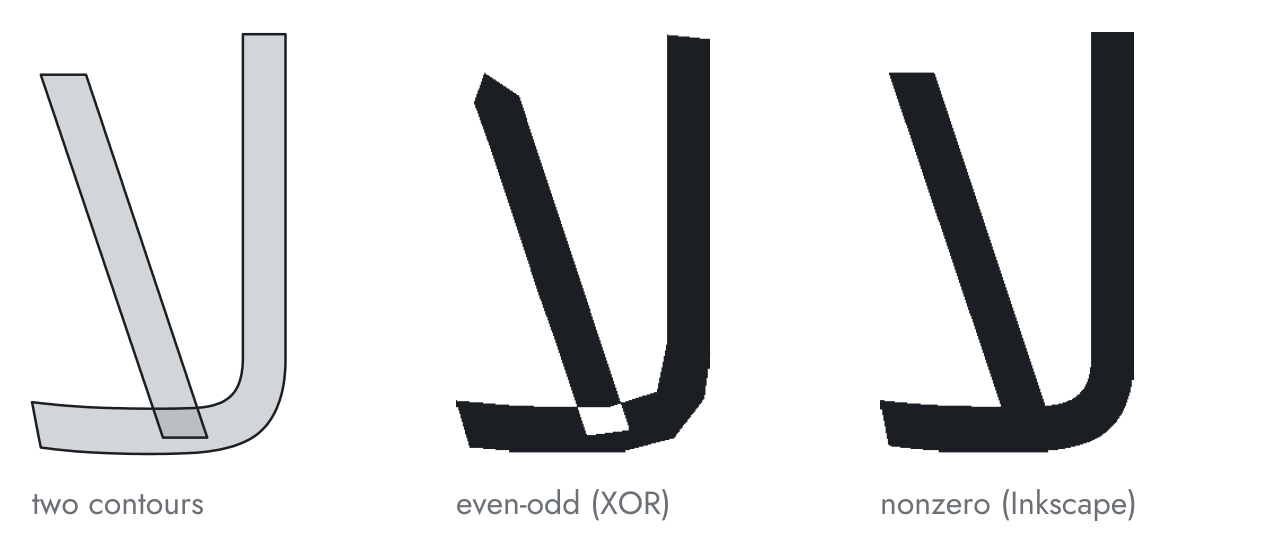
Left: the two contours of لا, half-transparent so the overlap shows darker. Middle: the XOR mask, with a hole where they overlap. Right: Inkscape's fill.
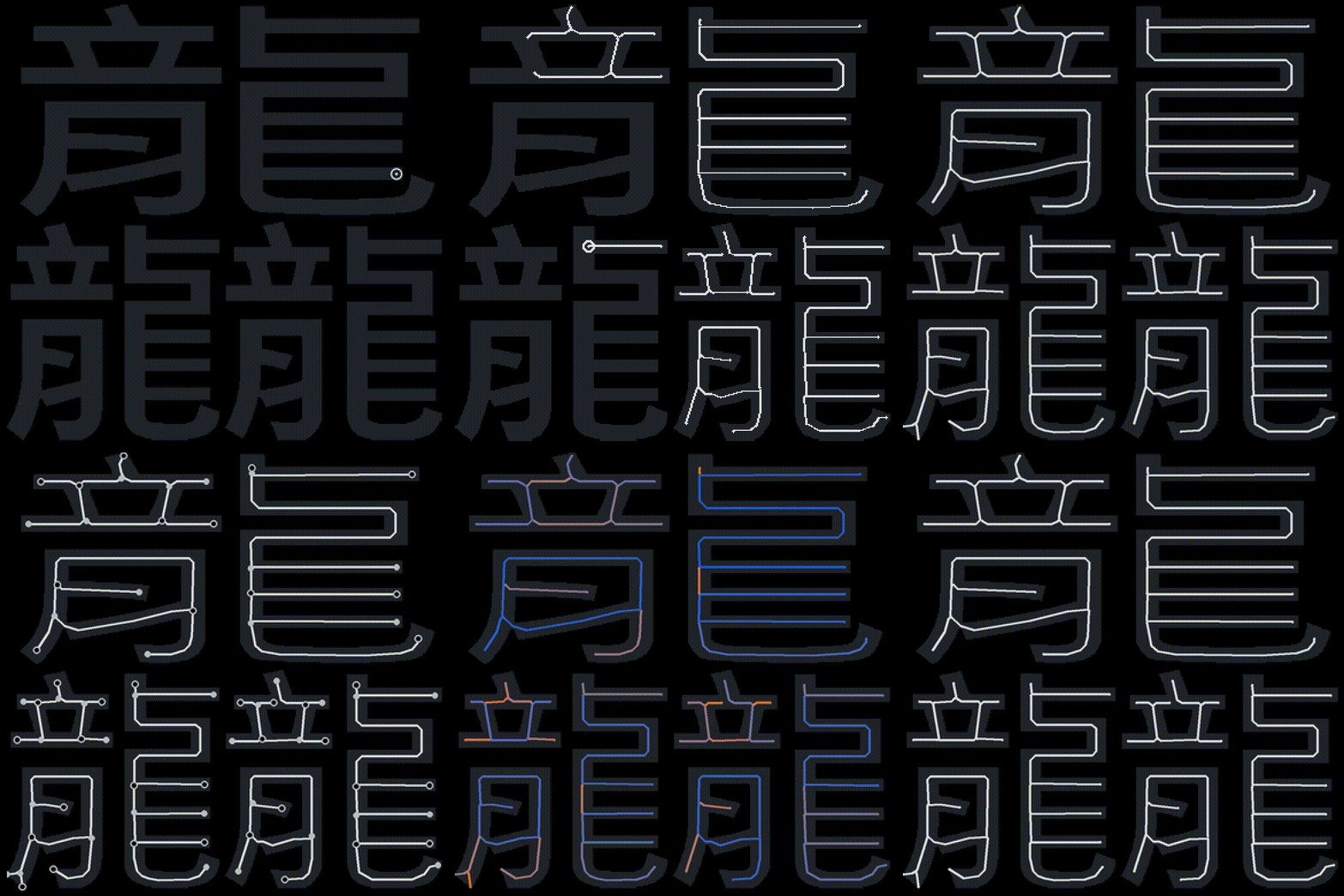
Pick the mask resolution from the thinnest gap. The mask's resolution decides which lines survive skeletonizing. 龘 is written with 48 brush strokes (it is three copies of 龍, "dragon"). In Microsoft JhengHei at 8 mm, the gaps between its brush strokes are as narrow as 0.08 mm, and the brush strokes themselves are 0.25 mm wide (median). At 12 px/mm the narrowest gaps are a single pixel, and AnyHershey's output breaks into pieces. The output's stroke count stops changing at 45 px/mm, where the narrowest gap is about 4 pixels wide.
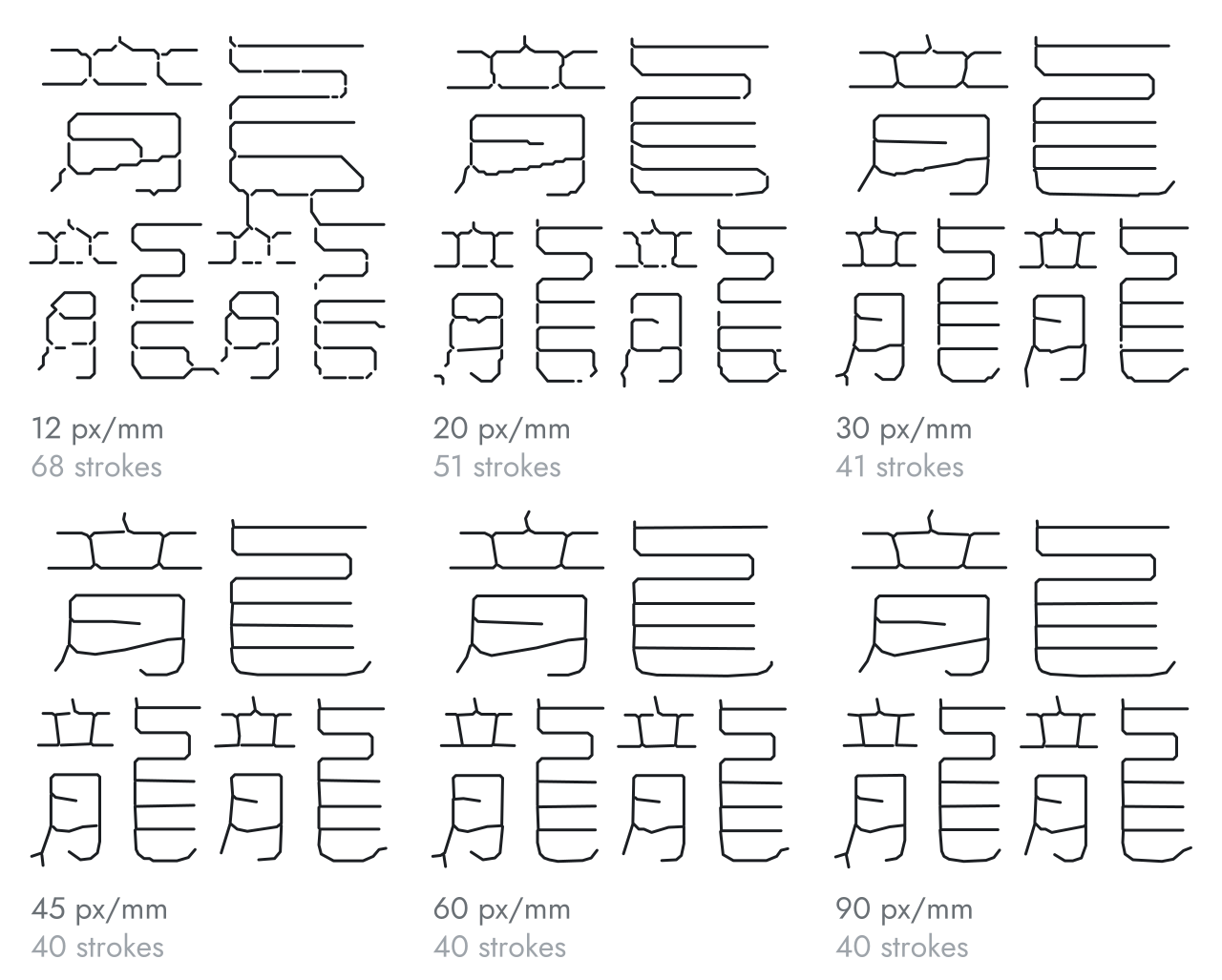
龘 at six mask resolutions, with the stroke count after vpype. The Chinese (Traditional) preset uses 60 px/mm.
This resolution is cheap for individual characters, but it can become a slowdown on page-sized chunks of very intricate text.
Presets for common writing systems
I wanted AnyHershey to be useful to as many people as possible. It has presets for the four most widely used writing systems: Latin (English, Spanish, etc.), Chinese (Simplified and Traditional characters), Arabic, and Devanagari (Hindi, Marathi, Nepali, etc.). The fifth, Bengali, is structurally similar to Devanagari and can use the same preset. There are also presets for Japanese (kanji, hiragana, and katakana) and Korean (hangul).
Anonymous native speakers of each language helped me build every preset. Together we chose the font and adjusted the settings until the output looked correct to them and as close as possible to a neutral, modern typeface. The presets differ most in mask resolution, from 38 px/mm for Latin text to 60 px/mm for Traditional Chinese and Japanese kanji, whose strokes sit closer together.
Stress tests
For each preset, I tested AnyHershey on the most complex characters I could find in its writing system, with the font (rasterized) on top and AnyHershey's output (vectorized) below it. Judge them by the form of the strokes, not their thickness. The output is vector lines with no real width: the thickness on screen is only there so the lines can be seen, and on a plotter or laser cutter it comes from the pen or the beam. That is also why dots come out as small points.
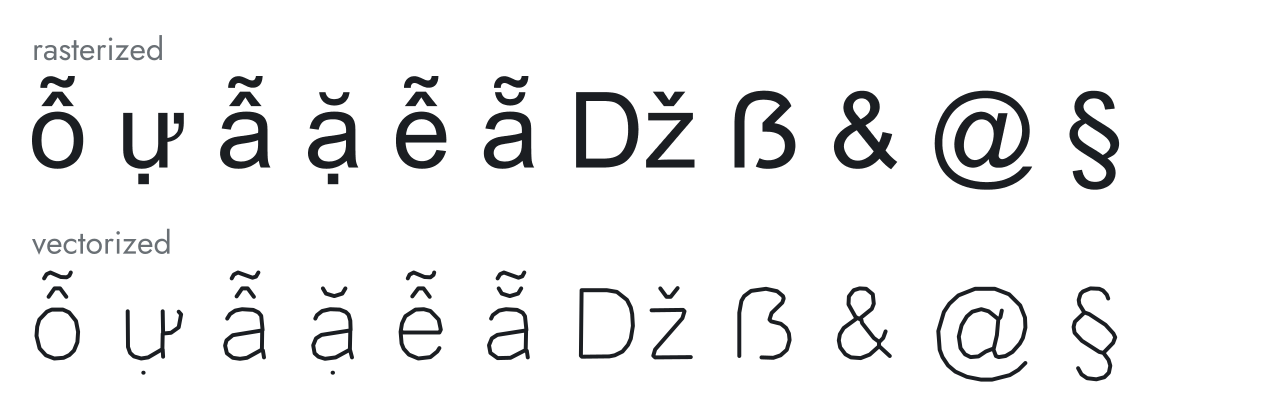
Latin (English, Spanish, etc.), Arial: Vietnamese letters with two stacked accents, the digraph Dž, capital ẞ, and & @ §.
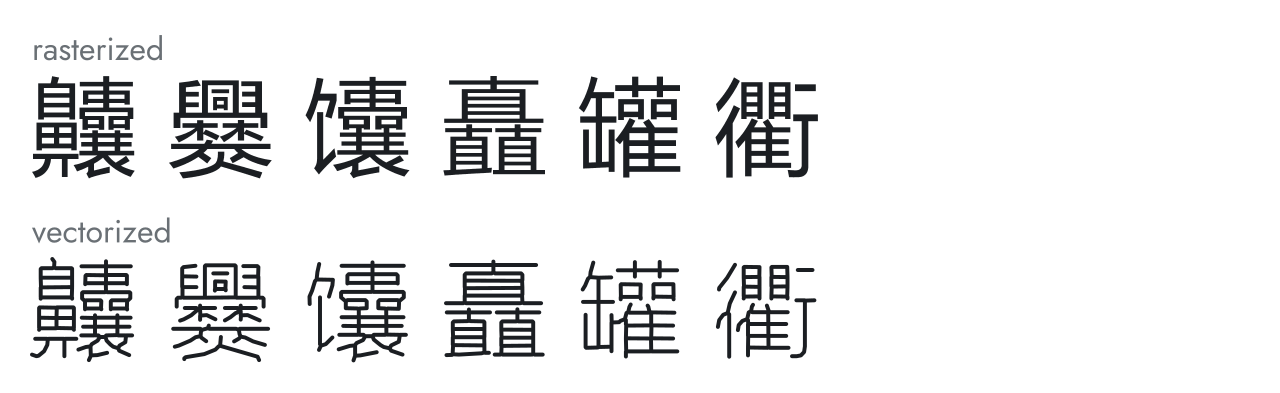
Chinese (Simplified), Microsoft YaHei: 齉 (36 brush strokes), 爨 (30), 馕, 矗, 罐, 衢.
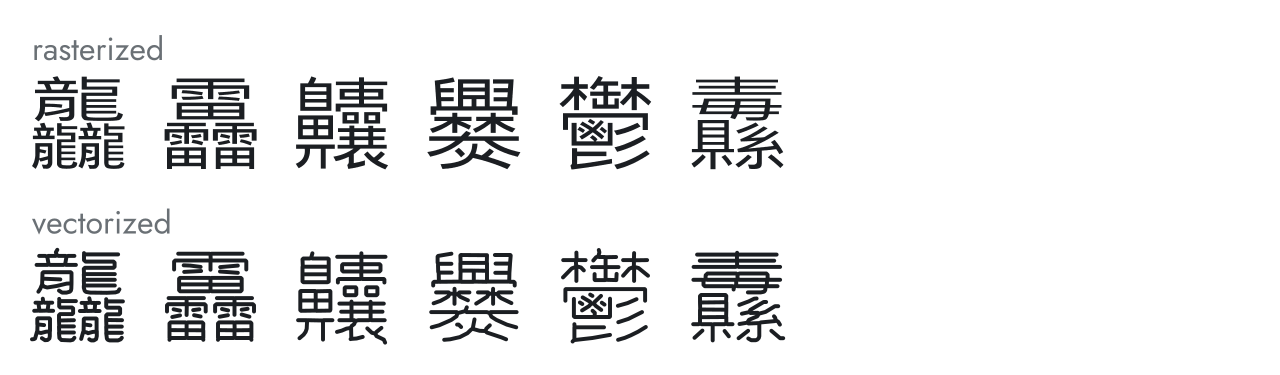
Chinese (Traditional), Microsoft JhengHei: 龘 (48 brush strokes), 靐 (39), 齉 (36), 爨 (30), 鬱 (29), 纛.
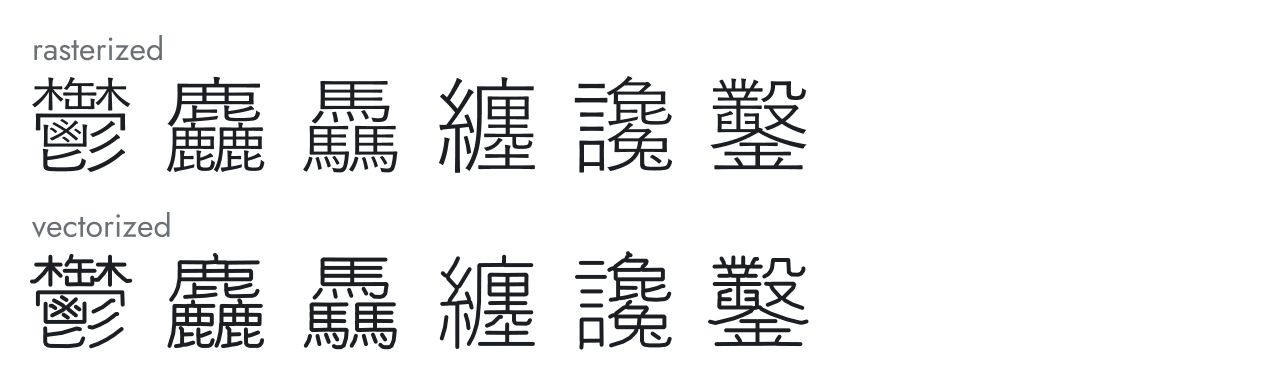
Japanese (Kanji), Yu Gothic: 鬱 (29 brush strokes), 麤 (33), 驫 (30), 纏, 讒, 鑿.
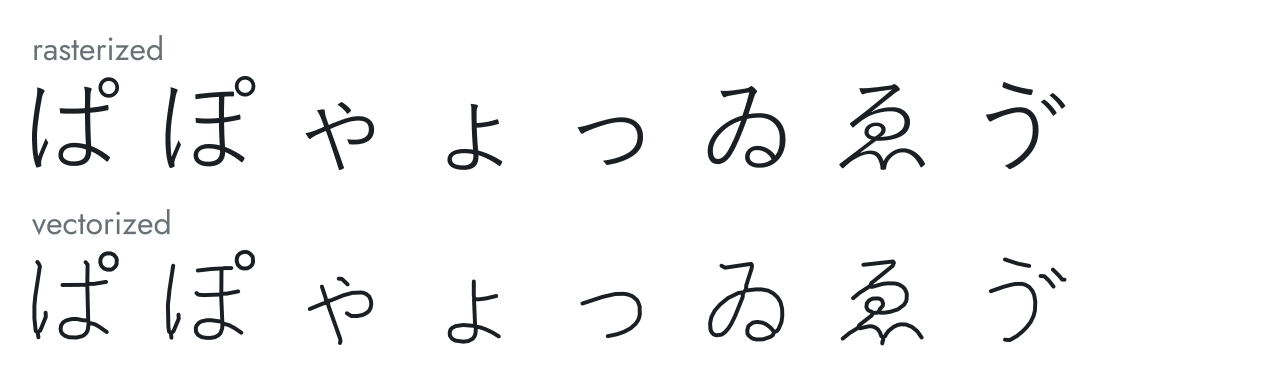
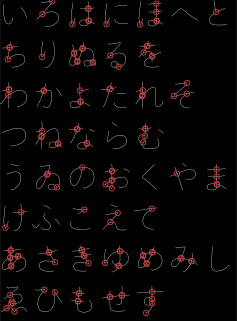
Japanese (Hiragana), Yu Gothic: kana with the handakuten mark (ぱ, ぽ), small kana, the archaic ゐ and ゑ, and ゔ.
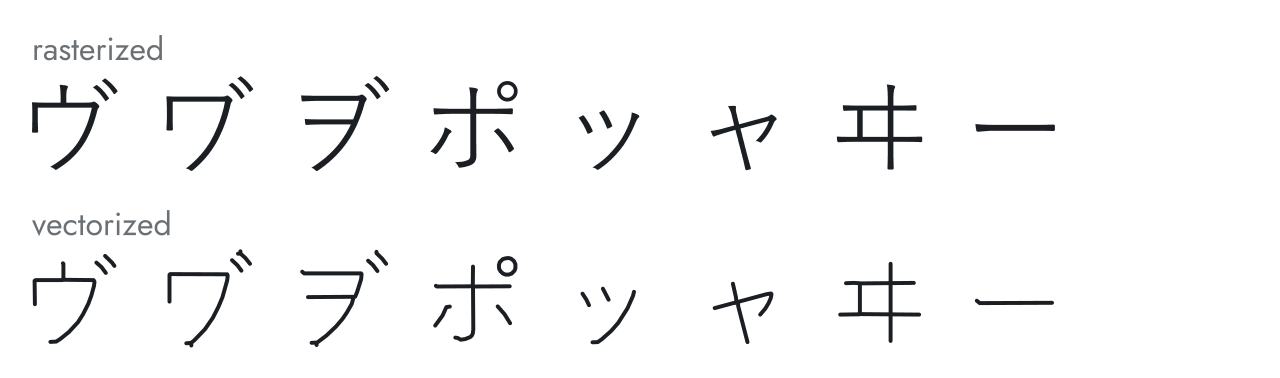
Japanese (Katakana), Yu Gothic: ヴ and the rarer ヷ and ヺ, ポ, small kana, the archaic ヰ, and the long-vowel mark ー.
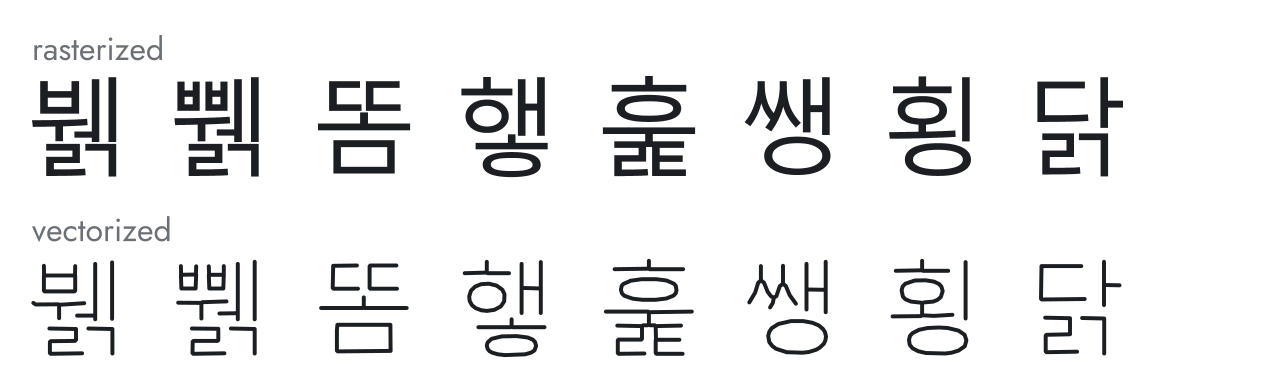
Korean (Hangul), Malgun Gothic: syllable blocks, including doubled consonants and two-consonant final clusters.
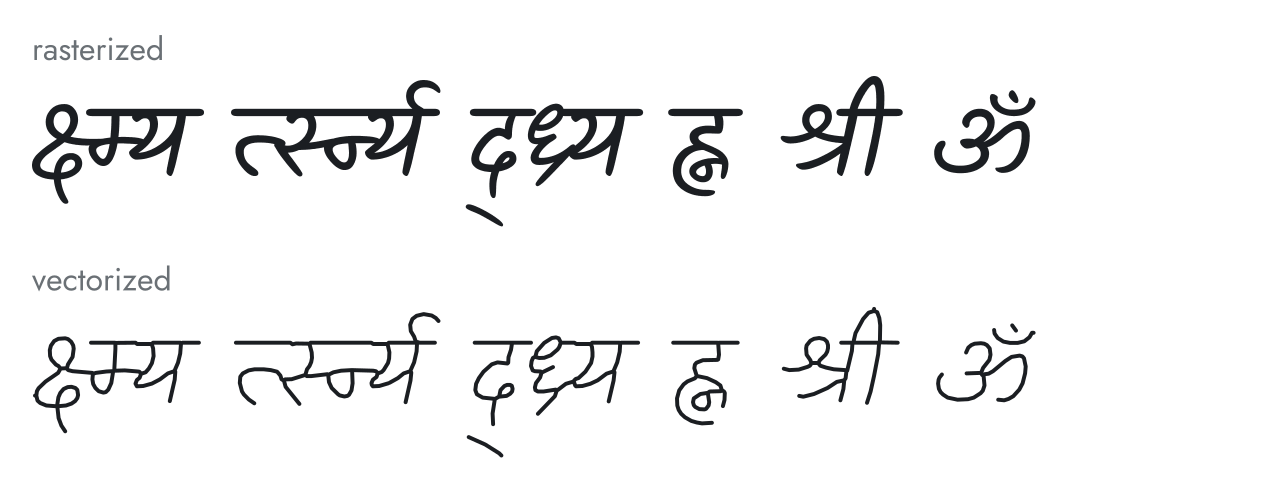
Hindi-family (Devanagari), Kalam: conjuncts of up to five consonants, श्री, and ॐ.
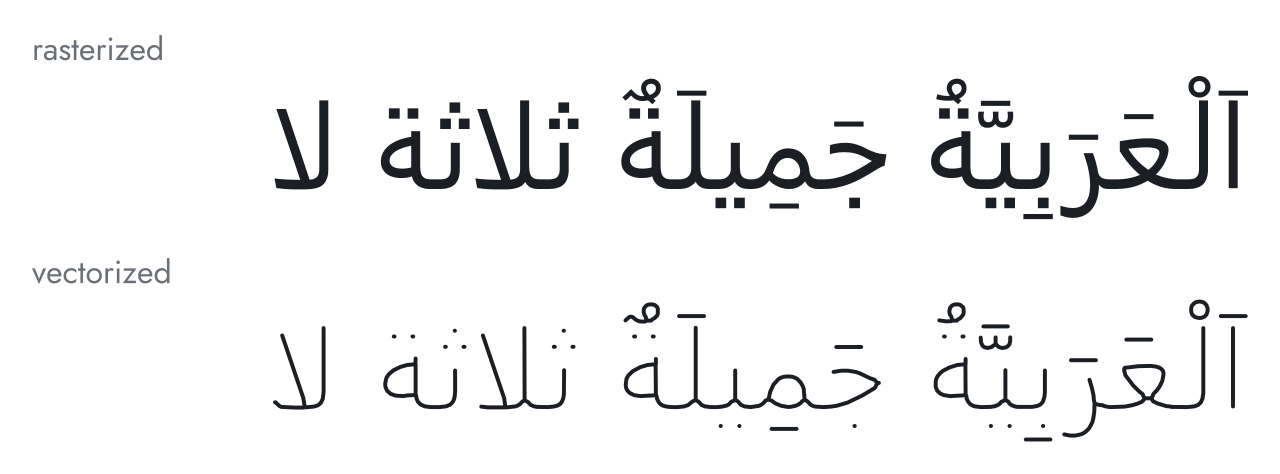
Arabic (Modern Standard), Segoe UI: a phrase marked with short vowels, sukun, shadda, and tanwin ("Arabic is beautiful"), then the dot-heavy ثلاثة ("three") and لا.
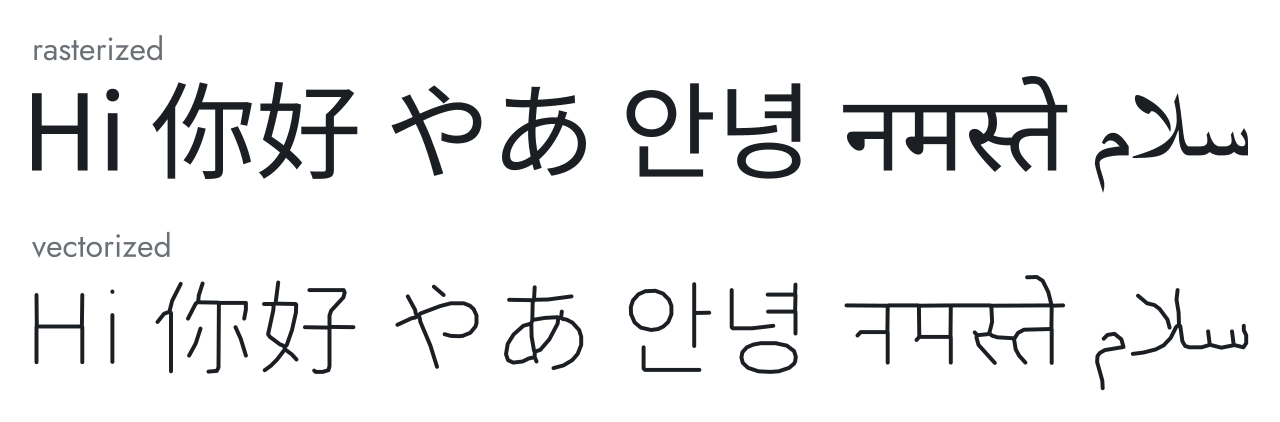
Default preset, Noto Sans CJK SC, on six writing systems. Noto Sans CJK SC has no Devanagari or Arabic, so Inkscape drew those two words in fonts it picked itself.
Natural text conversion
As a demo of a more 'realistic' chunk of text being converted, I use Article 1 of the Universal Declaration of Human Rights in each preset's language. The translations are from the UDHR in Unicode project.
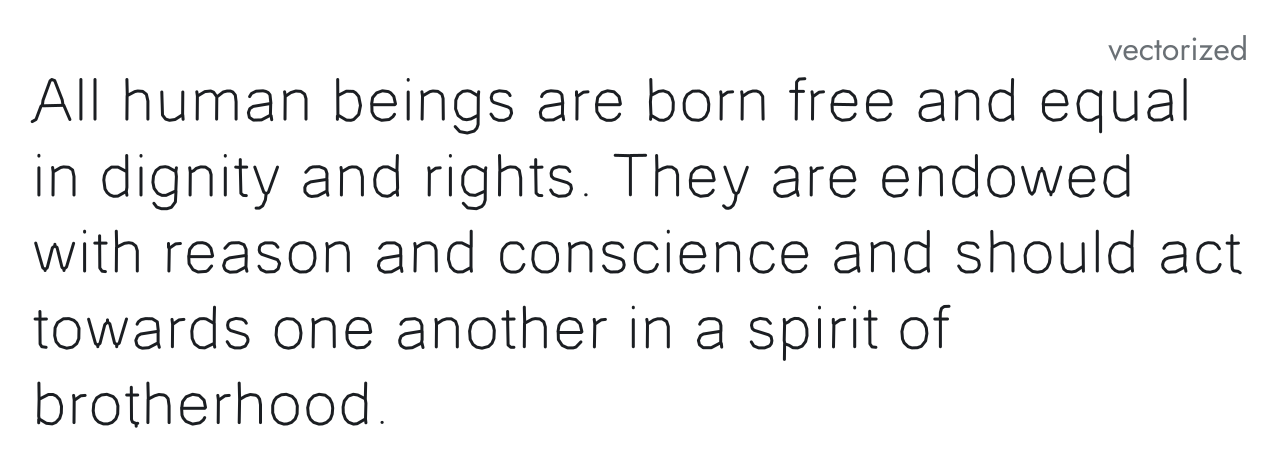
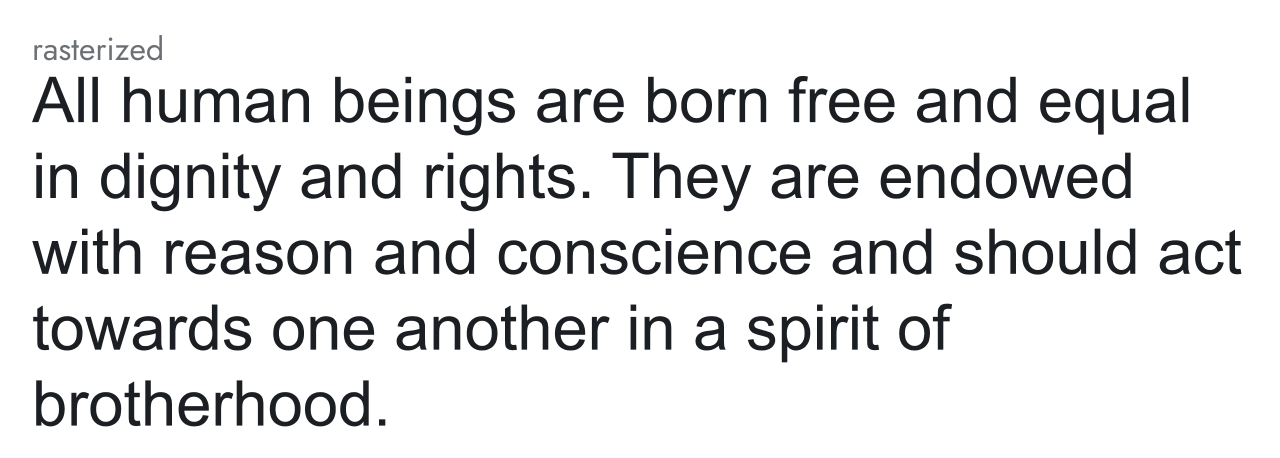
English, Latin preset (Arial): 245 strokes.
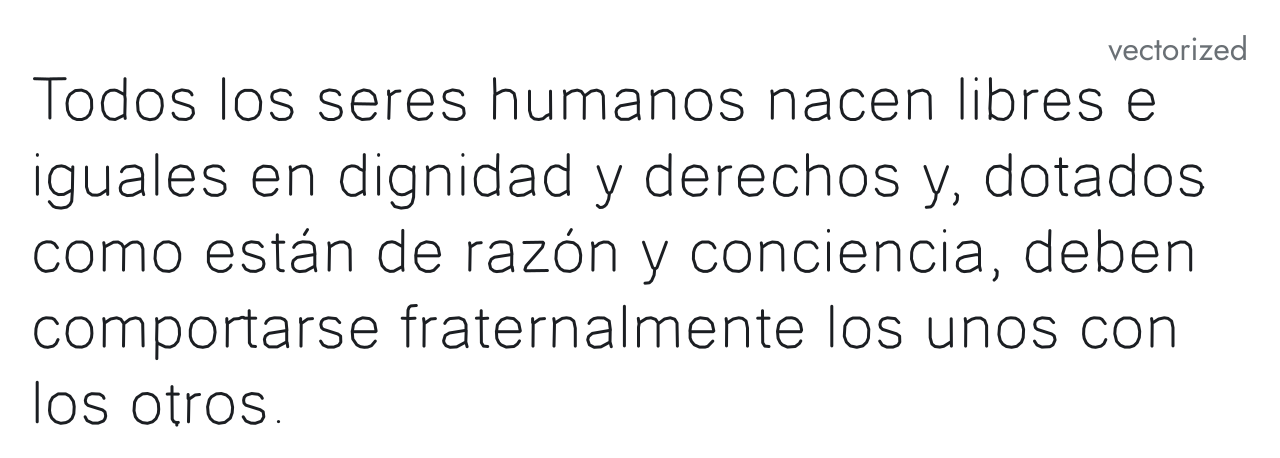
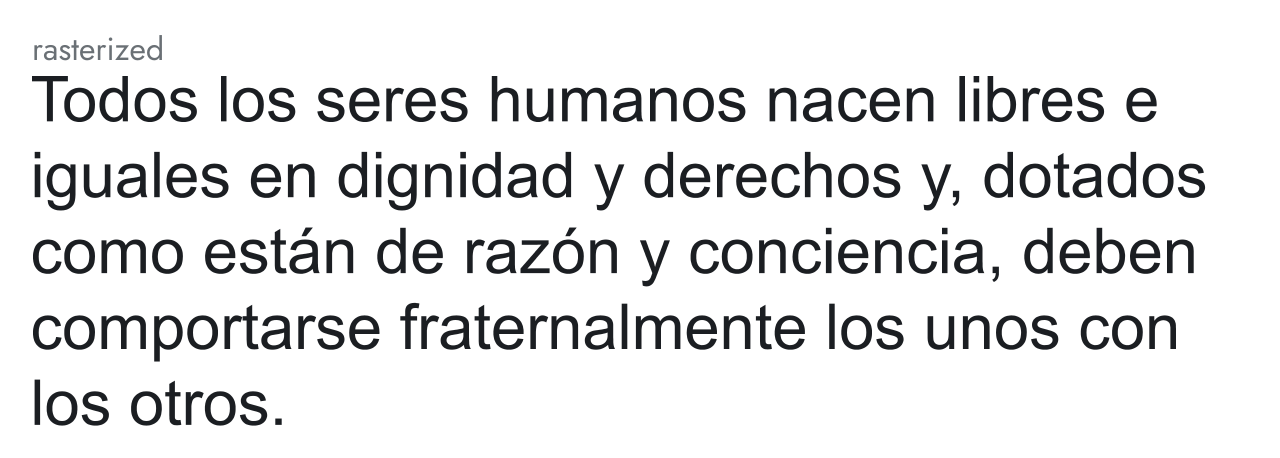
Spanish, Latin preset (Arial): 225 strokes.
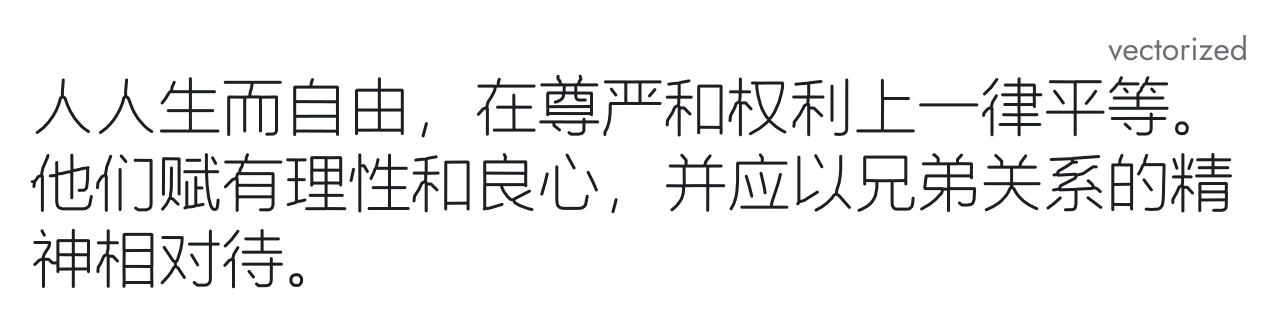
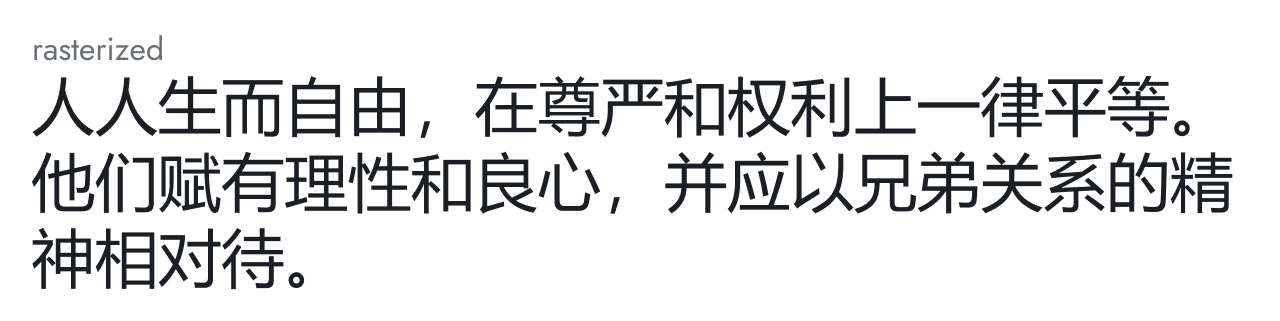
Chinese, Simplified preset (Microsoft YaHei): 277 strokes.
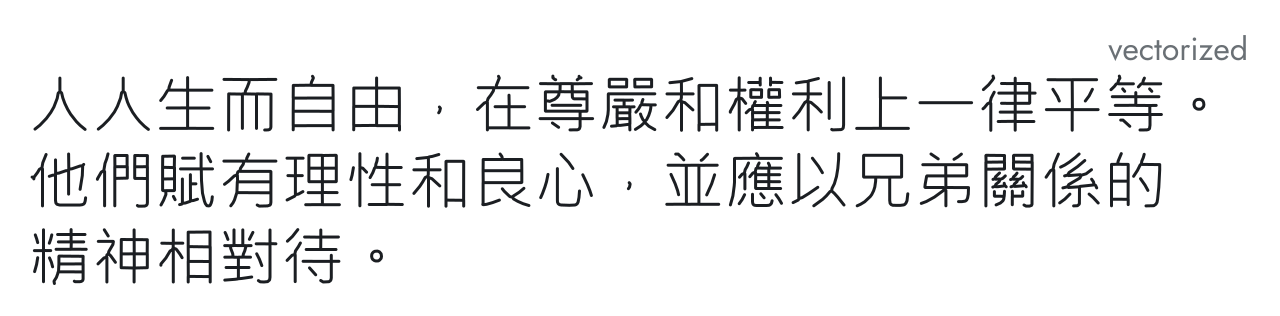
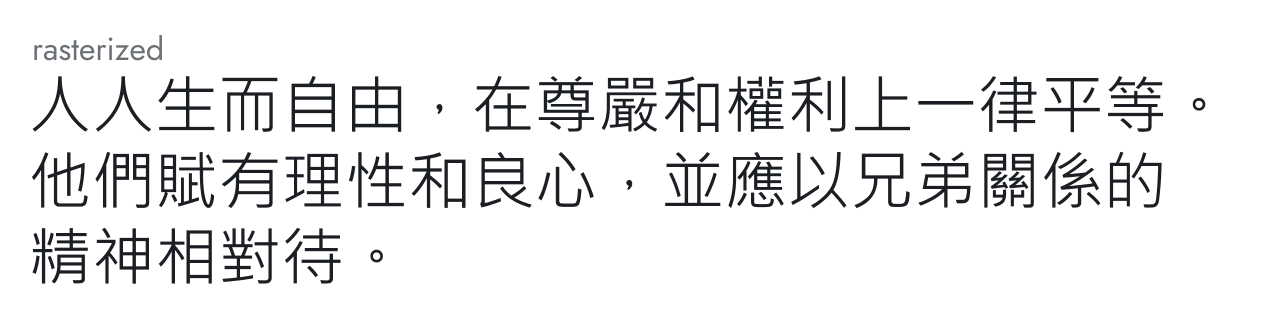
Chinese, Traditional preset (Microsoft JhengHei): 310 strokes.
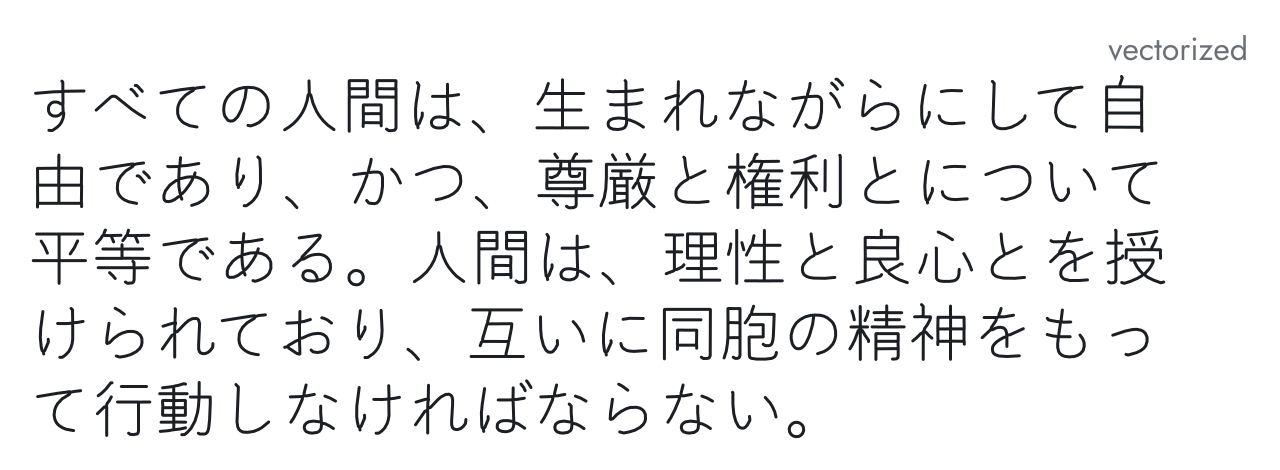
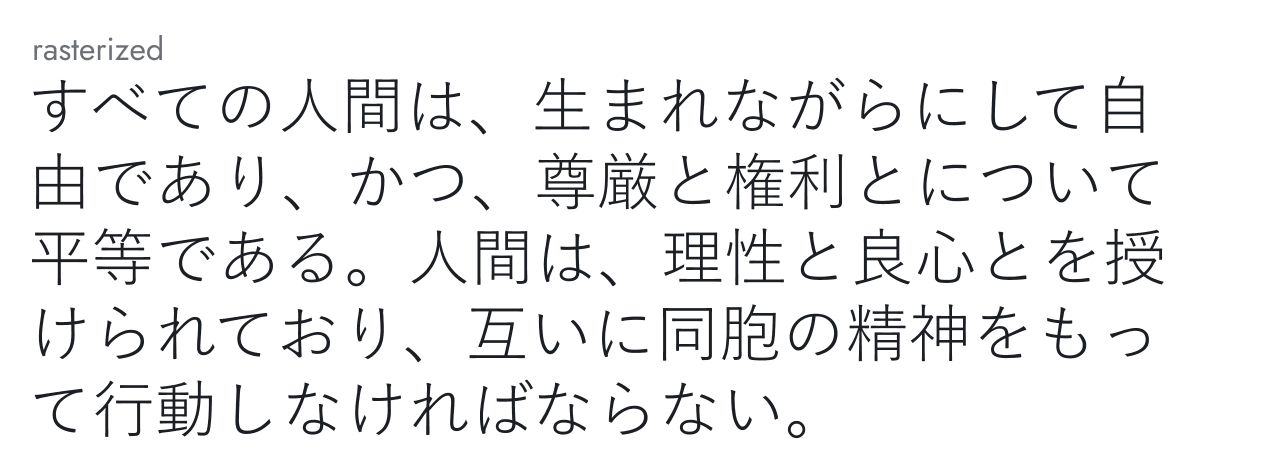
Japanese, Kanji preset (Yu Gothic): 384 strokes.
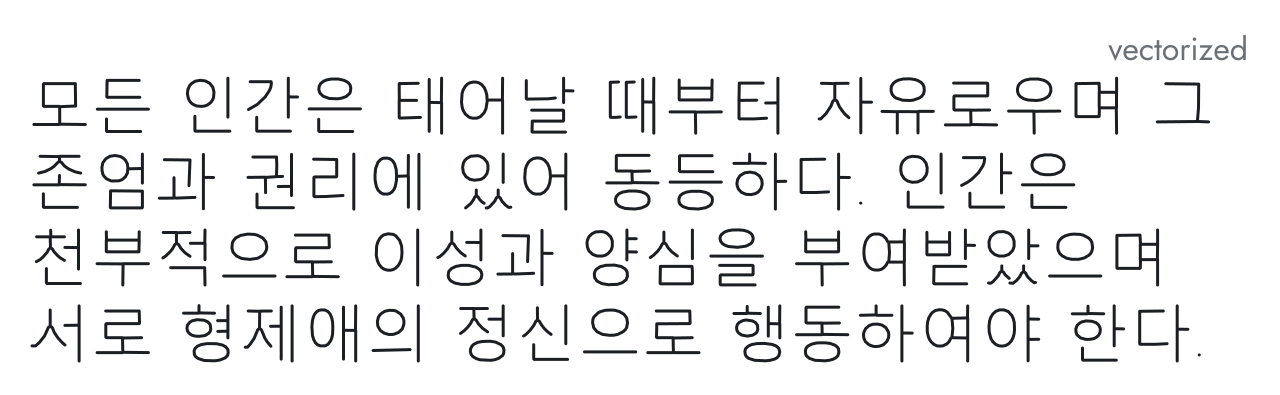
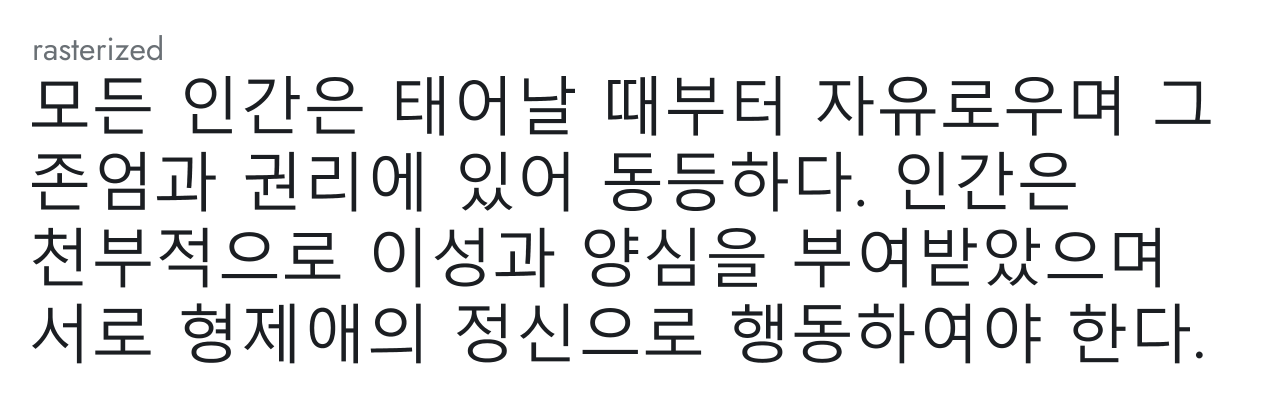
Korean, Hangul preset (Malgun Gothic): 262 strokes.
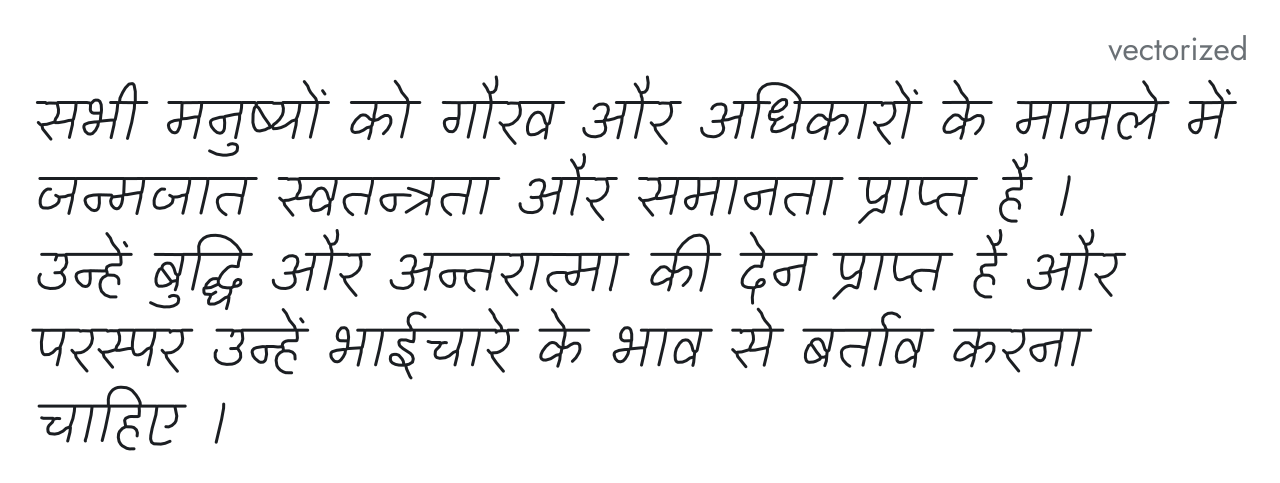
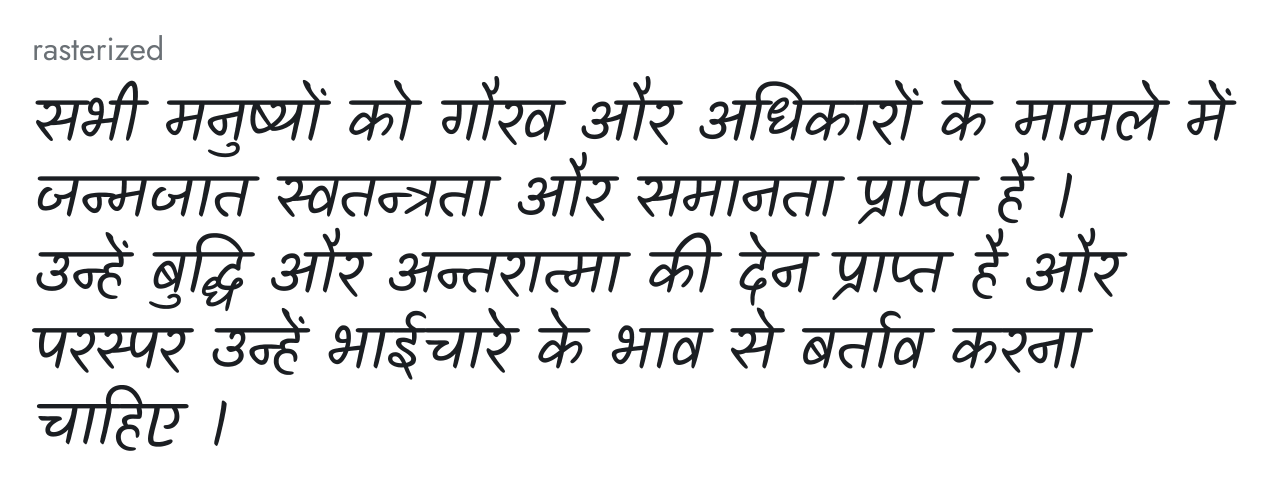
Hindi, Devanagari preset (Kalam): 322 strokes.
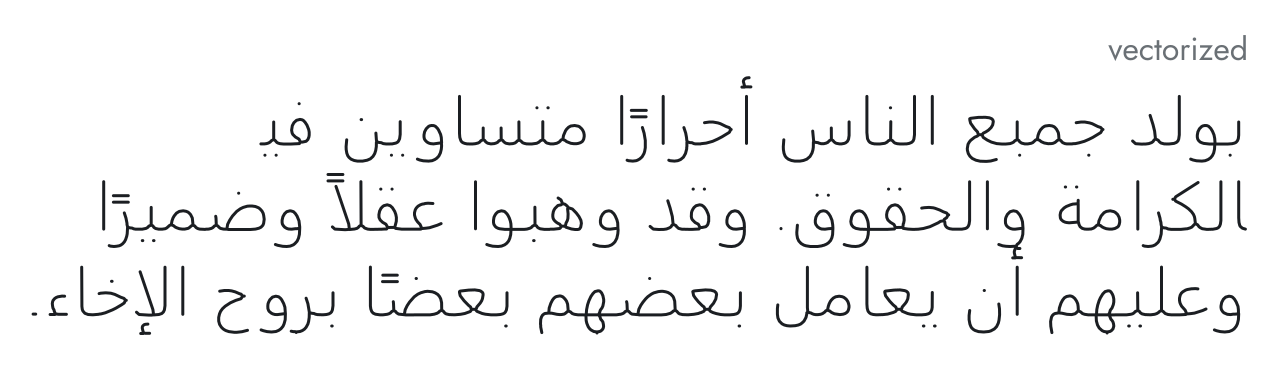
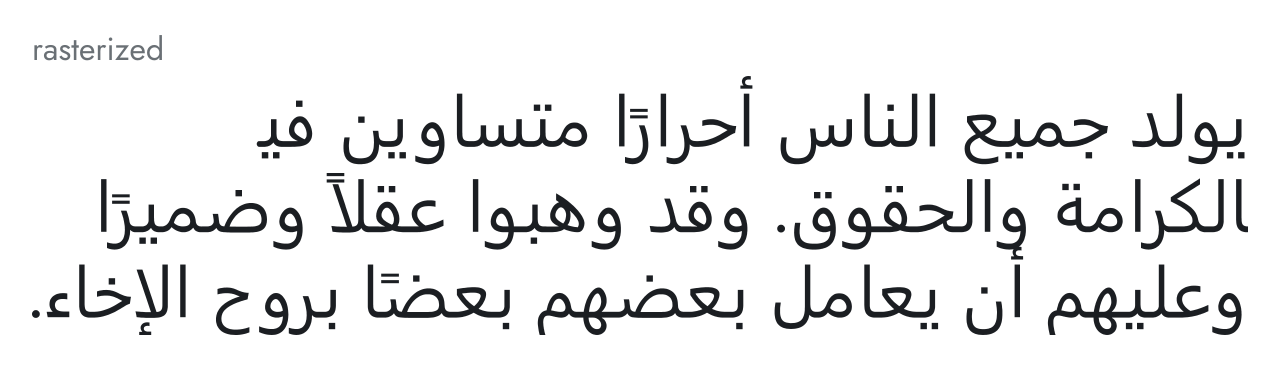
Arabic, Modern Standard preset (Segoe UI): 173 strokes.
Conclusion
AnyHershey turns typed text into Hershey text, in any writing system and any font installed on your computer. It has presets for the five most widely used writing systems, as well as for Japanese and Korean.
My goal is for AnyHershey to be useful to artists who work with vector graphics and need text in a writing system no Hershey font covers, and to anyone who wants to draw characters with a pen plotter, laser cutter, or other CNC machine. That was my situation with Babble: I needed this tool, I couldn't find it online, so I made it myself.
The source code is on GitHub, and the Windows app is on its releases page.