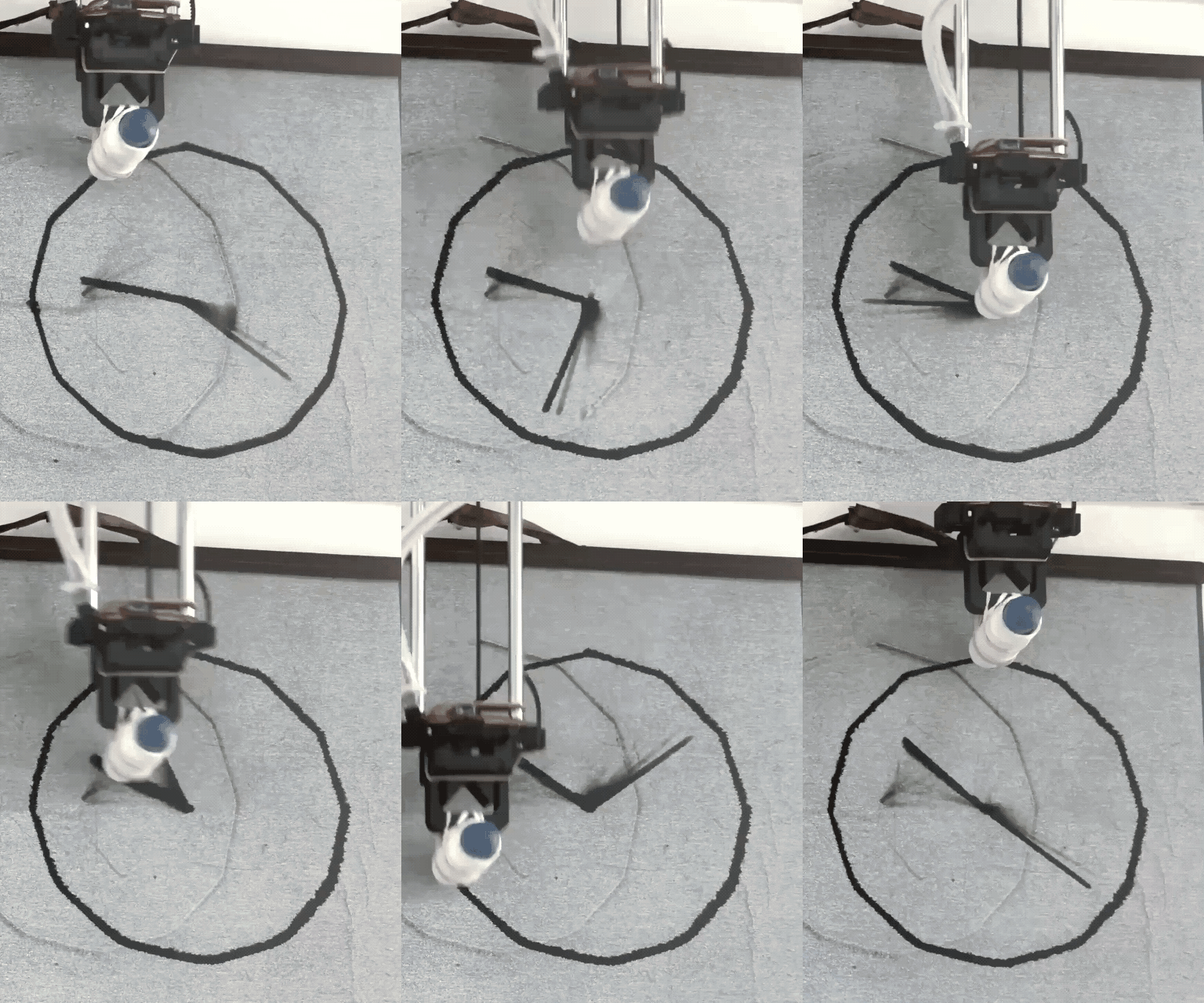
Water Clock, 2026
Water Brush, Water Calligraphy Cloth, Custom Plotter
Drawing machine: An analog clock redrawn in water once a minute
Exhibited at Fab Hub Kendall, June 2026
The water clock, or clepsydra, is one of the oldest known methods of timekeeping, dating back to the 16th century BCE in ancient Babylon, Egypt, and Persia. The simple dripping of water remained the most accurate way to measure time until the invention of the pendulum clock some 3000 years later.
We now find ourselves in an era unrecognizable from that of the water clock. We are surrounded by machines with incredible capabilities. In such an era, I think that there is something wonderful about taking a machine with the capability to draw anything and limiting it to simply telling the time, minute by minute, day by day.
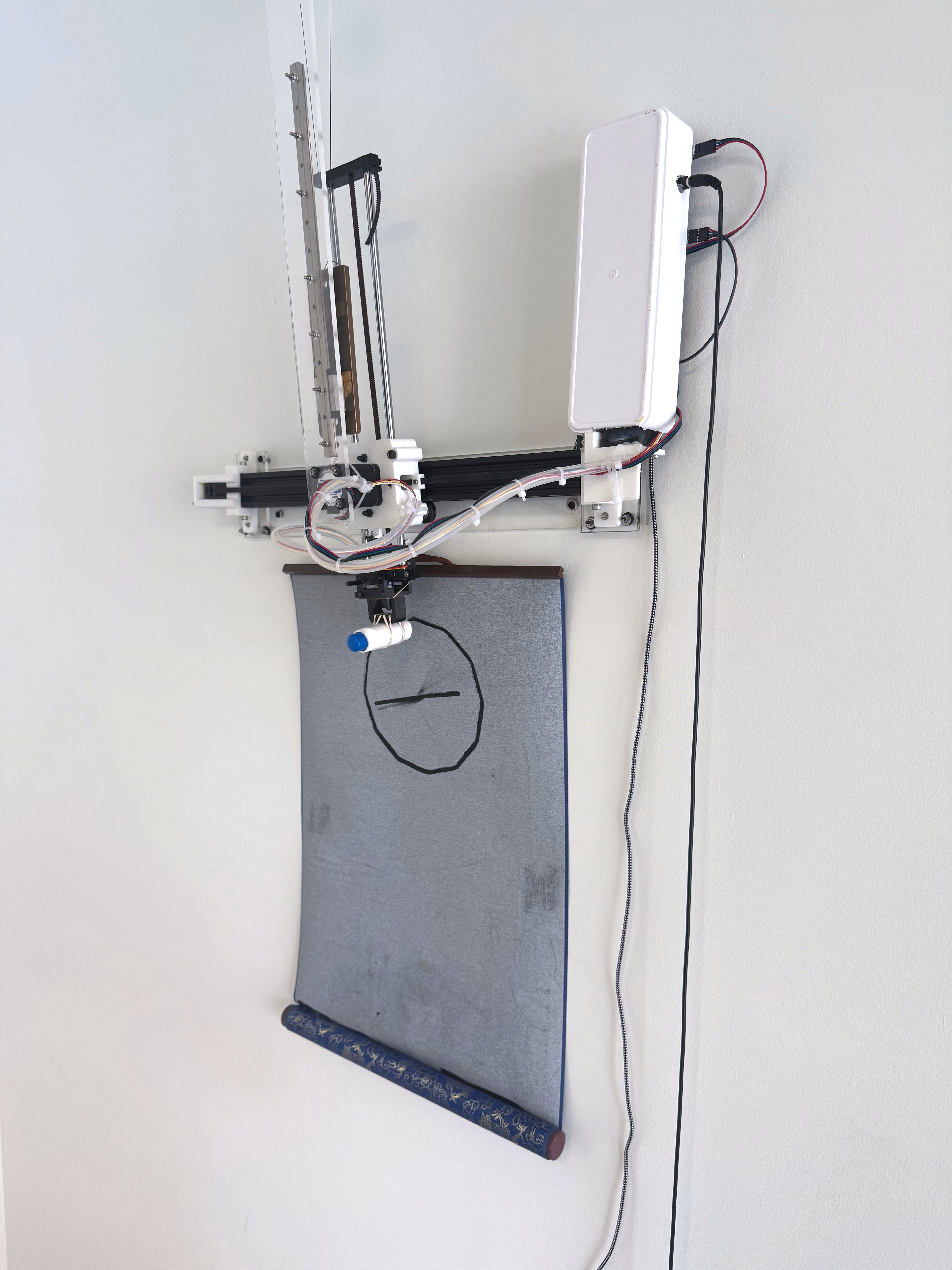
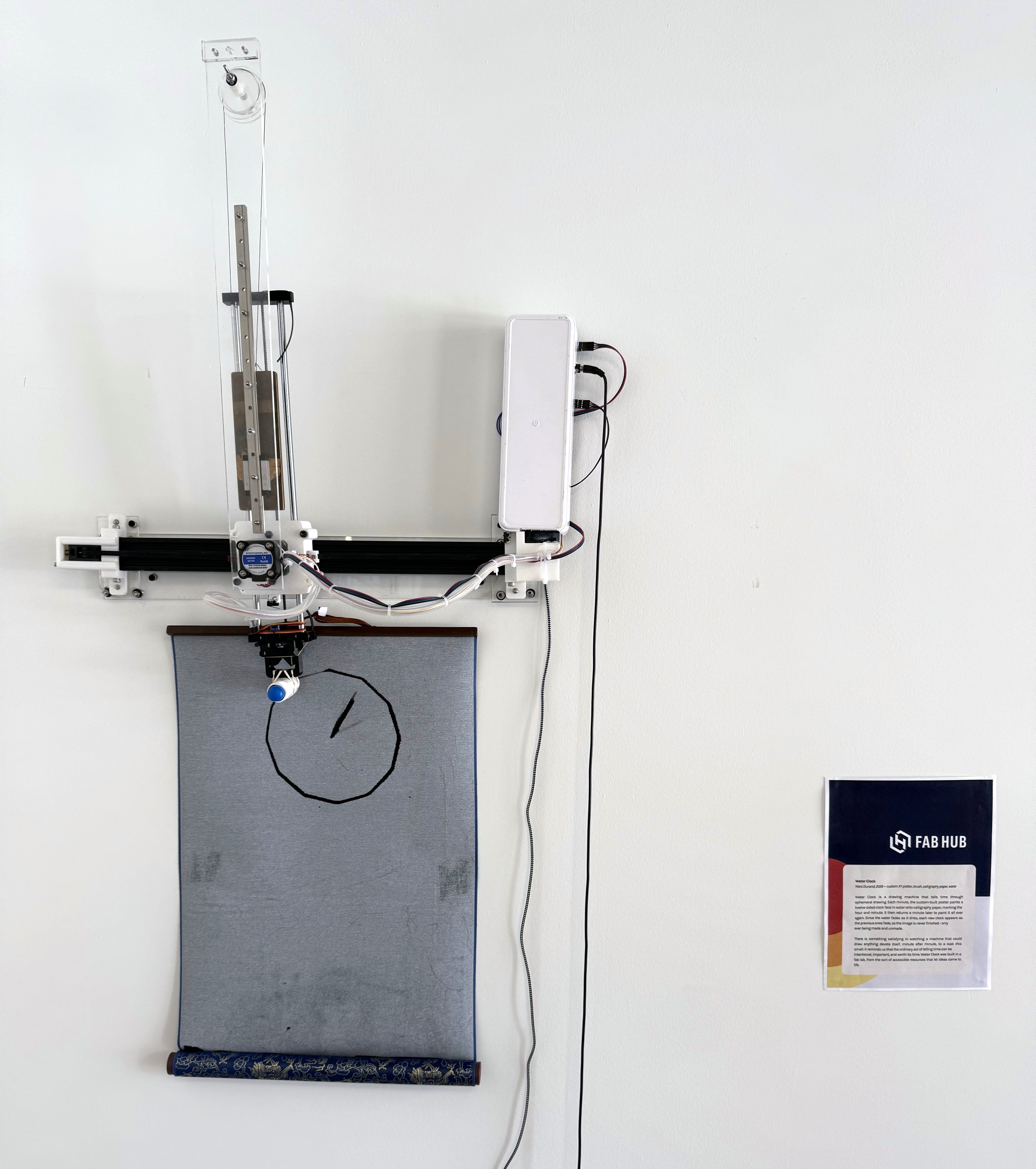
Water Clock is a custom wall-mounted pen plotter that redraws a clock every minute to tell the current time. Instead of drawing with ink, it draws with water on water calligraphy cloth, which darkens where it is wet and returns to its paler color once dry. In this way, Water Clock works as an extremely low refresh rate display, with each frame lasting as long as the water takes to evaporate.
In Water Clock, water works as a time-reactive drawing material, mirroring its ancient purpose of telling time in the original water clocks.
Finding a Medium
Spring 2026
In the spring of 2026, I took Nathan Melenbrink’s class, Introduction to Digital Fabrication, or as it is better known: PS70. The class is organized as a series of projects, and for the entire semester, I was looking forward to drawing machine week. Building a fully functional plotter takes knowledge of both hardware and software, so it came quite late in the semester, but that gave me plenty of time to decide what I wanted my drawing machine to be about.
Each group had to build a functional plotter using the guide put together by Nathan and the head TA, Bobby McCarthy. After that, we had total freedom to turn the plotter into whatever fun, wacky machine we wanted it to be.
Why not use a printer
Whenever I work with a pen plotter, one of the most important things to me is that I am not just creating a less efficient printer. Many plots could be made almost exactly the same on a printer, only faster. So with every plotter project, I come back to the same question: why not use a printer?
One of the most surefire ways to make something better than a printer is to play around with different mediums. Printers work with a very narrow set of inks and papers, and not much else, while a plotter is a gantry that can interface with just about any end effector.
Water calligraphy cloth
Around the same time, I was learning about traditional Chinese calligraphy to fine-tune the Chinese preset of AnyHershey, my algorithmic Hershey font converter. In that process, I learned that many people practice calligraphy on water calligraphy paper. This is a special material with a pale top layer over a darker backing. Where the pale layer gets wet, it turns translucent and lets the dark backing show through. This means you can practice calligraphy with water in place of ink, since the water darkens the surface just as ink would. Once the water evaporates, the pale layer turns opaque again and the mark disappears, so you can reuse the same sheet for practice as many times as you wish. The same material also comes as a cloth, which is what I used, so I will call it water calligraphy cloth from here on.
Water calligraphy cloth is an eminently practical invention. It replaces the constant consumption of paper and ink with a single reusable cloth and some water, but to me, practice was only one application of the material’s properties. More generally, I saw water calligraphy cloth as a display with a very low refresh rate. An image drawn on it in water stays visible for a while, then fades, like a screen showing one frame after another. I did not yet know what I wanted this display to show, but I knew that a pen plotter, a digital tool that acts on the physical world, would let me program a display digitally and have it show up physically, through the marks the plotter made on the cloth.
The cloth also gave me my first answer to the “why not use a printer” question: no printer would accept water as its ink or a calligraphy cloth as its paper.
Building the Plotter
April 2026
Building the pen plotter was quite the adventure. Because a programmable 3-axis machine is more complex than the class’s earlier projects, we were split into teams. I was teamed with Avery Mizrahi and Jolana Kampfova, and we were off to the races! Our design was a simple, AxiDraw-style drawing machine, with one arm cantilevered out over the other rather than a track along both sides of the working area, so building the physical system of rollers and belts was as straightforward as two perpendicular 1-axis rails built atop each other.
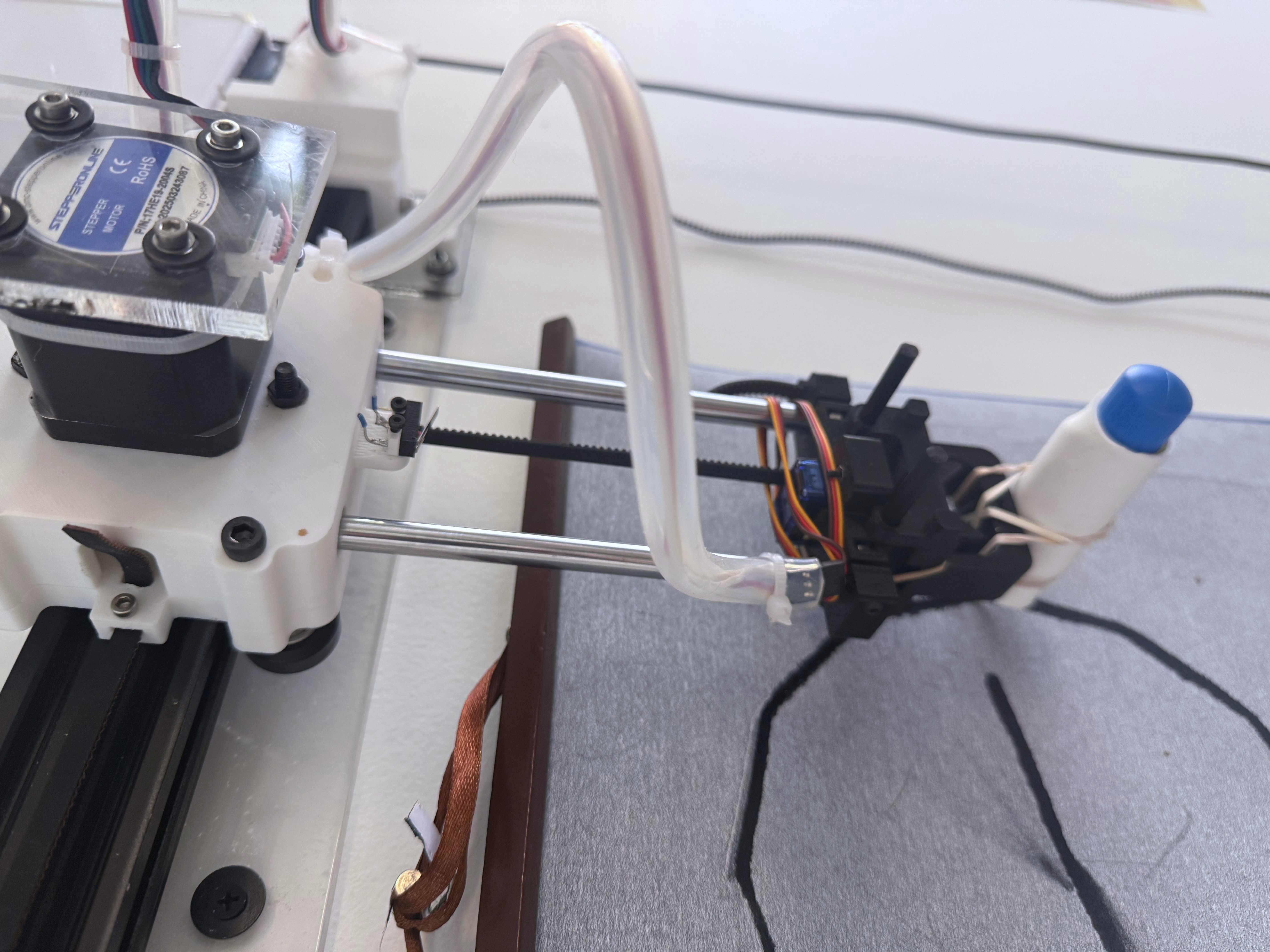
It was once we started wiring the system up to our microcontroller that things started to get really messy.
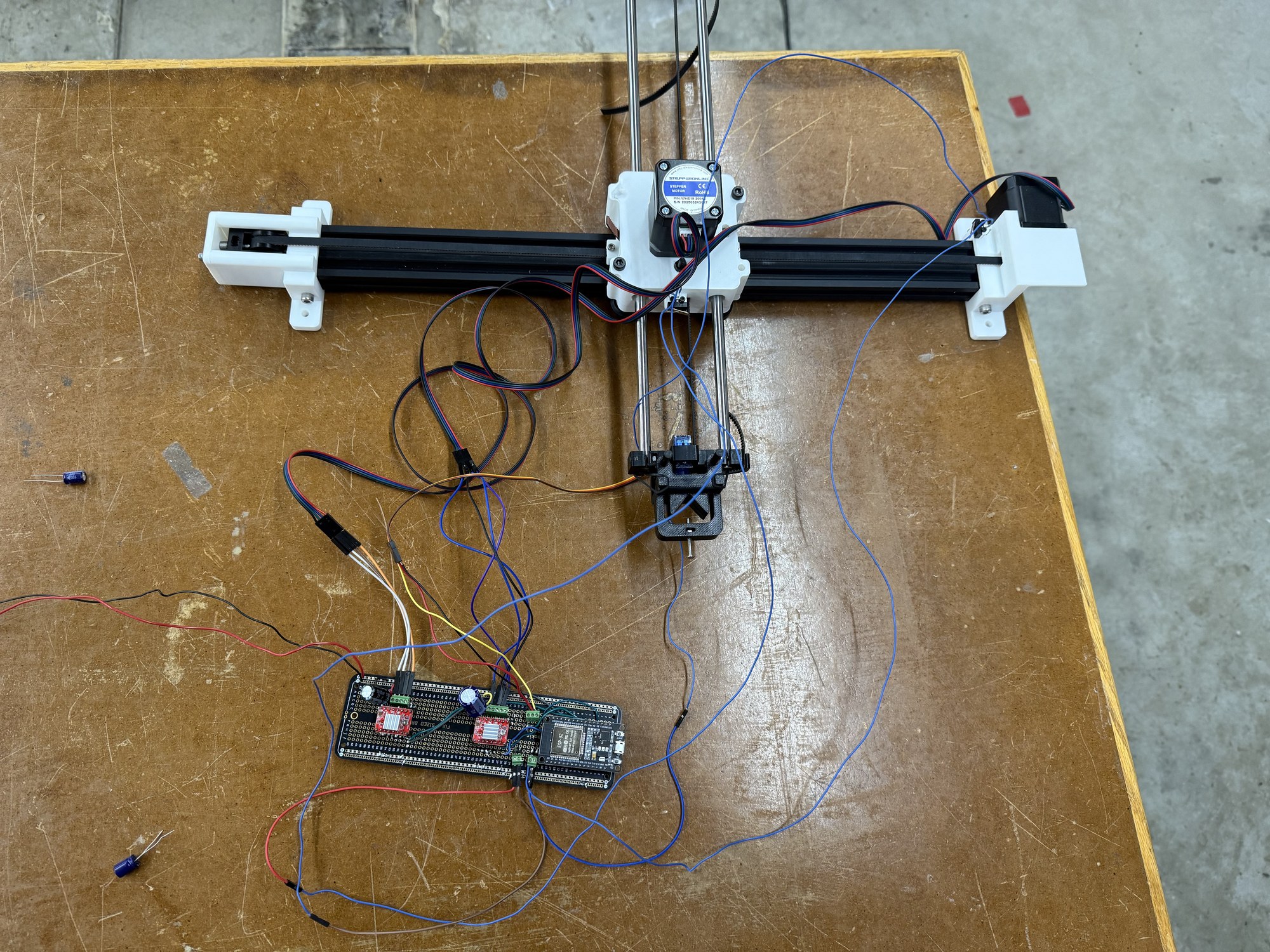
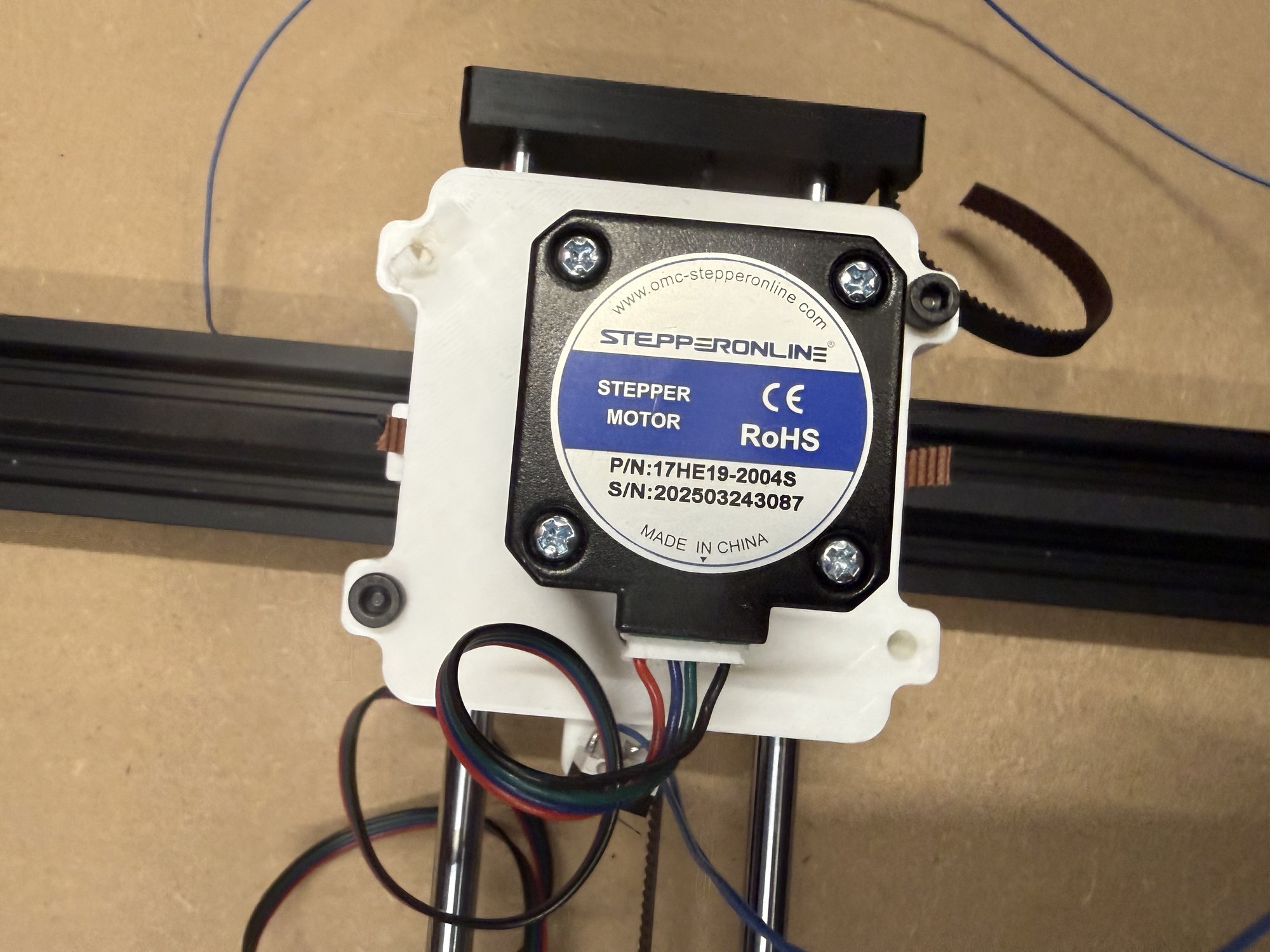
Motors ran backwards or didn’t run at all, and at one point, the limit switches at the home positions of the x and y axes started making the servo that lifts the pen fire, for a reason that escapes me to this day. After most of a week of iteration, we were confident that we had the circuit right, so we soldered everything onto a solderable breadboard:
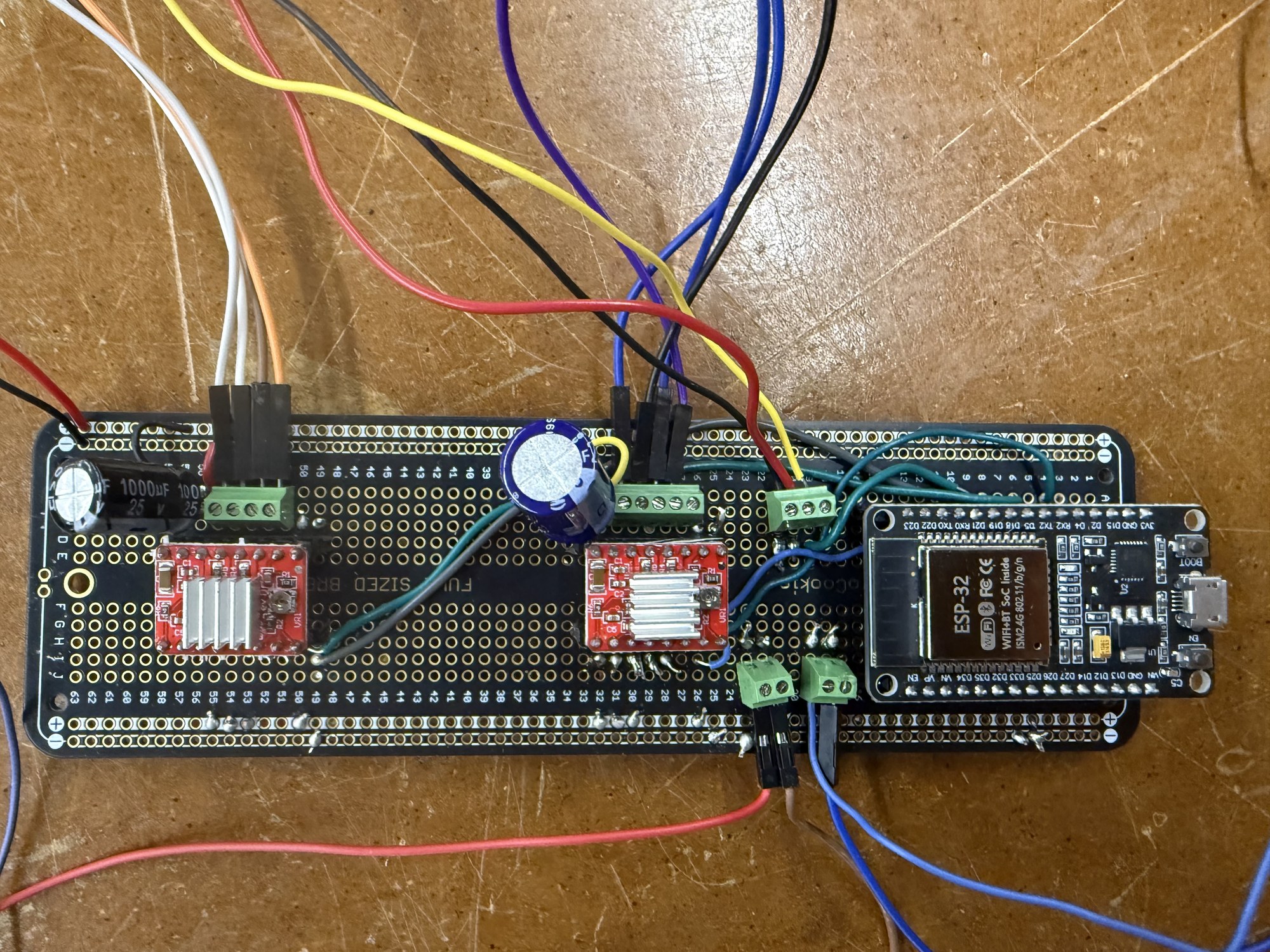
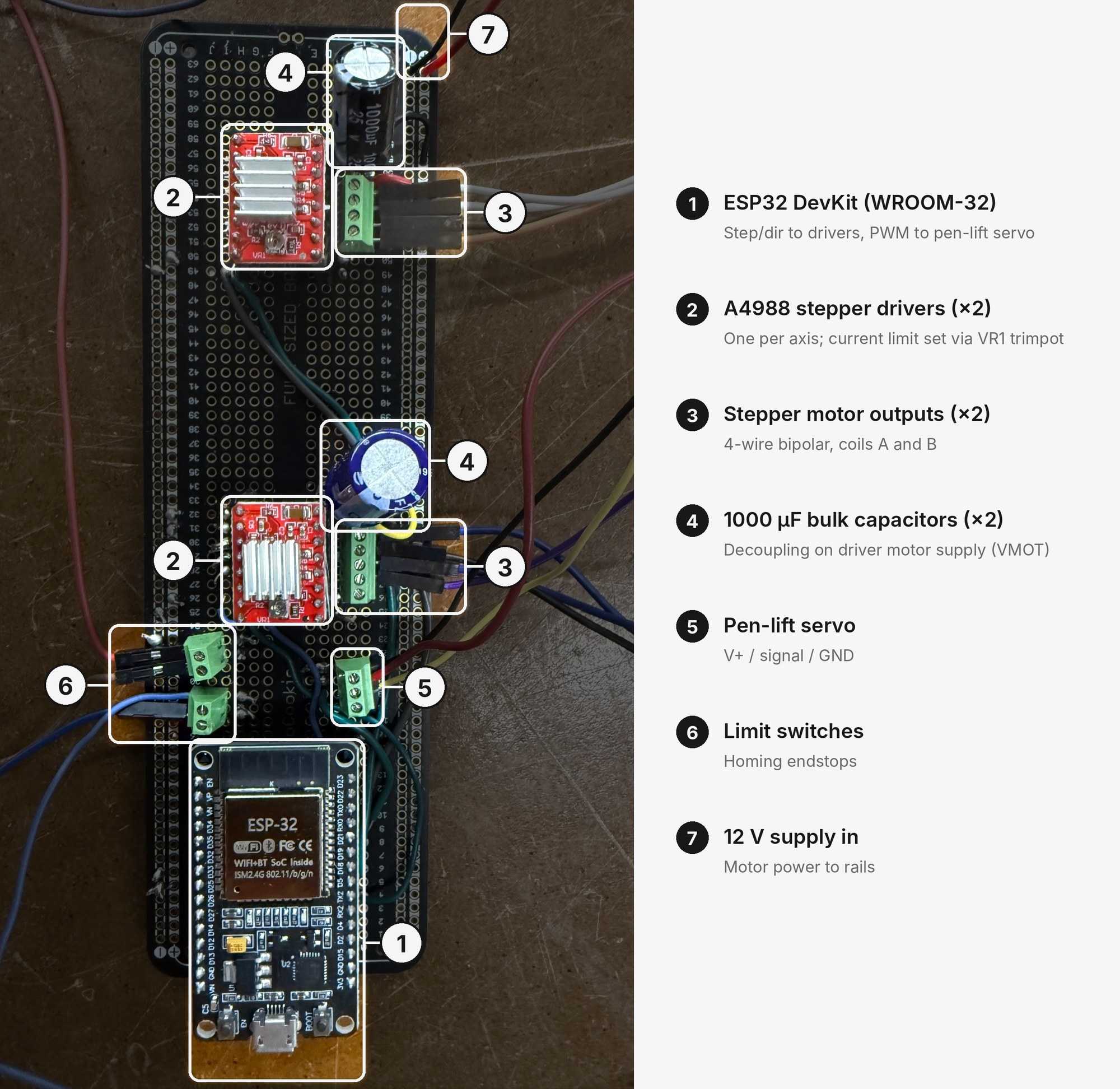
Here are the components, each labeled with its use:
... and our first test fried the y-axis motor driver. Flukes happen, and we found a messy solder joint that could have short-circuited part of the system, so we fixed it and tried again. This time, the x-axis driver fried. Uh oh... then, the ESP32 DevKit controlling the board short-circuited and started smoking too. After a desperate late-night attempt to salvage the circuit, we realized that debugging it would take more time than starting anew.
At this point, we had less than a day until we had to present our machine, so we had to get it working with absolutely no frills. Thankfully, our group knew the full circuit by heart, so our second attempt went much faster. We completely gave up on an organized soldered board: we rebuilt the circuit on a solderless breadboard around a smaller XIAO ESP32-C3, and once it worked, we made no attempt to transfer it to a soldered one.
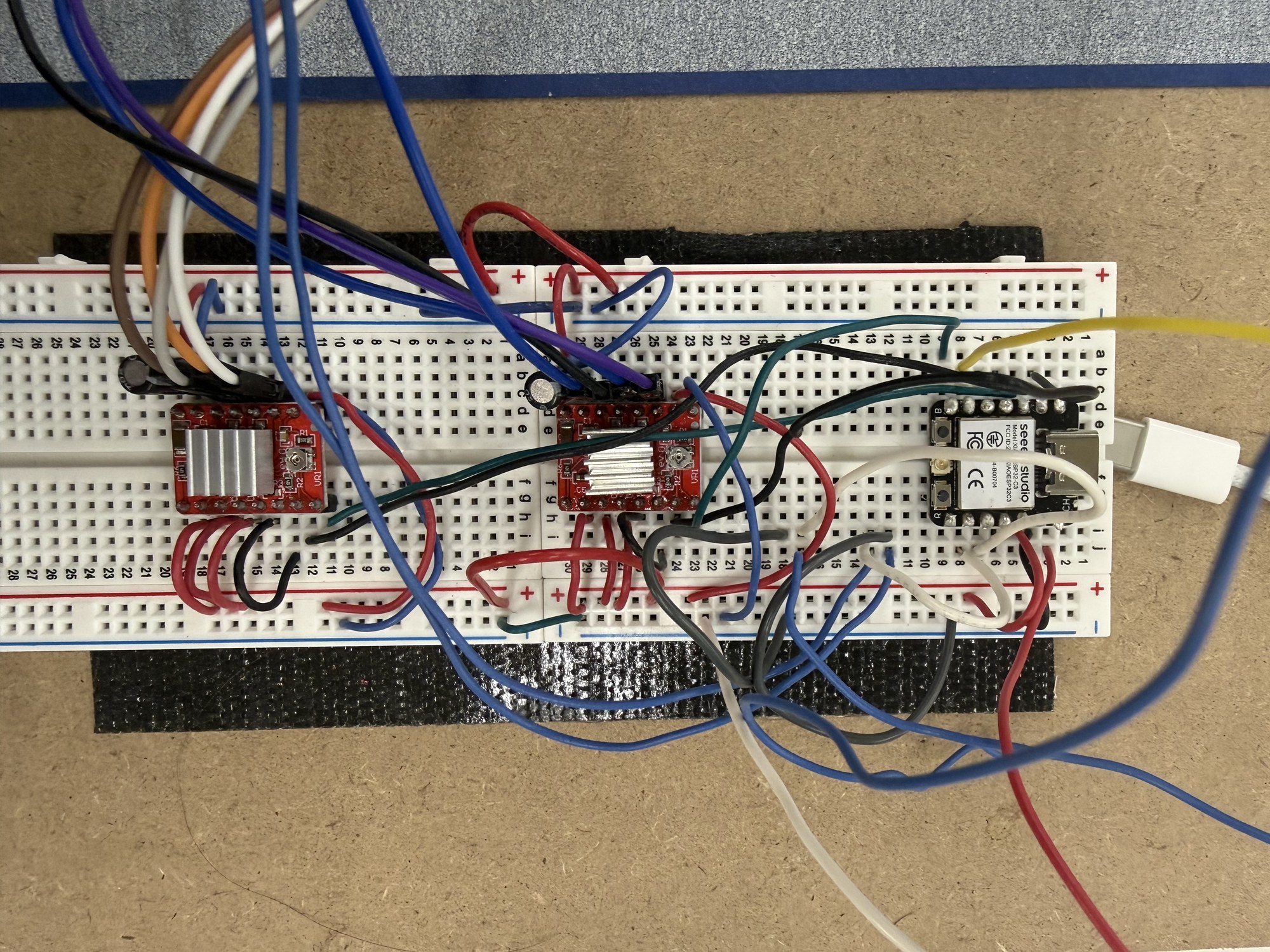
It looks absolutely awful, but it worked, and with only a few hours left before the presentation, that was all we cared about. We had already bought the water calligraphy cloth and a brush with an internal reservoir you fill with water, so hooking those up to the machine was no problem. That gave us a functional water plotter that could theoretically plot anything:
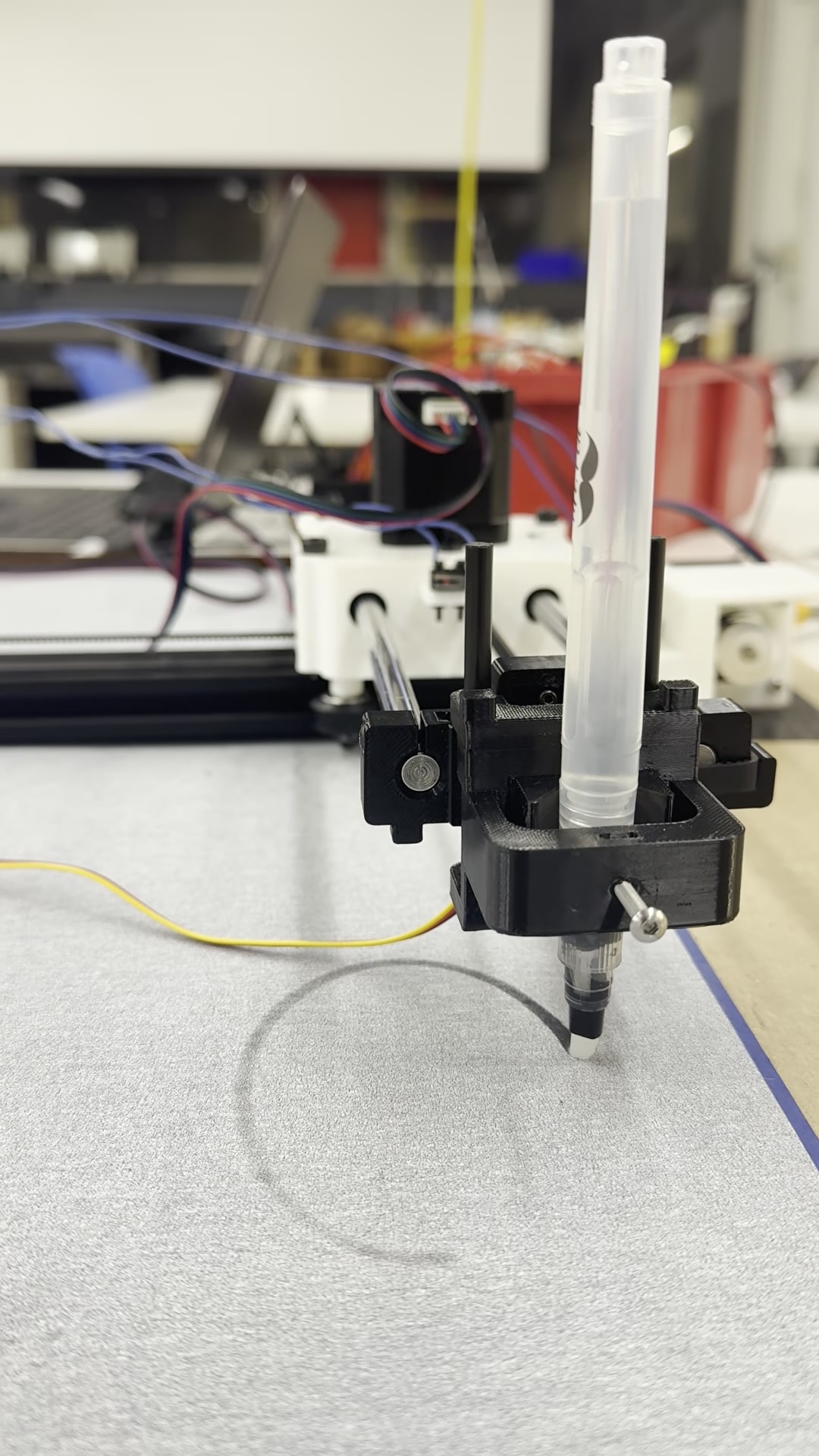
As a general-purpose plotter, though, it had a real downside. A freshly drawn line of water took about a minute to start fading back to the cloth’s paler tone, so anything the machine drew had to be finished within about a minute, before the start of the drawing faded away. That limited it to simple drawings.
From Plotter to Clock
April 2026
However, sometimes intense time pressure can be just as inspiring as a serene environment. The machine accelerated quickly enough to draw about one simple drawing per minute. What common drawing changes once per minute? A clock face: a relatively simple shape, well within the machine’s ability to draw each minute.
A clock also gave a more fundamental answer to the “why not use a printer” question. A printer hides the paper while it works on it, but on the plotter, the cloth stays in full view the whole time it is being drawn on. This is important for an exhibition, where people can watch the work happen, and for a clock, which should always remain readable whenever it is glanced at.
My immediate reaction was that it was silly to take a machine capable of drawing anything and constrain it to drawing the exact same clock face, with ever so slightly different hands, every minute. Under normal circumstances, I would have likely thrown out the idea then and there, since it seemed to work so clearly against the natural capabilities of a pen plotter. However, crunched for time as I was, I was more open to crazy-sounding ideas. After a minute of thought, I realized that misusing a pen plotter for a far narrower task was actually really satisfying to me. To take something capable of a wide range of output and overconstrain it to redrawing almost the exact same thing, time and time again, was unexpected. When a machine can do almost anything, the instinct is to take full advantage of that capability, and to leave narrow, specialized tasks to narrow, specialized machines. Water Clock goes against that instinct. It uses a CNC arm that is clearly capable of drawing all sorts of lines, yet it simply traces nearly identical clock faces every minute. The gap between what the machine could draw and what it actually draws stays on display the whole time. That mismatch is what I find satisfying.
I pitched the idea to Avery and Jolana, and with their OK, we wrote the code to turn our water plotter into a water clock: it keeps track of the time, draws a simple dodecagon, and draws the current time as an analog clock, with each vertex of the dodecagon acting as a tick mark. This didn’t require any new hardware to pull off, just a fairly simple Arduino program uploaded to the XIAO ESP32-C3 that controlled the plotter, giving us a successful project just in the nick of time!
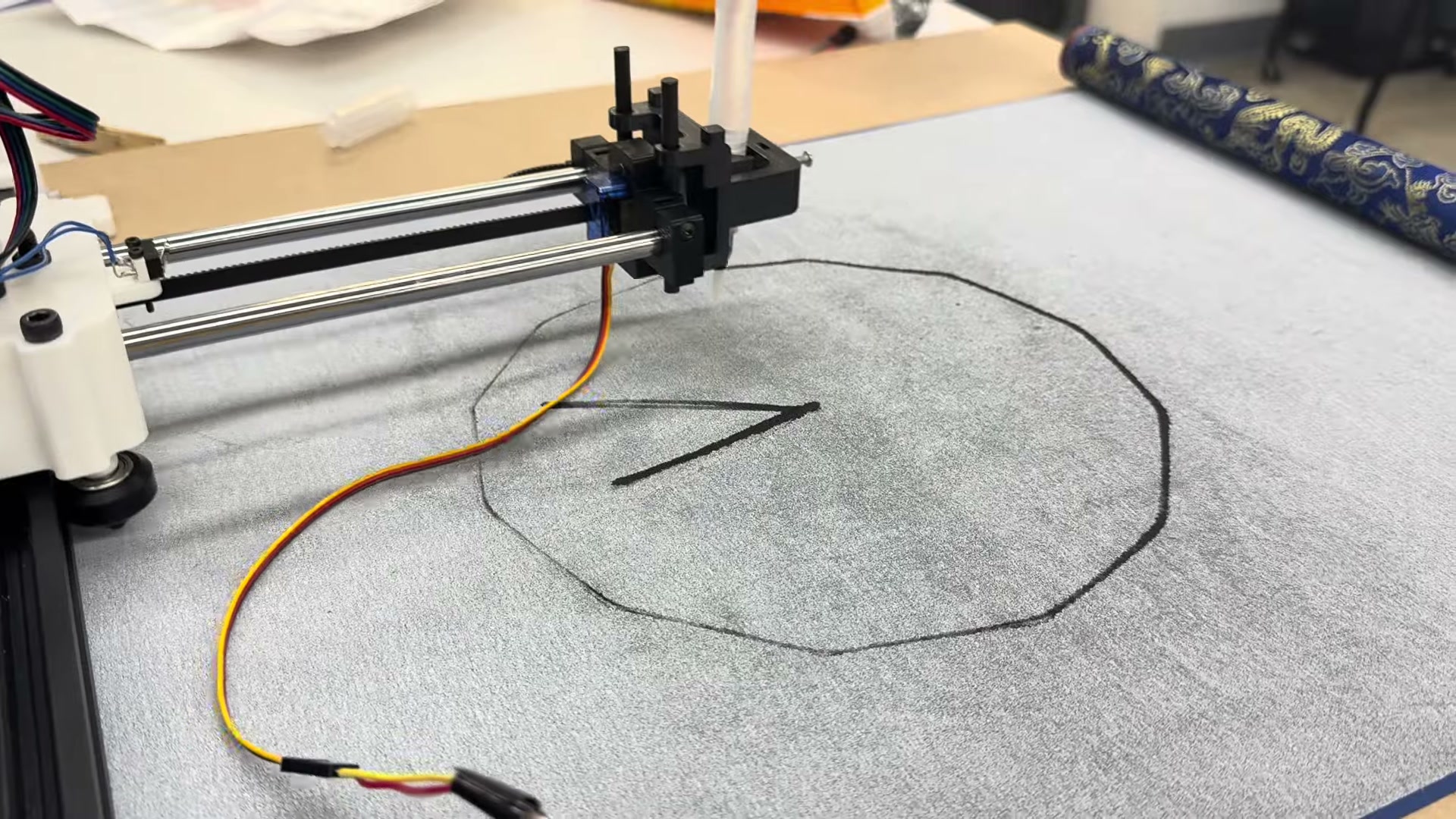
That was it for a while! Despite the hackiness, I was happy with the project that we were able to put together, and I was very grateful to have pulled it off in spite of quite a few setbacks along the way.
An Exhibition Offer
June 21, 2026
About two months later, on June 21st, I got a last-minute message from a member of the Center for Bits and Atoms (CBA). I had been working on my Paper Marbling Machine with the lab, and had heard that the Fab Foundation, which grew out of the CBA, would soon hold an opening event for its new global headquarters in Cambridge. The message was an offer to exhibit work I had made in a fab lab, as a way to show off the cool things you can make in the new Fab Foundation headquarters.
This immediately made me think of Water Clock. The opening was only four days away, so I needed something that was already working, and Water Clock had itself been built in a fab lab. I took the project out of storage, spent a couple of hours covering the exposed wiring, and had an exhibition-ready piece!
... And yet, I didn’t feel right about exhibiting the piece as it stood. Yes, the functionality was all there: it displayed an updating clock that kept accurate time. But it just felt like a tech demo.
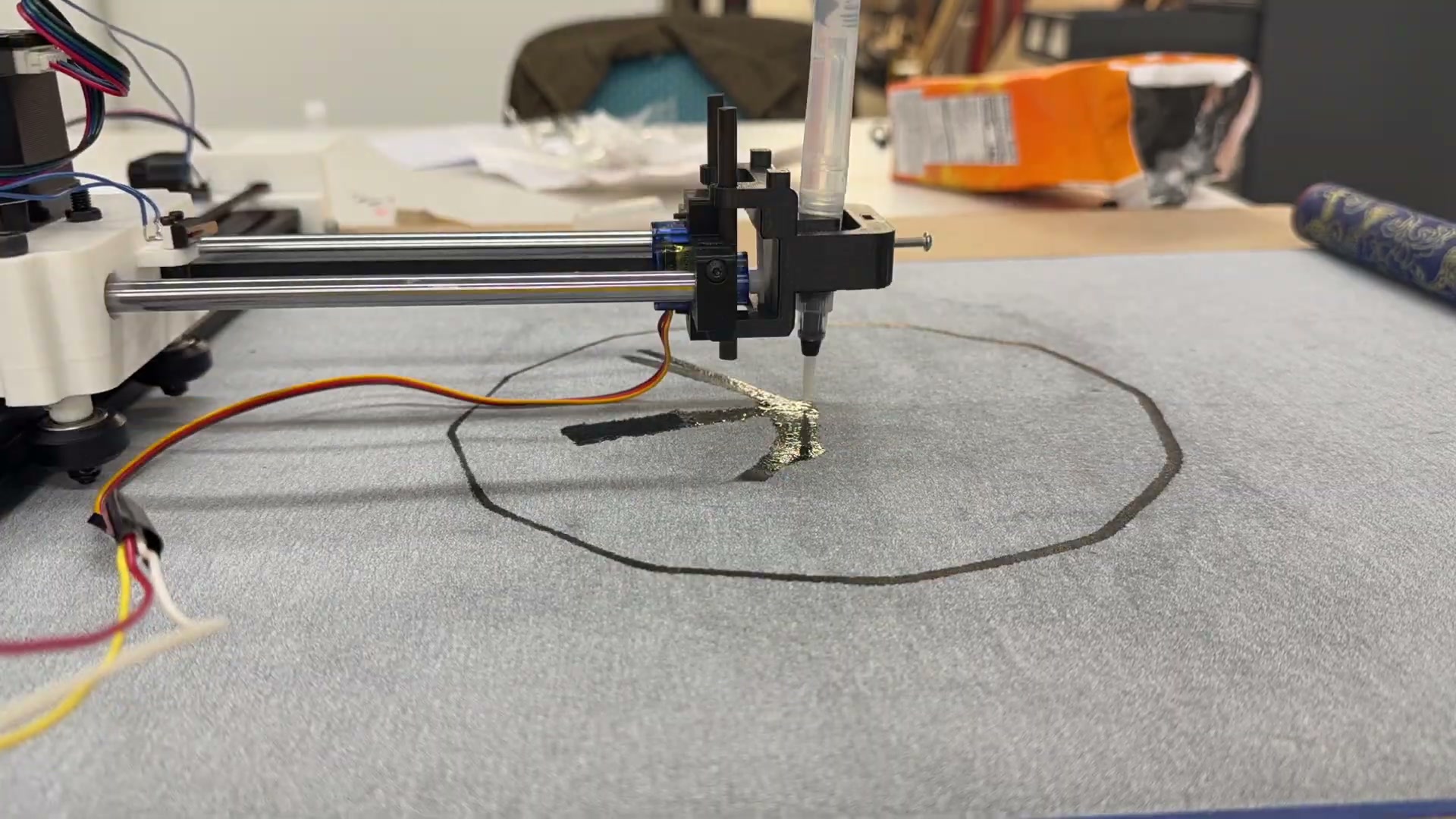
I finally put my finger on it: this isn’t how clocks are displayed. Clocks are mounted vertically, on walls, not laid out on a table. As the piece stood, it felt like a drawing machine someone had built and programmed to draw clock faces, which was exactly what it was, but I wanted it to feel like a clock.
Standing It Up
June 2026
In theory, verticalization would be easy! With the plotter lying flat, gravity held the brush against the cloth, and the pen-lifting servo only had to lift it. Standing the plotter up takes gravity out of that job, so the only real change would be a rubber band pulling the brush toward the cloth in gravity’s place, letting the servo work as it had before. I made this quick change, stood the base plate up vertically and... the y-axis motor couldn’t haul the vertical arm upwards against gravity.
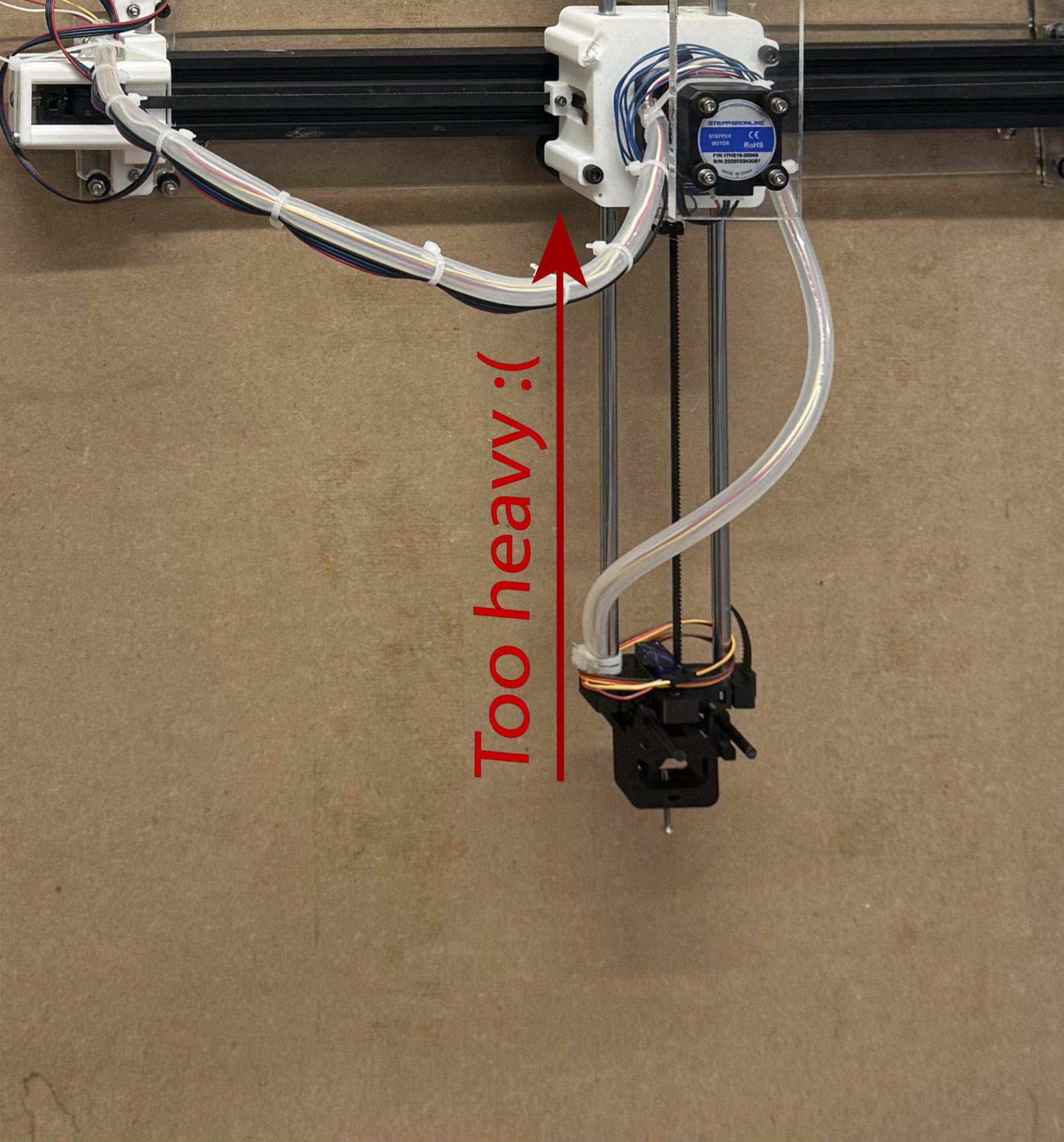
The issue was that the y-axis belt, whose teeth the y-axis motor meshes with, was skipping. The motor was plenty strong enough to haul the arm up, but the belt had too much give to pass that force along. I tried tensioning the belt further, but it became clear that the belt was laid out in a way that never expected the resistance gravity was now providing, and getting the y-arm to haul itself up would take a complete redesign.
At this point, I had two days left until the exhibition, and so began one of the most epic solo engineering hackathons of my career.
Above all else, I wanted to avoid disassembling a perfectly functional pen plotter to rework the y-axis from scratch. There was a good chance that doing so would work, but if I ran into unexpected problems, I would have nothing for the exhibition. No matter what, I wanted to keep the backup option of running Water Clock flat on the table. Instead, I would modify the existing mechanism to make it gravity-tolerant.
Machines are not monolithic
I have a general philosophy when it comes to engineering mechanisms: machines are not monolithic. What we see as a single machine is usually several individual machines working in tandem toward a larger goal. In a pen plotter, a servo pen lifter gives 1D motion along the z-axis. It rides on a track that gives 1D motion along the y-axis, which itself rides on a track that gives 1D motion along the x-axis. Together, those three 1D machines make a machine that can move in 3D:
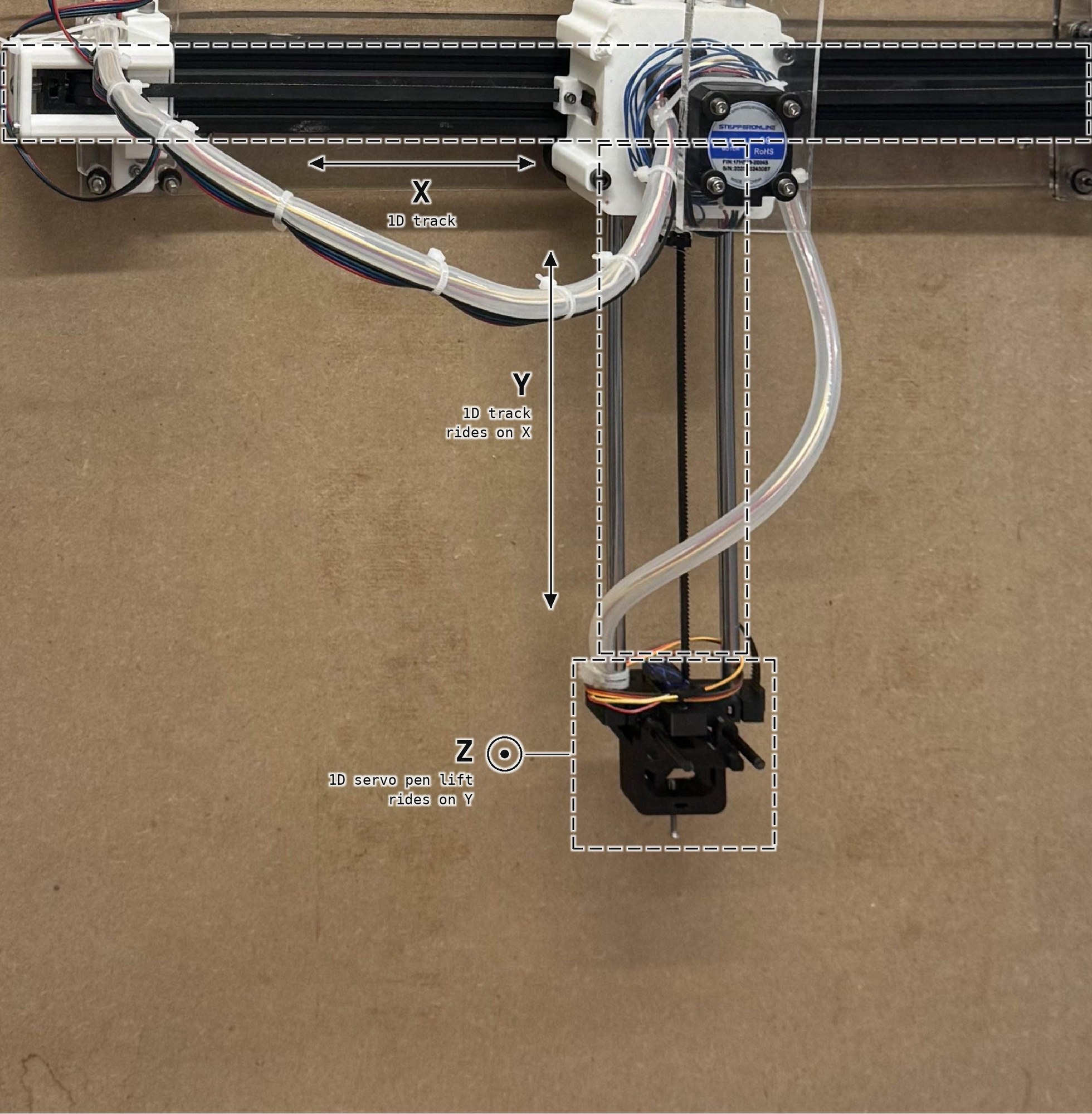
Only one of these machines was malfunctioning, so only one of them needed a fix: the y-axis, which now had to move vertically. What other machine is known for its 1D vertical motion? An elevator! Elevators face the exact same issue of overcoming gravity, and they have had an elegant solution for hundreds of years: a counterweight. I would build a counterweight that balanced out the downward pull of the y-arm, so that the y-belt went back to feeling no more resistance than it had when the plotter was lying flat on a table.
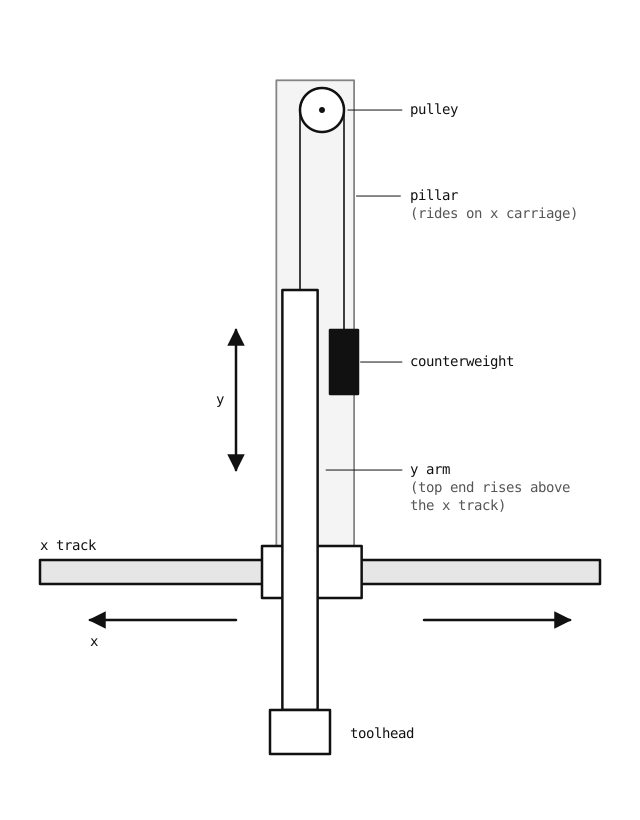
Of course, the entire y-arm still moved along the x-axis track, so whatever counterweight system I built would need to account for that. I initially considered two counterweights, one anchored to the left of the y-arm and the other to the right of it. In theory, the horizontal components of the forces to the left and right would cancel each other out, leaving the arm free to move along the x-axis while still counterweighting its downward pull. But the system rapidly ballooned in complexity, because the magnitudes of those horizontal components shift as the carriage moves along the x-axis. Then I realized there was a far simpler way: just have the counterweight ride around with the y-arm. To do that, I would mount a tall pillar on the y-arm’s carriage, rising above the plotter, with a pulley at its top. A cable would run from the top of the y-arm, up over the pulley, and down to the counterweight, so the counterweight would travel along the x-axis together with the arm. That way, the counterweight always pulls straight down on the arm, wherever the arm is along the x-axis, and there are no horizontal pulls to cancel out. This is the design I came up with:
It was time to start building!
The sprint plan
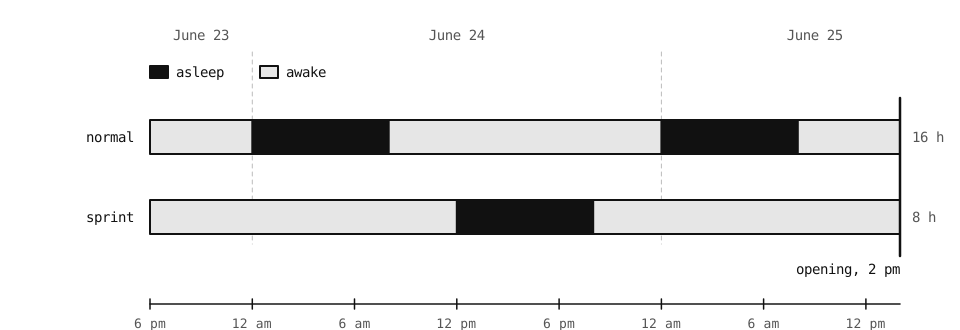
It was time to sprint. It was the night of June 23rd, and the exhibition would open at 2 pm on June 25th, just over 36 hours away. I knew that I could always exhibit Water Clock flat on the table, but I also knew that I could make something better than that. So I made a plan. On a normal sleep schedule, I would sleep two nights before the opening: the nights of the 23rd and the 24th. If I instead stayed up an extra 12 hours, until noon on the 24th, slept from then until the evening, and then worked through the night and the morning of the 25th, I could turn three 24-hour days into two 36-hour days. I would spend only one night sleeping rather than two, which earned me back roughly 8 hours to work.
I avoid making a habit of staying up 24 hours at a time, but when I am truly passionate about something I’m building, I find the work entrancing and have trouble making myself stop. I did still need to be careful about shop safety though. A sleep-deprived sprint is when it is easiest to get careless. So I planned to do all of the machining at the very beginning, while I was still well rested, and once I got tired, I stuck to work that didn’t involve fabrication machines.
Scavenging materials
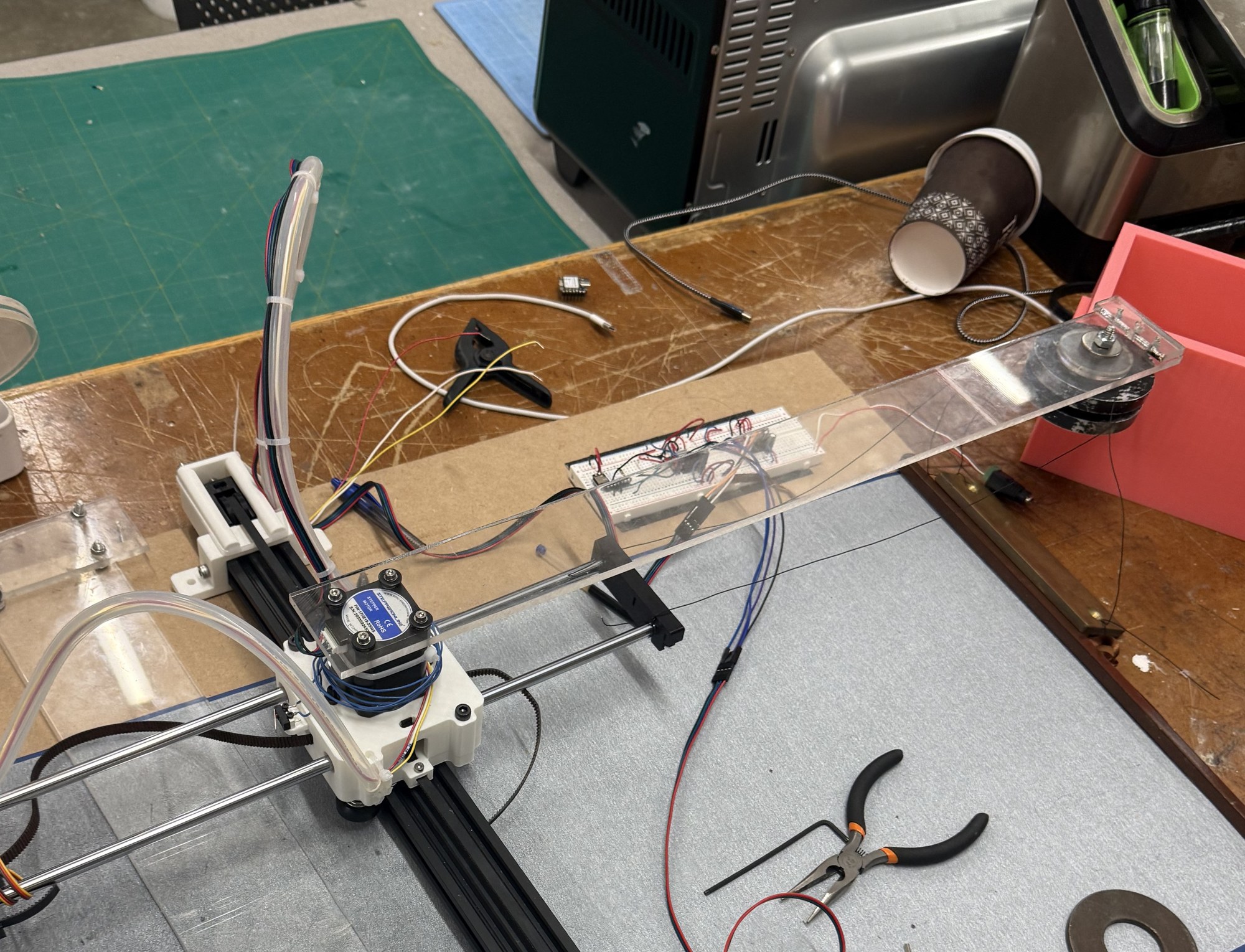
And so the work began. The first step was to attach the pillar above the carriage that would hold the counterweight. I didn’t have time to buy materials, so I scavenged what I could from the freecycle bins around the lab, and found a pretty long piece of acrylic that, after a few cuts, became my pillar:
Keeping the counterweight from swinging
With the pillar attached, my next goal was to add the counterweight. This was the change I was most nervous about. From the beginning, I worried about the counterweight swinging back and forth as the arm moved along the x-axis, and I had no idea how I would manage that if it did end up being an issue. My initial plan was to put two pulley wheels on the same axle at the top of the pillar. Each wheel would carry its own cable, which started at one top corner of the y-arm, wrapped over the wheel, and attached to the opposite top corner of the counterweight. Holding the counterweight from two different points along the x-axis would discourage it from swinging from side to side, the same way a swing’s two ropes discourage it from swinging sideways.
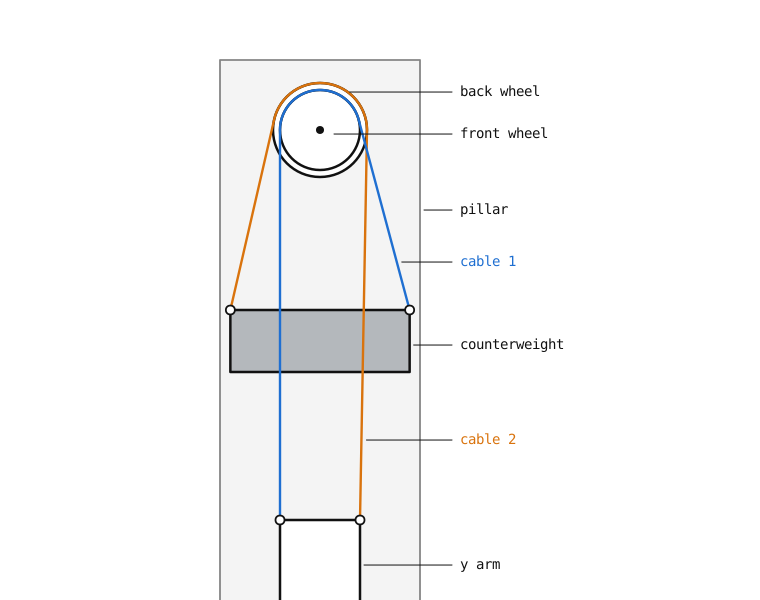
I ended up making the hackiest, quickest version of this, and while it did work, I did not feel happy about it. You can see the counterweight flexing and swinging in the video below; it made every engineering alarm bell I had go off.
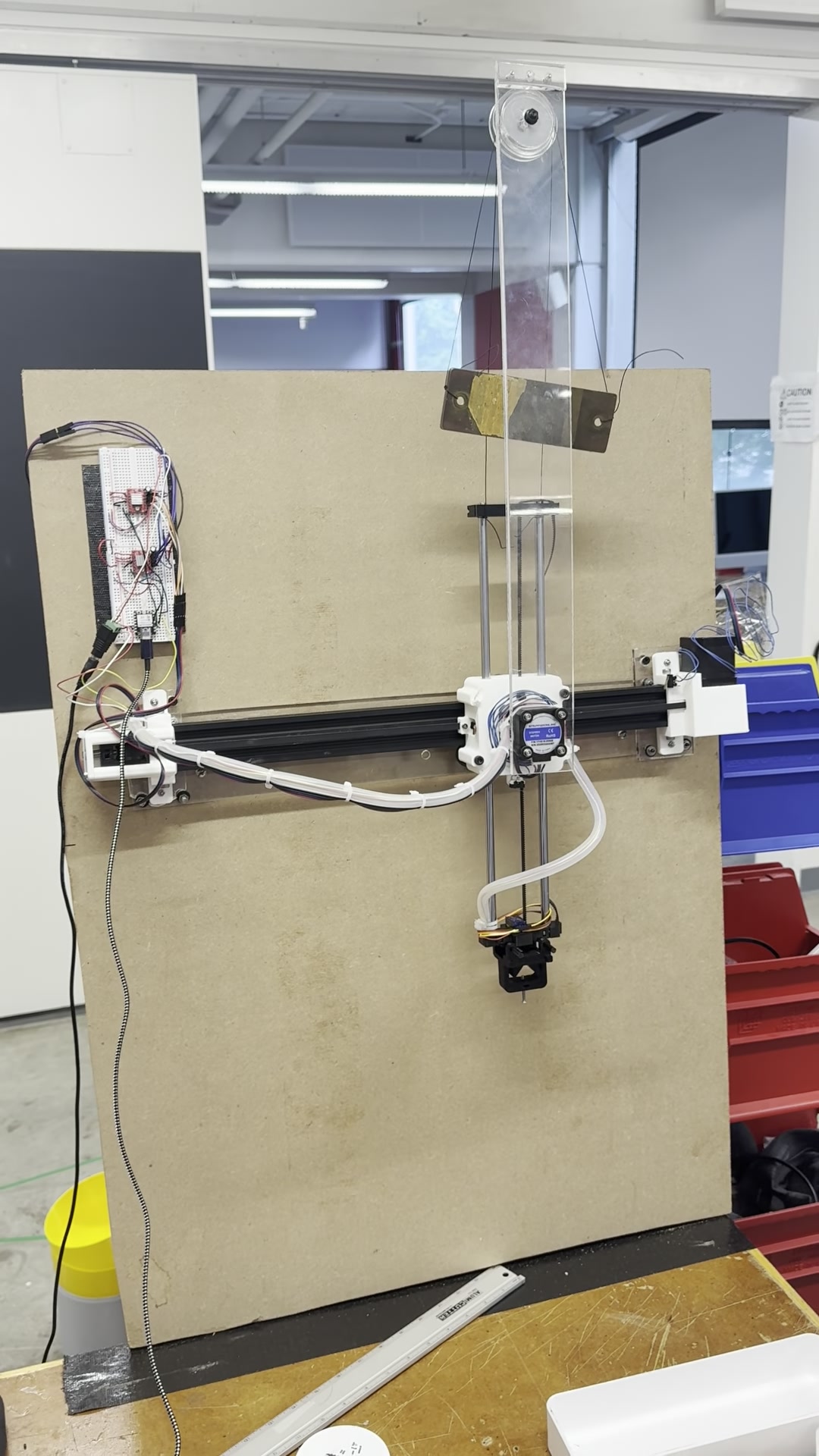
I was concerned about the cables tangling with each other or with the arm. For an exhibition that needs to run for days without failing, I did not trust underactuated parts that were free to swing around other moving parts. Even if nothing went wrong most of the time, it only takes one unlucky tangle to break the piece in front of an audience.
While starting on improvements to the cable approach, I struck gold in a far back bin of the fab lab: a linear rail.
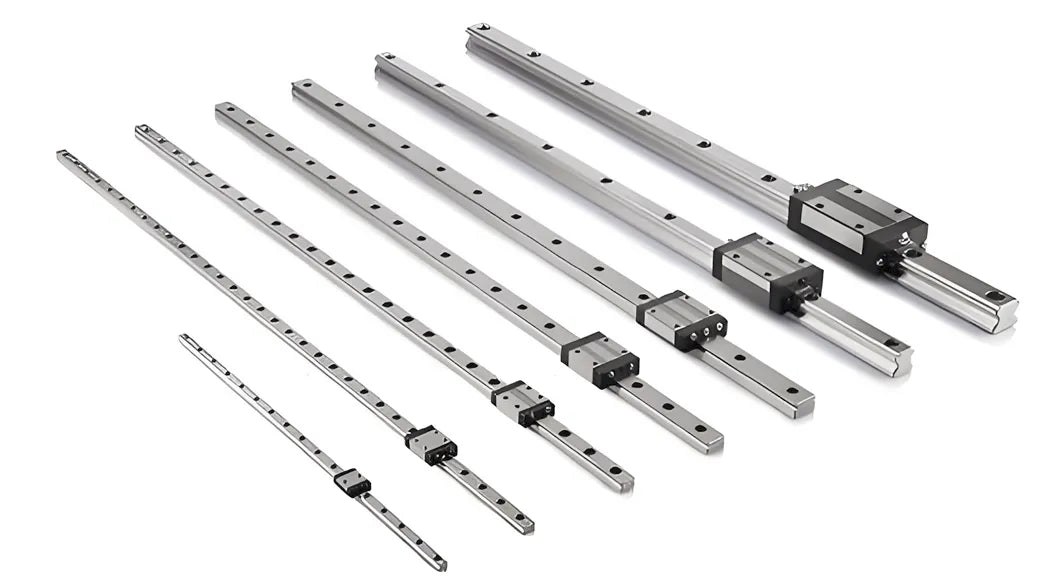
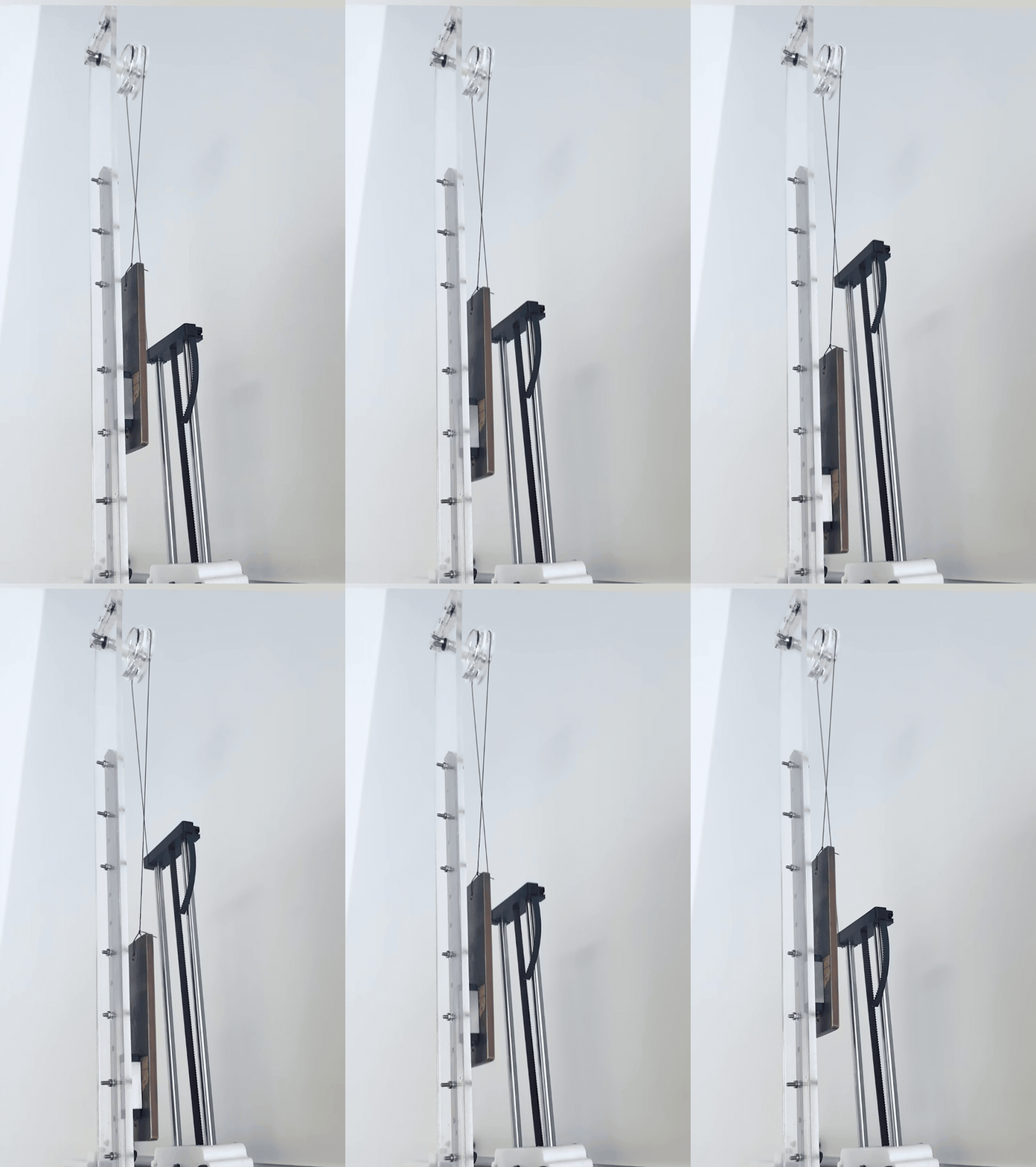
A linear rail has a carriage that, thanks to ball bearings along its inner edge, slides smoothly along the rail but stays totally secure against side-to-side motion. With this discovery, I totally shifted gears. My two-cable version had reduced the swinging, but a linear rail would remove it entirely. I mounted the rail vertically on the pillar and attached the counterweight to its carriage. With the rail holding the counterweight steady, the stabilizing cables were no longer needed, and a single cable over a single pulley was enough to counterbalance the arm. This worked great, and verticalization now worked!
The Wall as the Backboard
June 24, 2026
I also cut a couple more acrylic pieces to make a new base plate for the plotter:
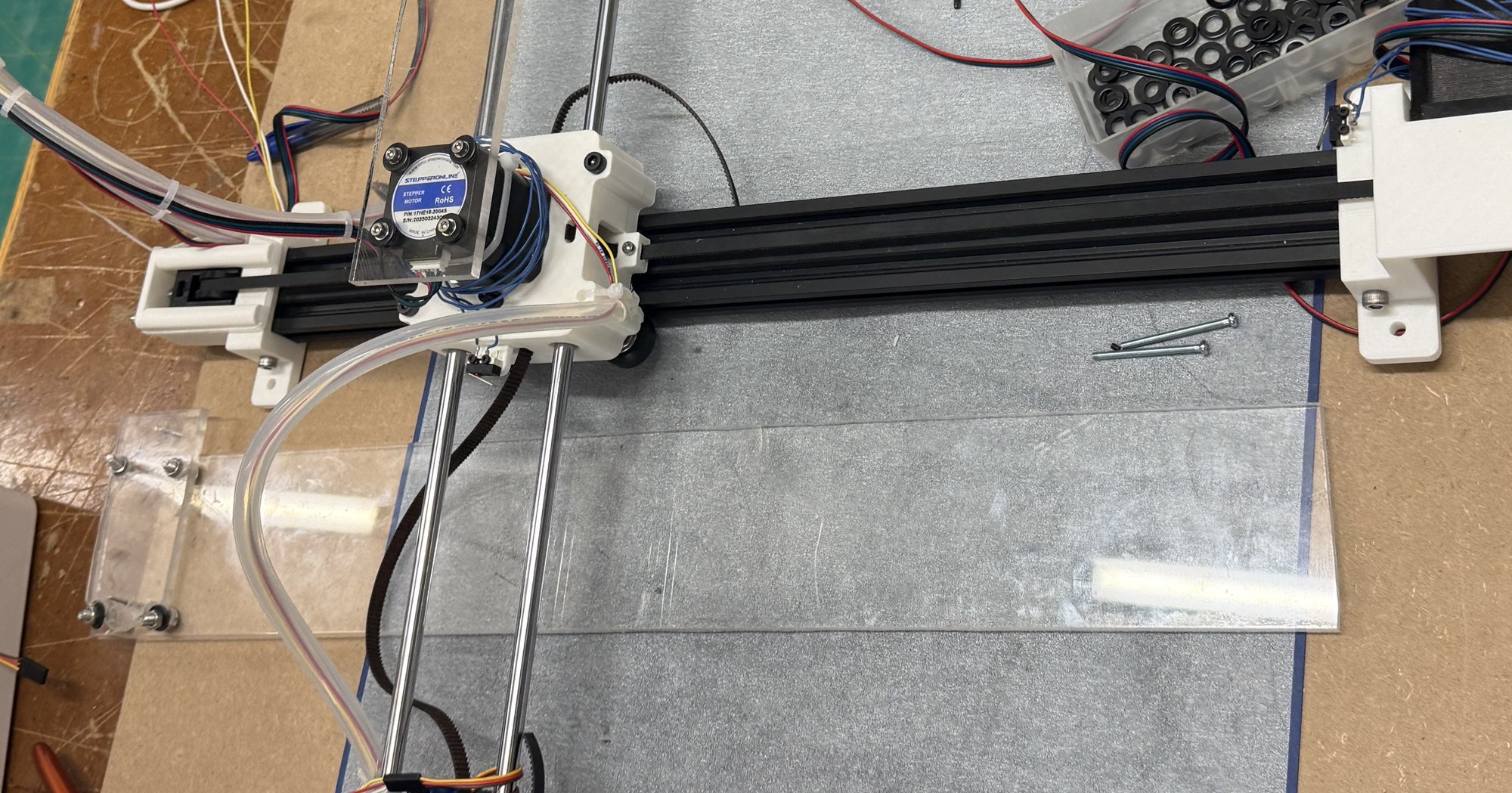
The original horizontal version had lived on a bulky plate of chipboard, large enough to hold the plotter, the cloth, and all of the electronics:
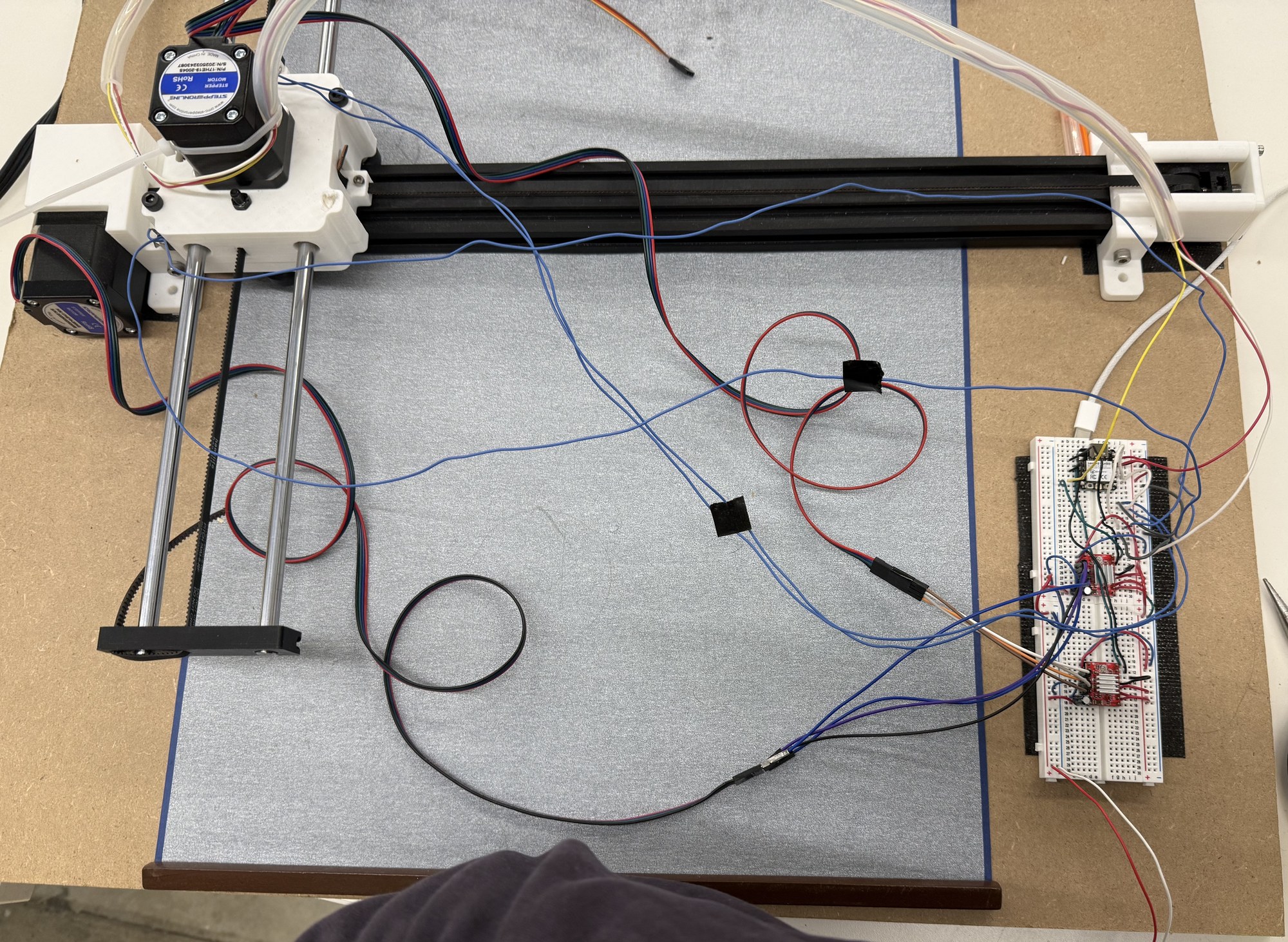
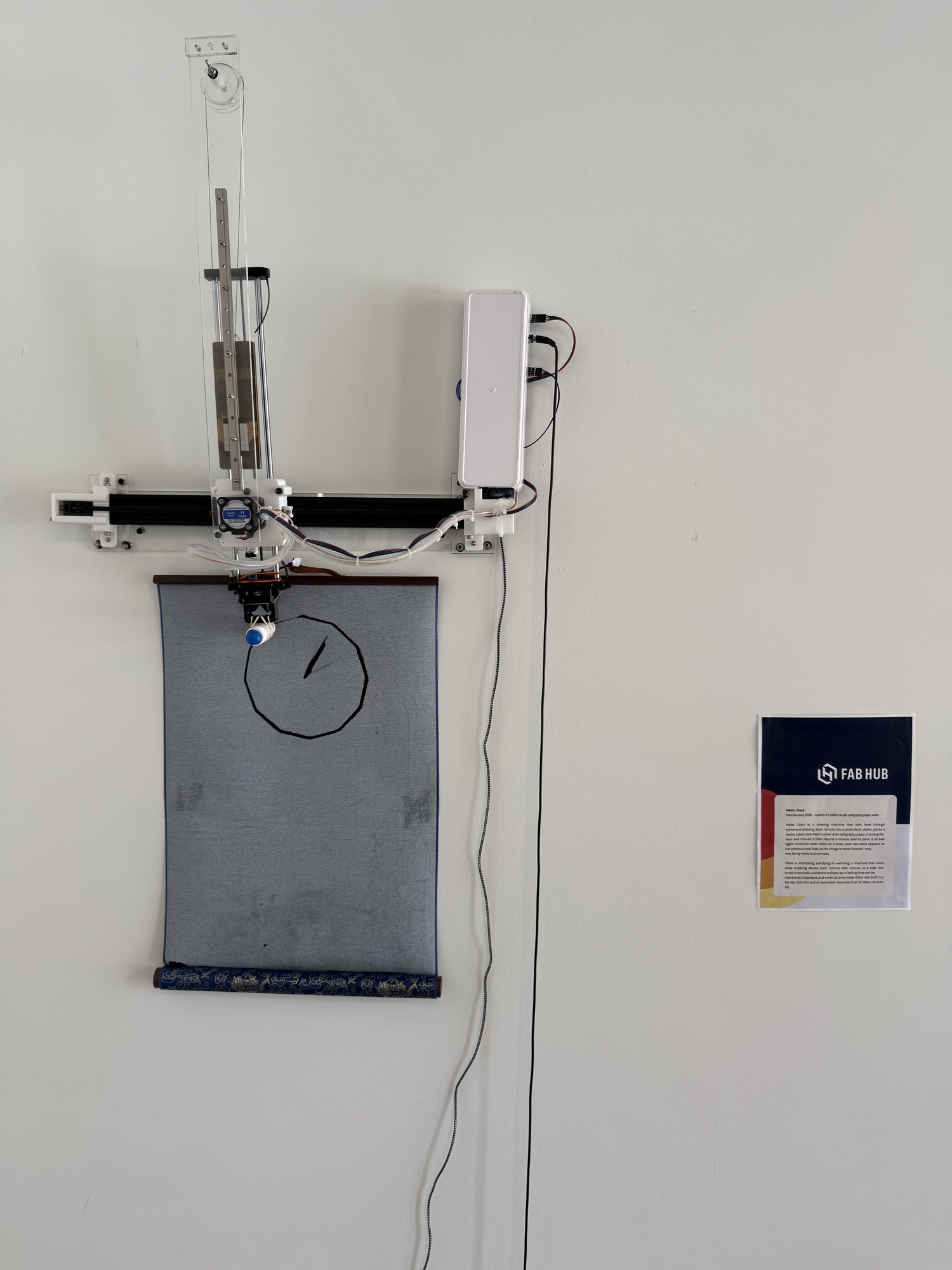
Aside from that plate being heavy to mount on a wall, I realized that I could get an interesting effect by using the wall itself as my backboard. A single large backboard groups the machine with the cloth, so the two read as one pre-planned cloth-drawing machine. With both of them attached to the wall independently, they would read as two things: a machine that can draw, and a cloth that is being drawn upon.
Without a shared backboard, the machine and the cloth began to act more like a person drawing and the paper they draw upon: two separate entities that could exist independently, rather than a single integrated machine that had been planned from the beginning for that specific interaction. This more organic, more natural relationship between drawer and substrate was appealing to me. In practice, it meant designing a minimal, transparent acrylic backing to mount the feet of the plotter’s x-track to the wall, integrating the electronics into the plotter itself, and, independently from all that, mounting the cloth to the wall.
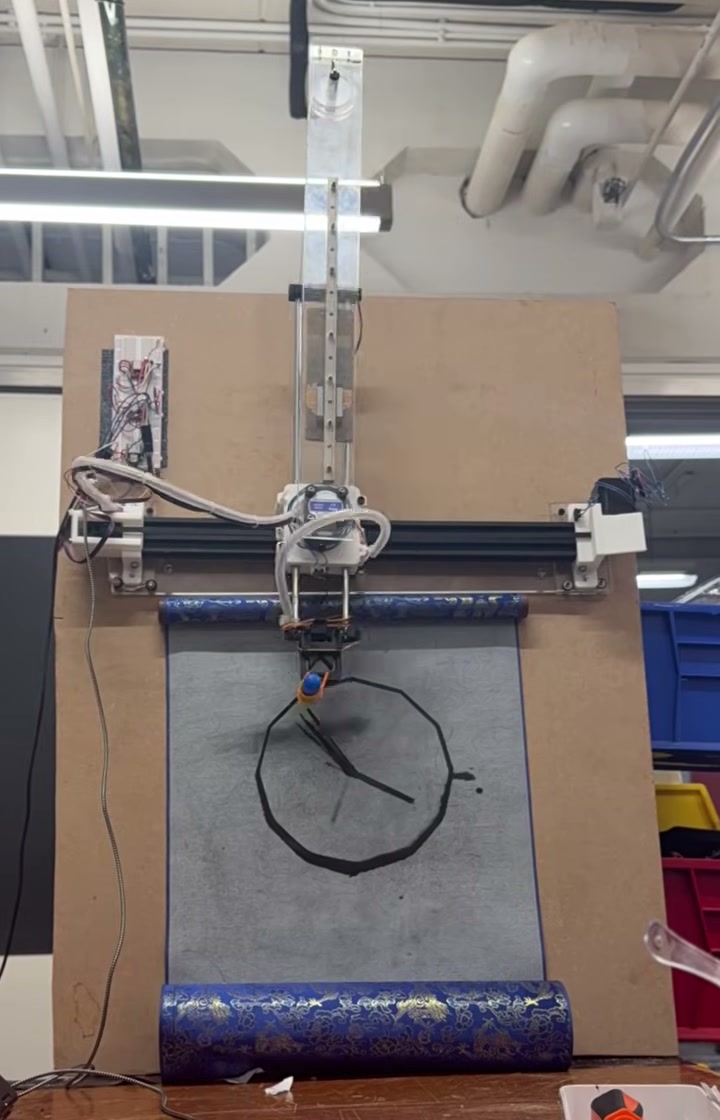
Even after attaching the acrylic backing, I kept using the old chipboard as a stand-in for the wall. It let me simulate how the piece would work once it was actually mounted, which helped me work out things like positioning the brush so that it correctly touches and pulls away from the cloth, and weighing down the rolled cloth so that it hangs flat:
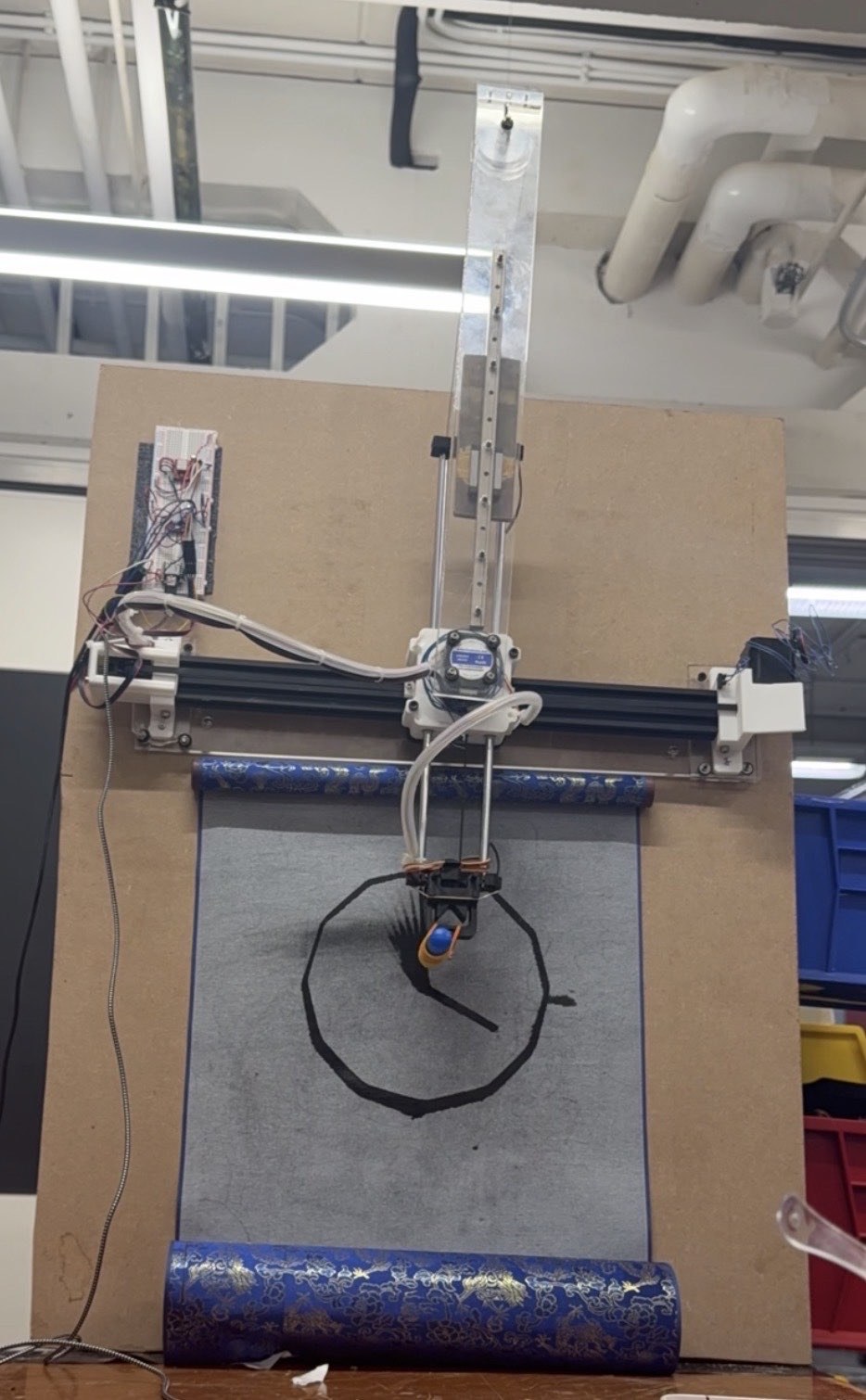
Cleaning Up the Machine
June 24-25, 2026
Something that I have learned across my years of building machines for exhibitions is how much it matters for a machine to look clean. There were a number of things to do here, a few large and many more small. These were the largest:
Cable management
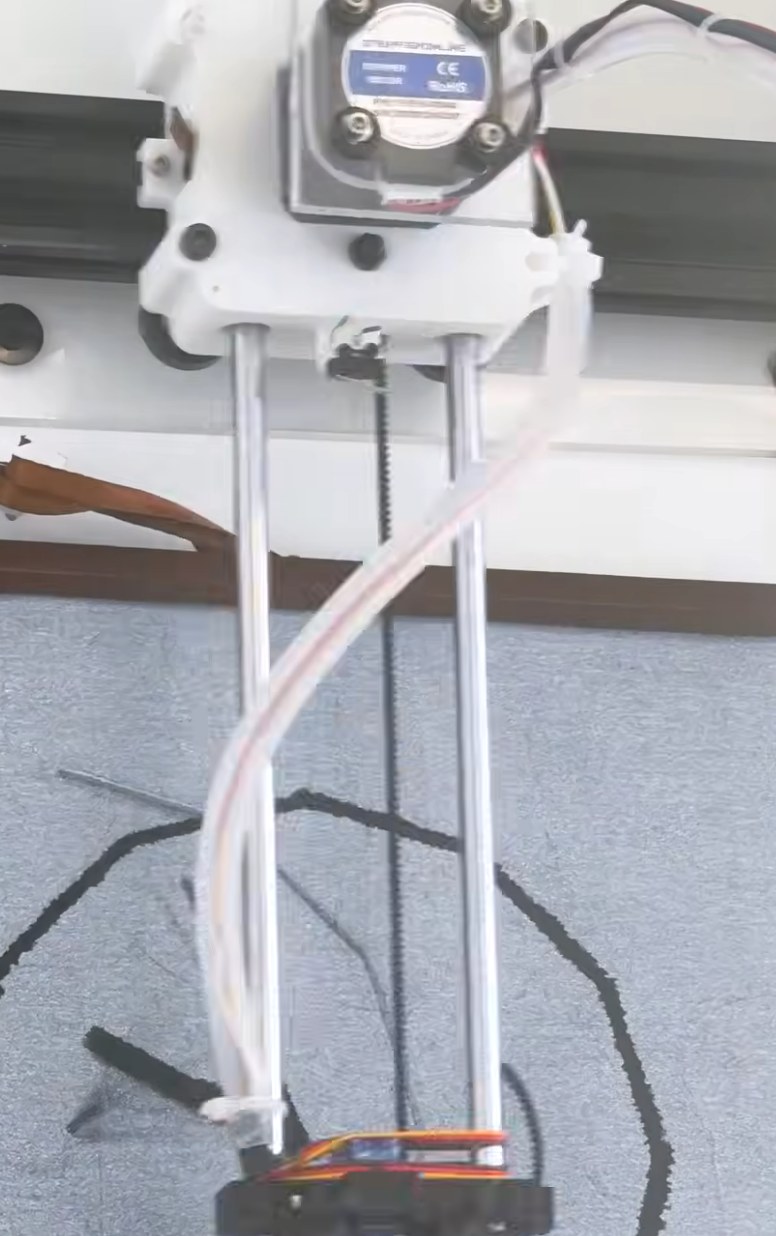
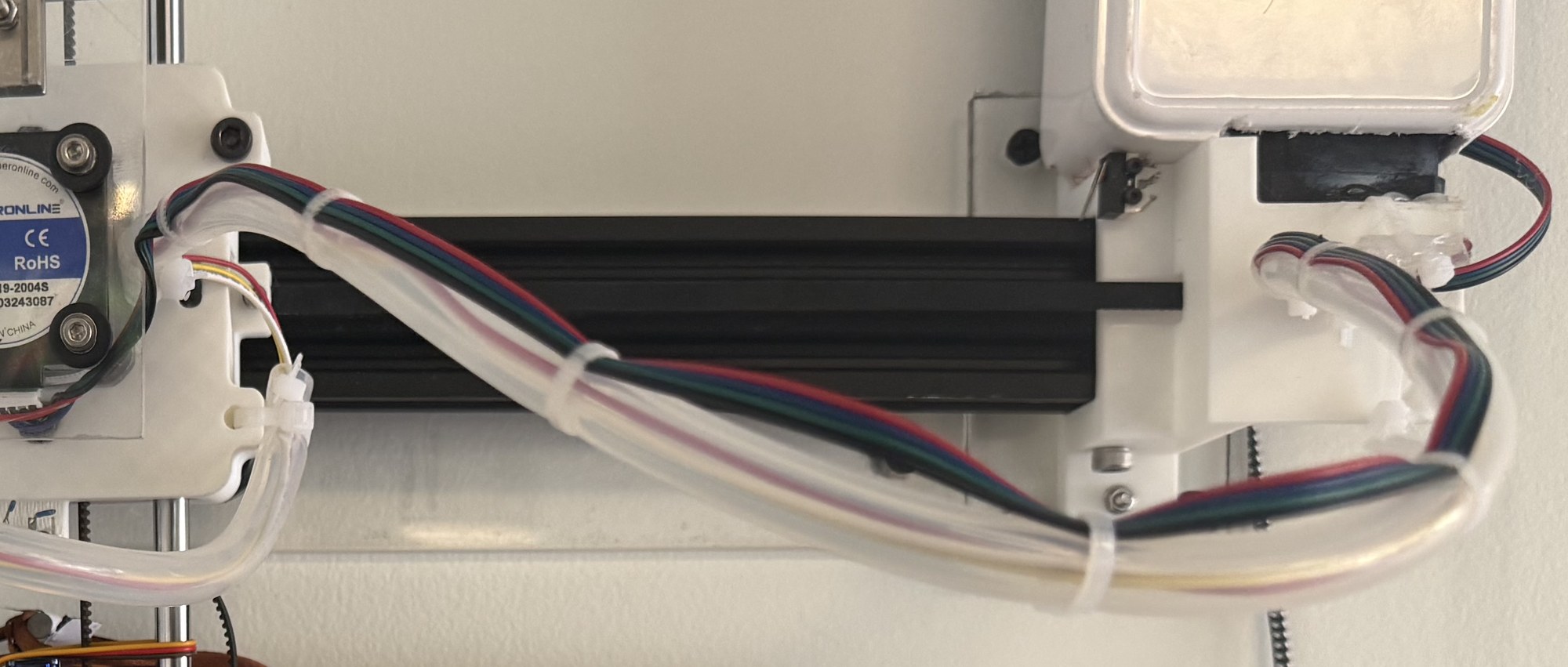
I didn’t have any cable chains lying around, so I looked for a material that would buckle consistently, in a way that kept the wires away from moving parts. I ended up finding a length of plastic tubing that my wires fit through, which buckled in a corkscrew when I attached its two ends on opposite sides of their anchors:
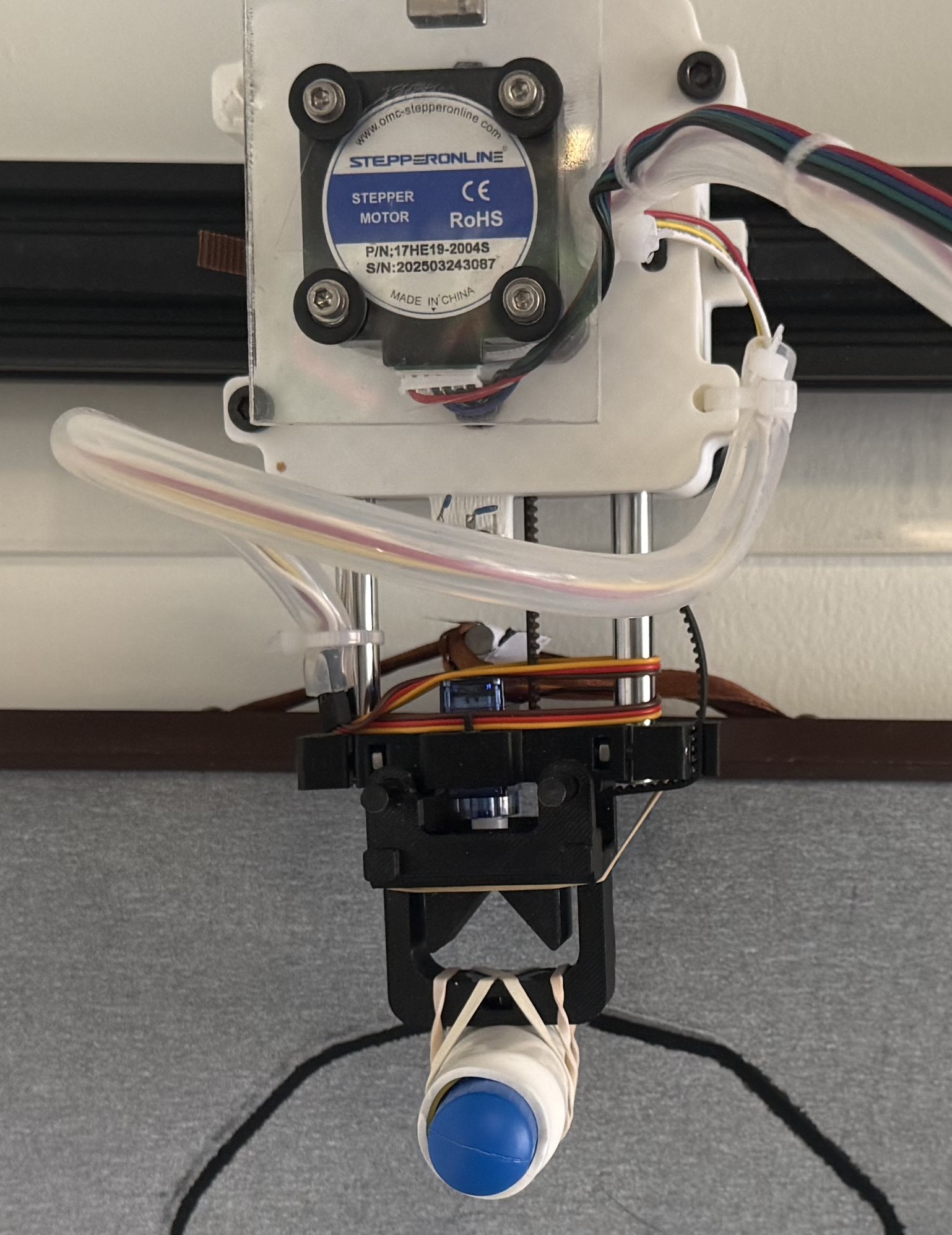
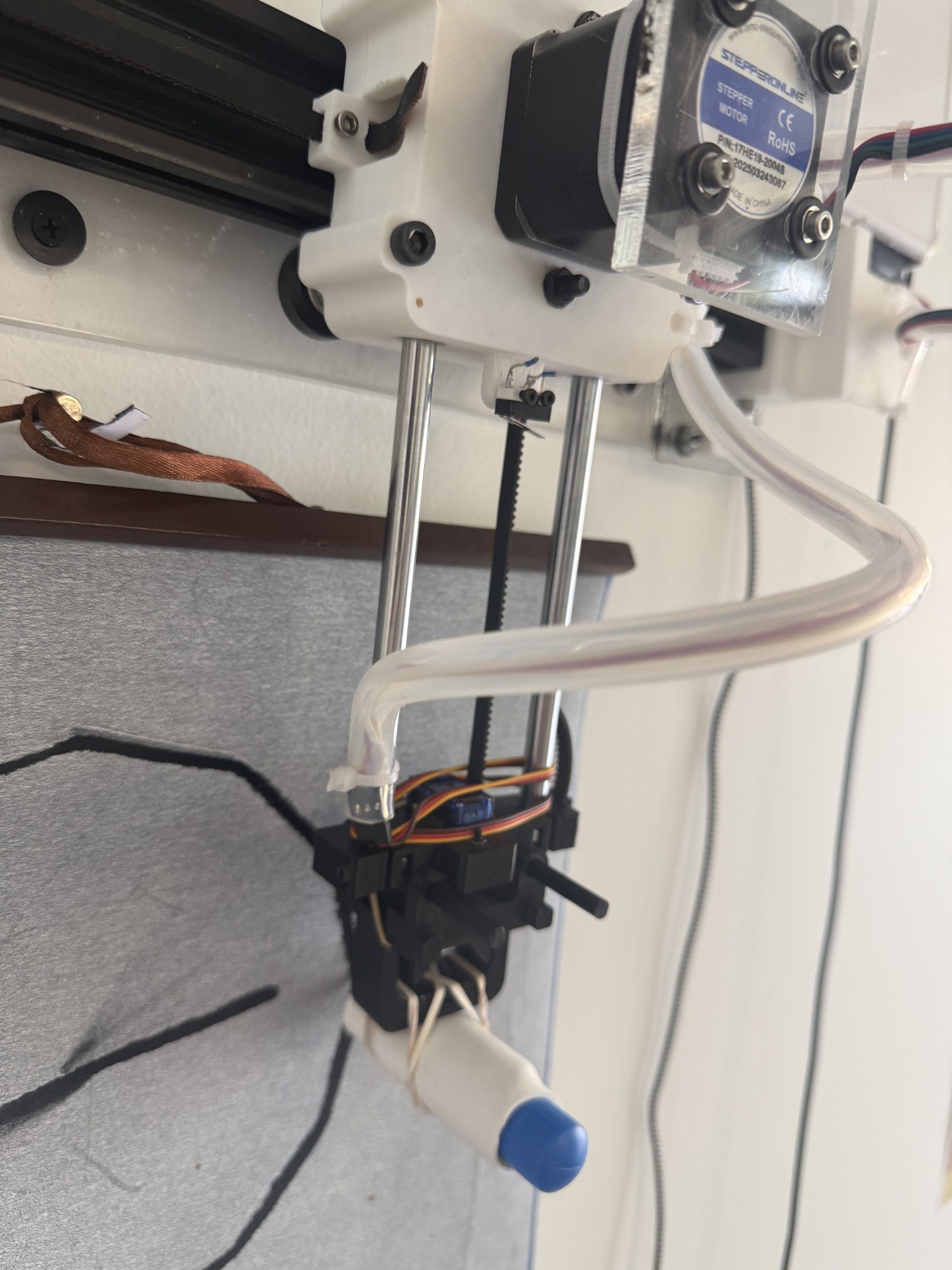
Housing the electronics
Again, because of the time constraints, I had no opportunity to replace the temporary breadboard with something more permanent, and no time to 3D print an enclosure. I was developing a grayscale color scheme with blue accents for the machine, so I looked for a white box that could house the breadboard. I found a small, open-topped box, something like a pencil case, with the right dimensions, and cut into it with saws to make room for the plugs and to attach it to the rest of the machine. Overall, it matches the form and colors of the machine:
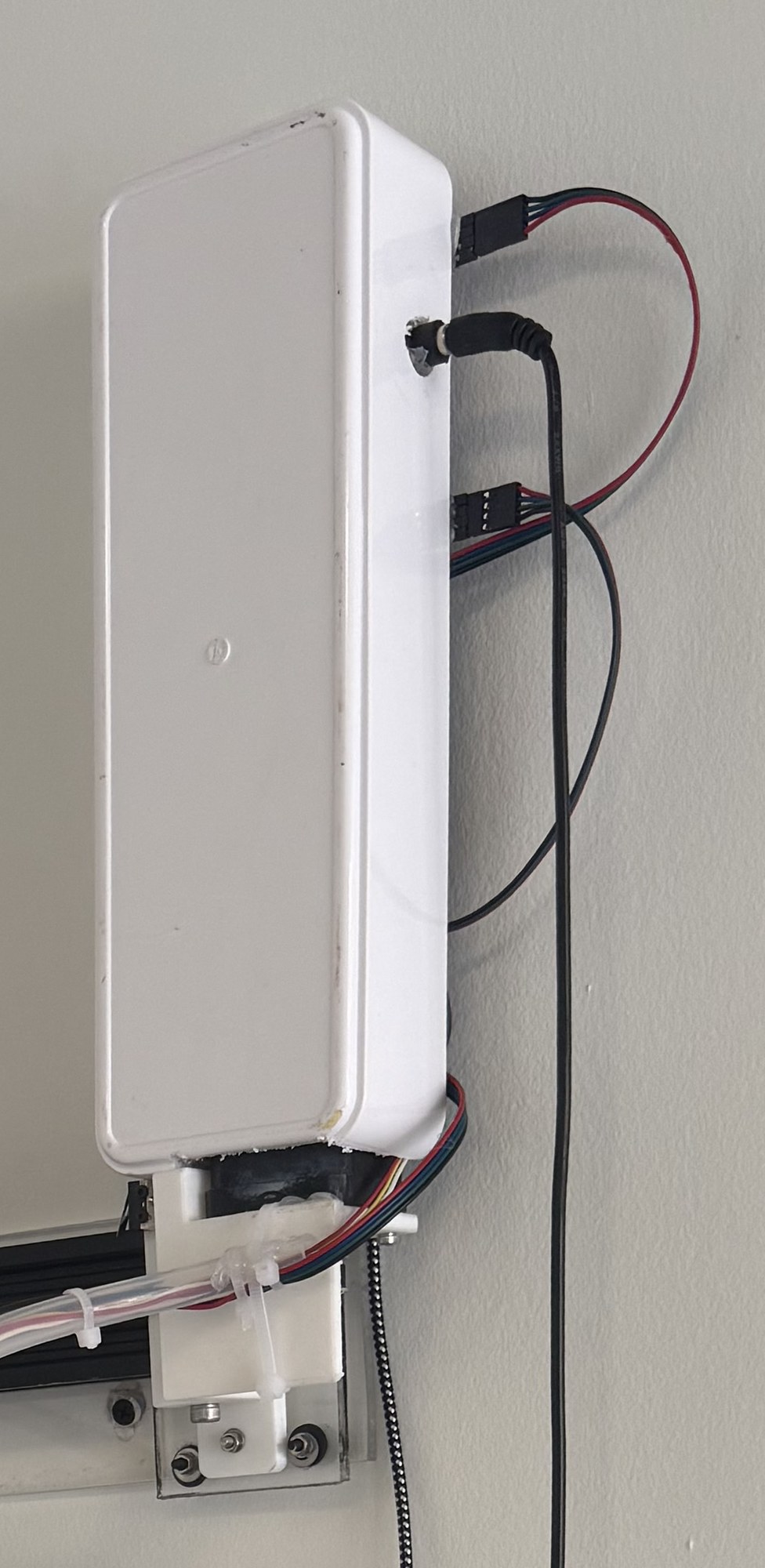
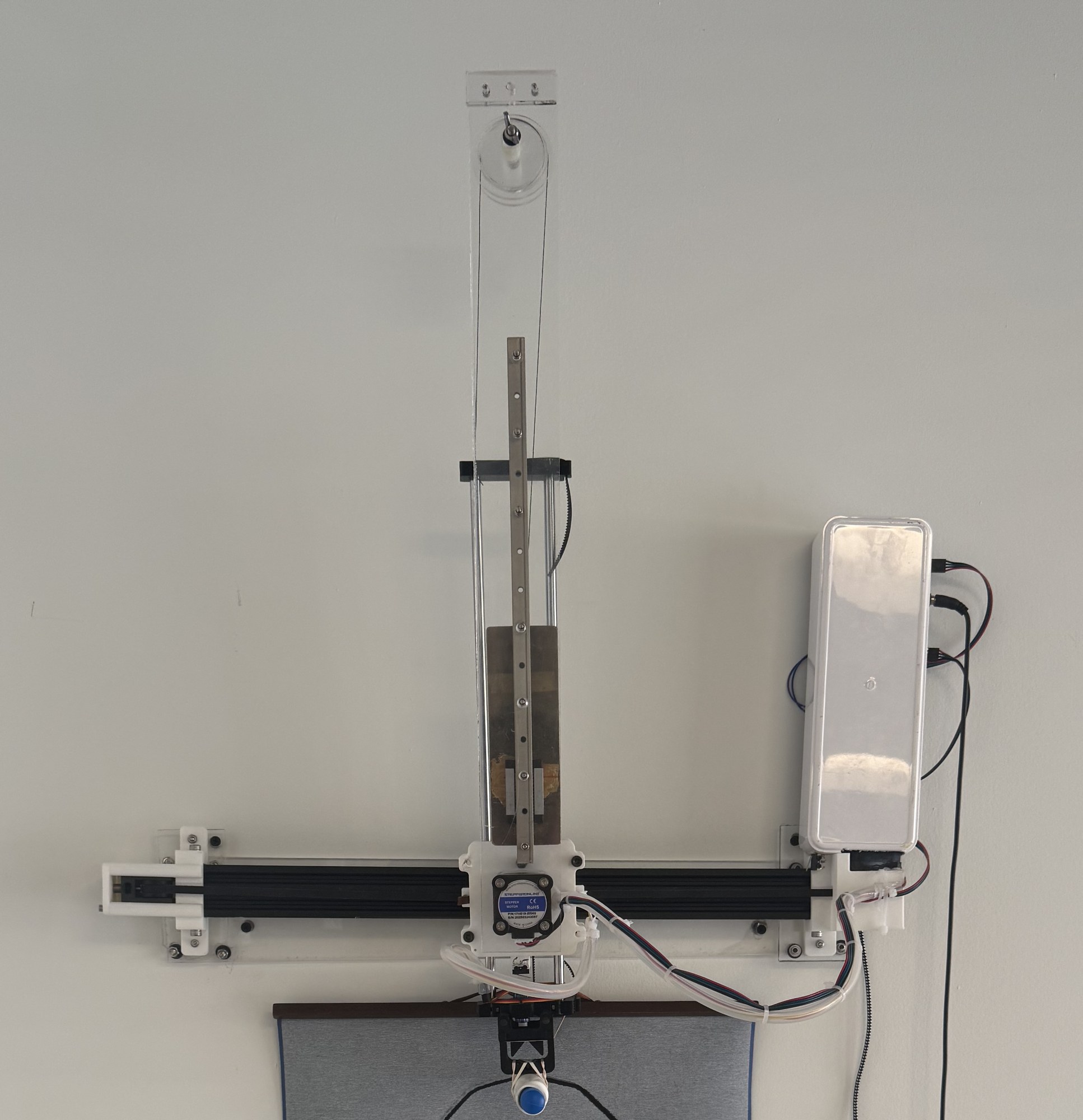
But it’s chaos if you look into the back of the box (the open top of the pencil case), which sits nearly flush with the wall: inside is the same raw breadboard, attached to the back of the case with gaffer tape. As always, my goal was to make the best improvements I could within the limited time I had.
A brush that is able to make it through the day
I was using a standard squeeze-based water calligraphy brush:
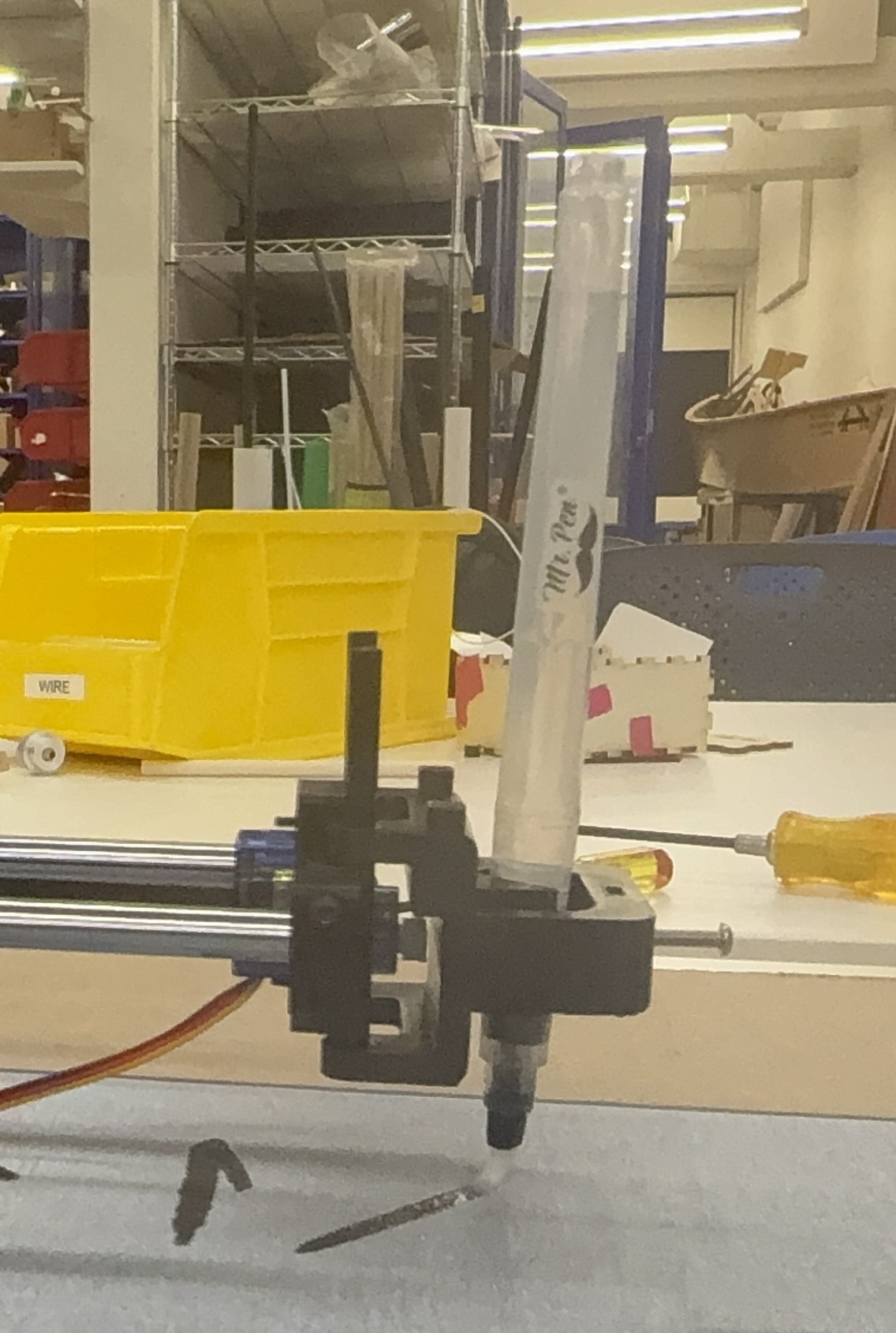
These brushes don’t work well with the natural affordances of a CNC plotter, because they rely on the user periodically squeezing the barrel when they see the brush getting dry. The machine had neither the actuation to squeeze nor a way to tell how dry the brush was. Instead, I found a kids’ product: aqua brushes.
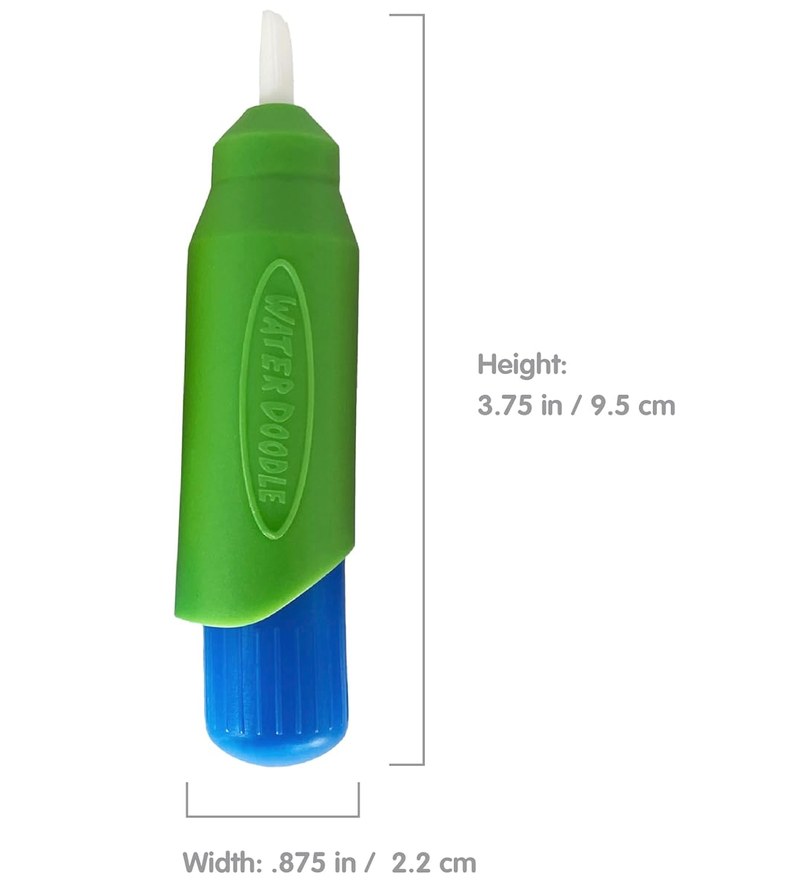
These are designed for paint-with-water sets, where kids use the brush to wet a board that reveals an image wherever it is wet. The board works on the same principle as water calligraphy cloth, with the image printed under a pale layer that turns translucent when wet:
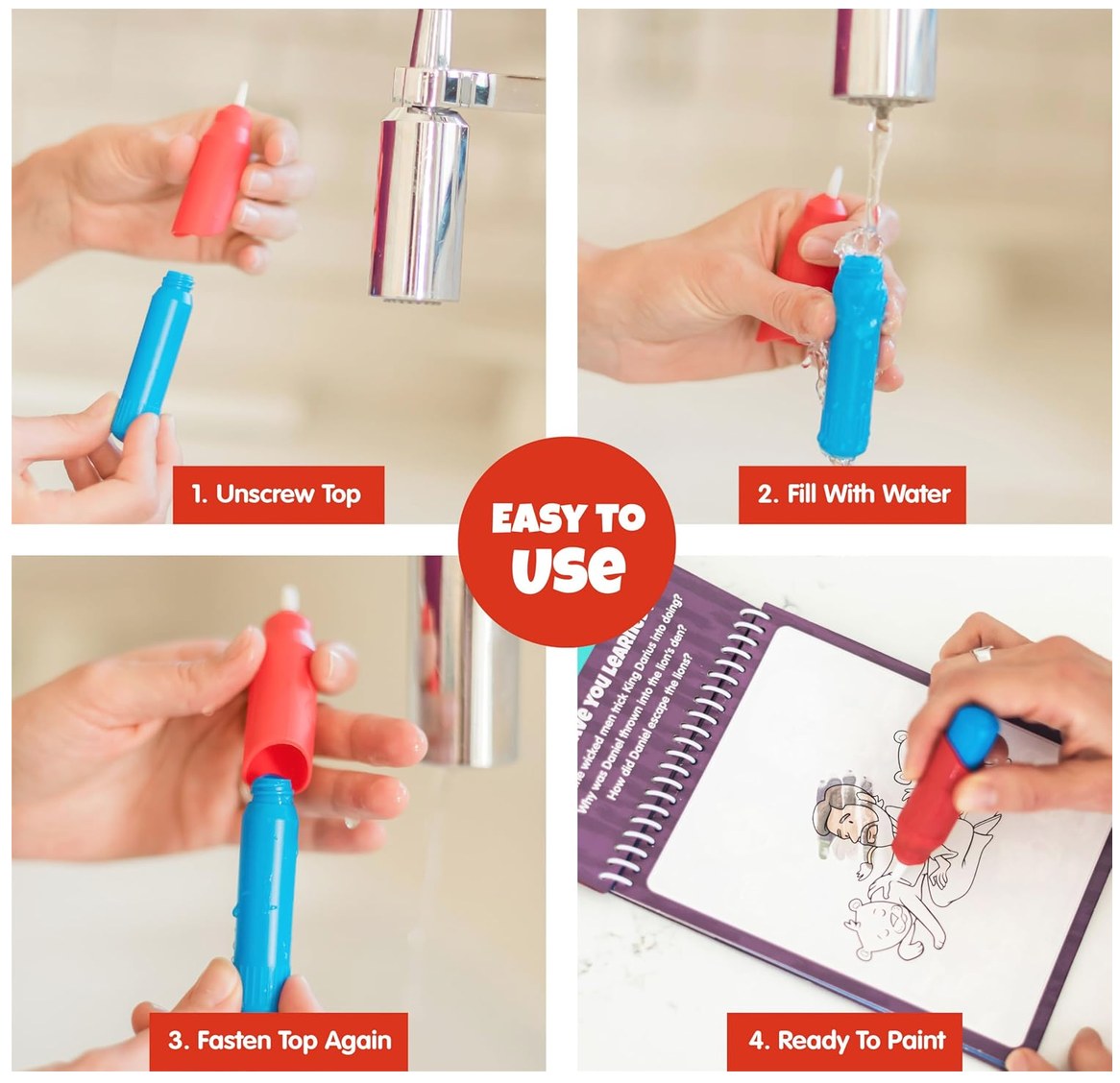
Unlike water calligraphy brushes, aqua brushes release a constant amount of water, since they are designed for kids who may not know how much water to release, which also made them perfect for my use case. Equally important is the fact that they are quite chunky, holding roughly 15 to 20 mL of water. While the brush would eventually run out of water, short tests used only a few mL per hour, so simply refilling it at the end of the day was enough.
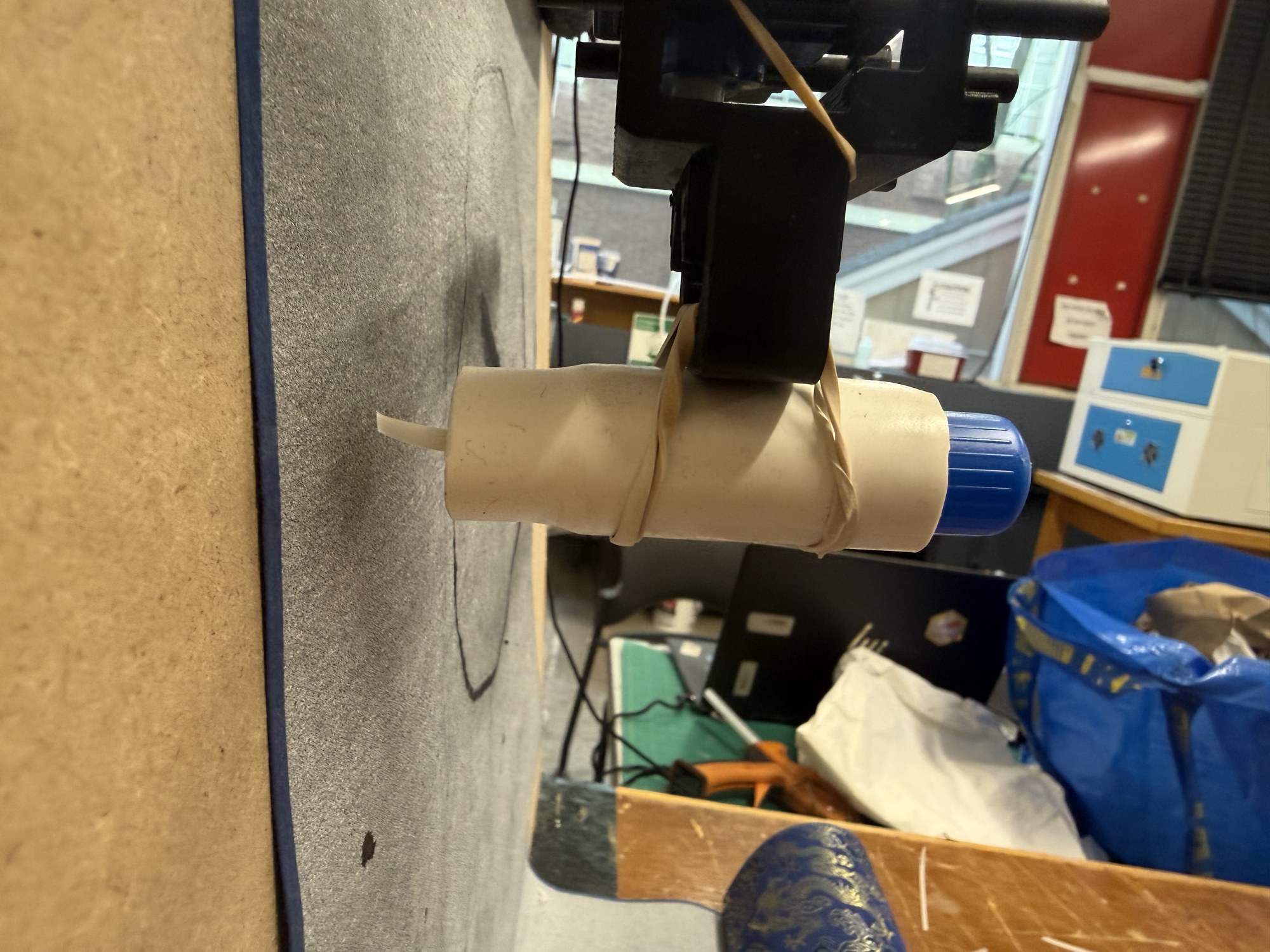
Finally, I used a short length of white rubber tubing to cover most of the brush’s pastel coloring. This leaves the blue end of the brush exposed, but I decided that it looked OK: the water calligraphy cloth is also blue-toned, so having the implement drawing on it be blue as well fit in.
Updating the code
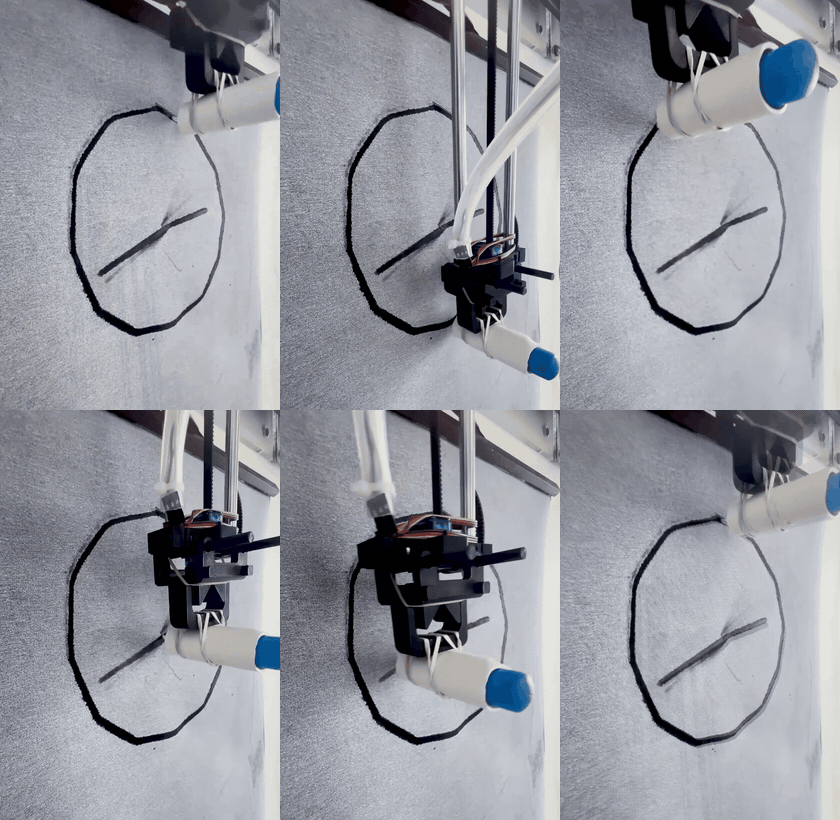
I wanted the machine to appear busy and never stay at rest, so I simultaneously increased the acceleration of the stepper motors and decreased their maximum speed, which gives a more consistent sense of speed overall. I also had it always start at 12:00, instead of at 3:00 as it had been doing before:
The Exhibition
June 25, 2026
On the morning of the 25th, I ran a final test of the entire system, set up the way I would install it:
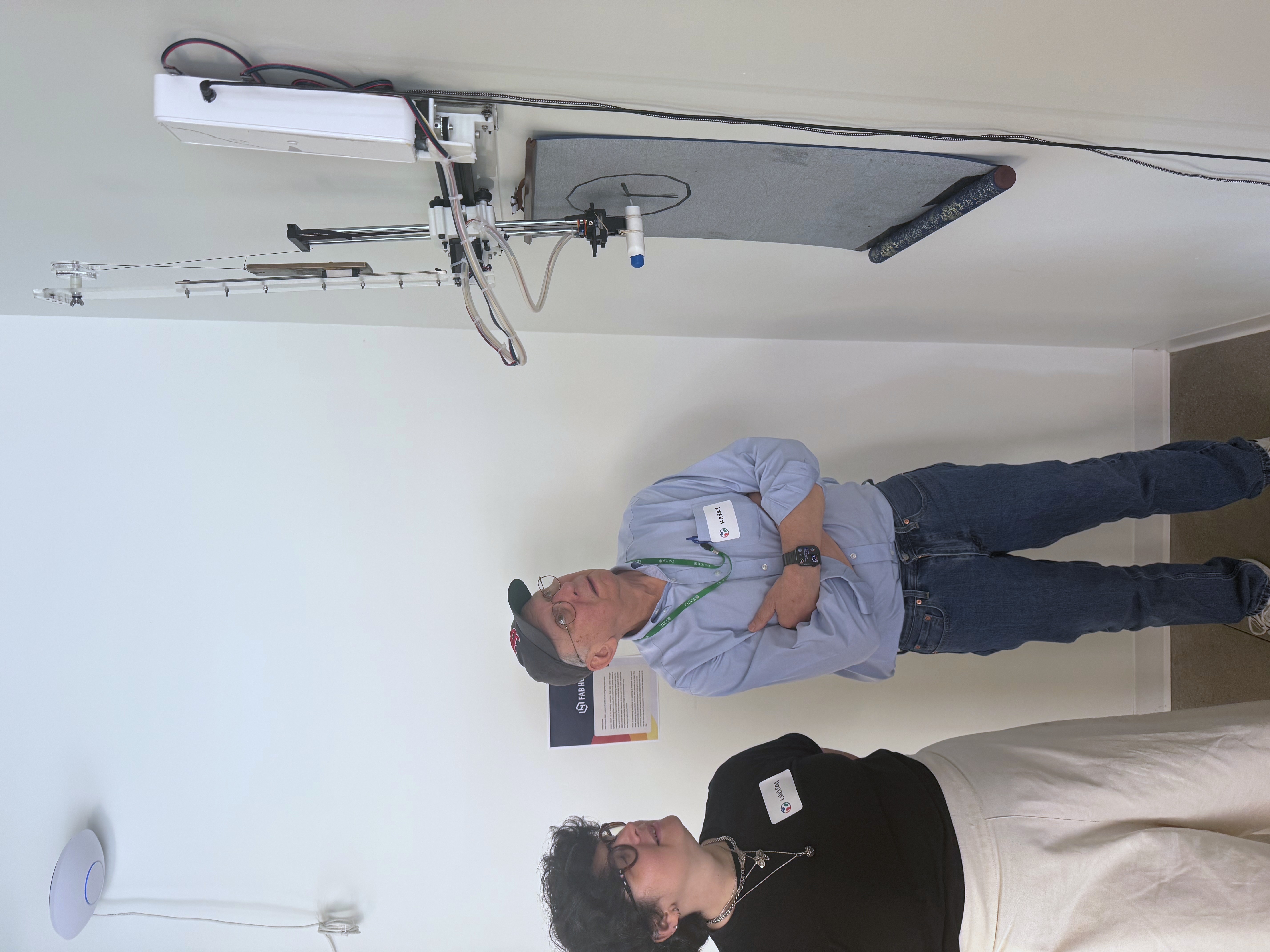
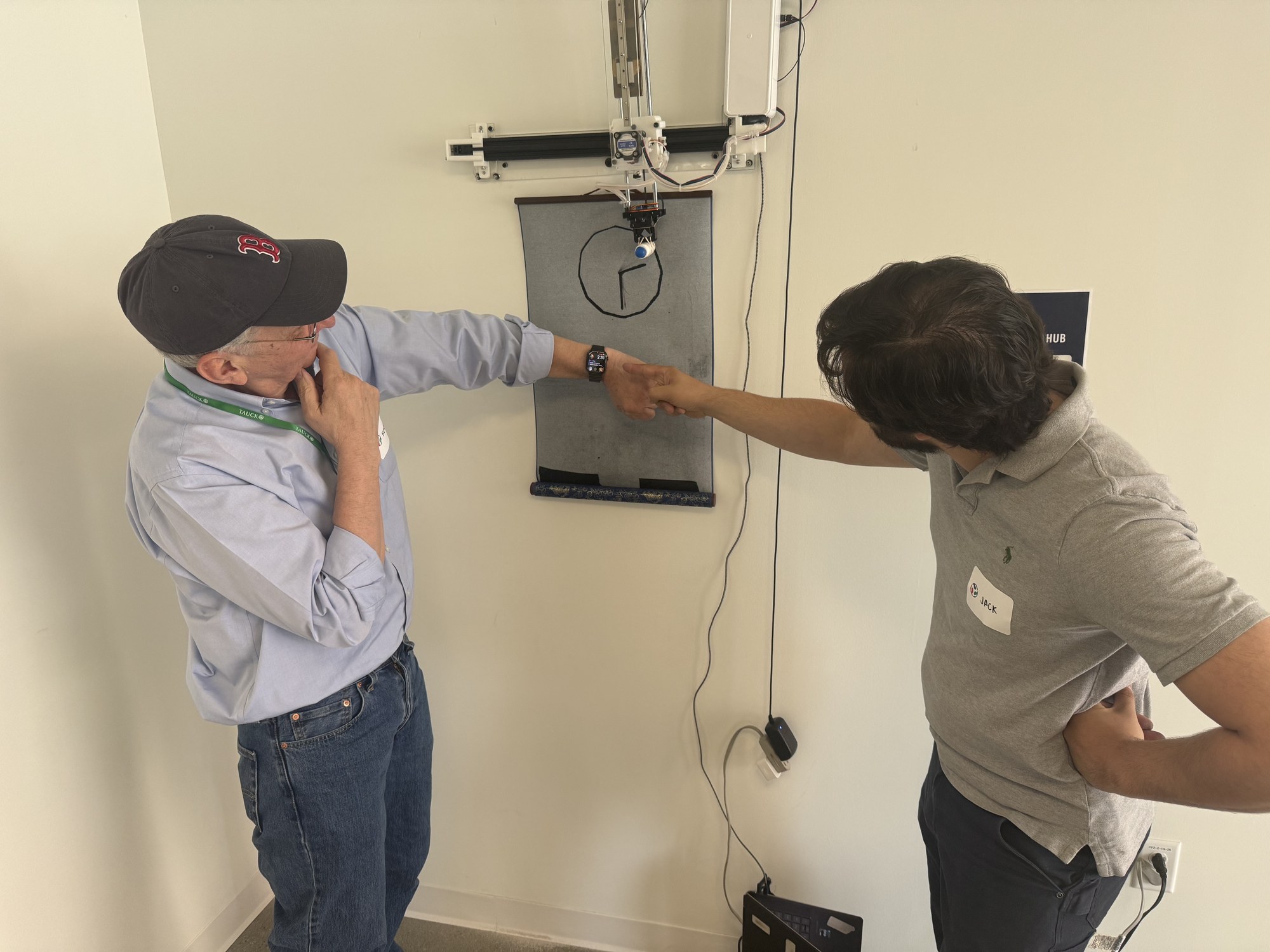
Then I took the piece over to the new Fab Foundation headquarters in Kendall Square for the exhibition. Since I had already worked out what to expect by mounting everything on the chipboard, the installation and the exhibition went off without a hitch.
What I Took From It
Machines are not monolithic. When the vertical plotter couldn’t lift its own arm, breaking it down into its three 1D machines clarified that the problem mechanism was equivalent to an elevator, and the same solution as for an elevator would work.
Build for a piece that runs unattended. An exhibition piece has to keep working at least for an entire day without anyone there to maintain it. The rail replaced the swinging cables for that reason, and the same thinking went into a brush that holds a full day’s water and into rehearsing the installation on the chipboard before mounting it on the real wall.
Fitting the piece to its subject and its venue. Appearances are important for someone to enjoy viewing or interacting with a machine. This means no stray wires, a consistent color scheme, and a layout that makes a clock feel like a clock. The setting is also important. I made something in a fab lab, for a fab lab event.
Sprints have upsides and downsides. You can work with incredible focus for long periods of time if you care enough, but it’s not healthy to do consistently. You can learn a lot and experiment more creatively, simply because you don’t have time for the established, consistent, but slower options. But you can also get unlucky and have something fail completely. Sprints encourage rapid prototyping, but they also encourage skipping the testing needed to know whether a piece will keep working over the long term.
As for the “why not use a printer” question, Water Clock has two answers. The first is the materials: no printer would accept water as its ink or a calligraphy cloth as its paper. The second is more fundamental. A printer hides the paper until the work is done, but Water Clock draws in full view, and because each clock face starts to fade within about a minute, the drawing is never finished. The machine keeps redrawing the time for as long as it is switched on, so there is always something to watch.